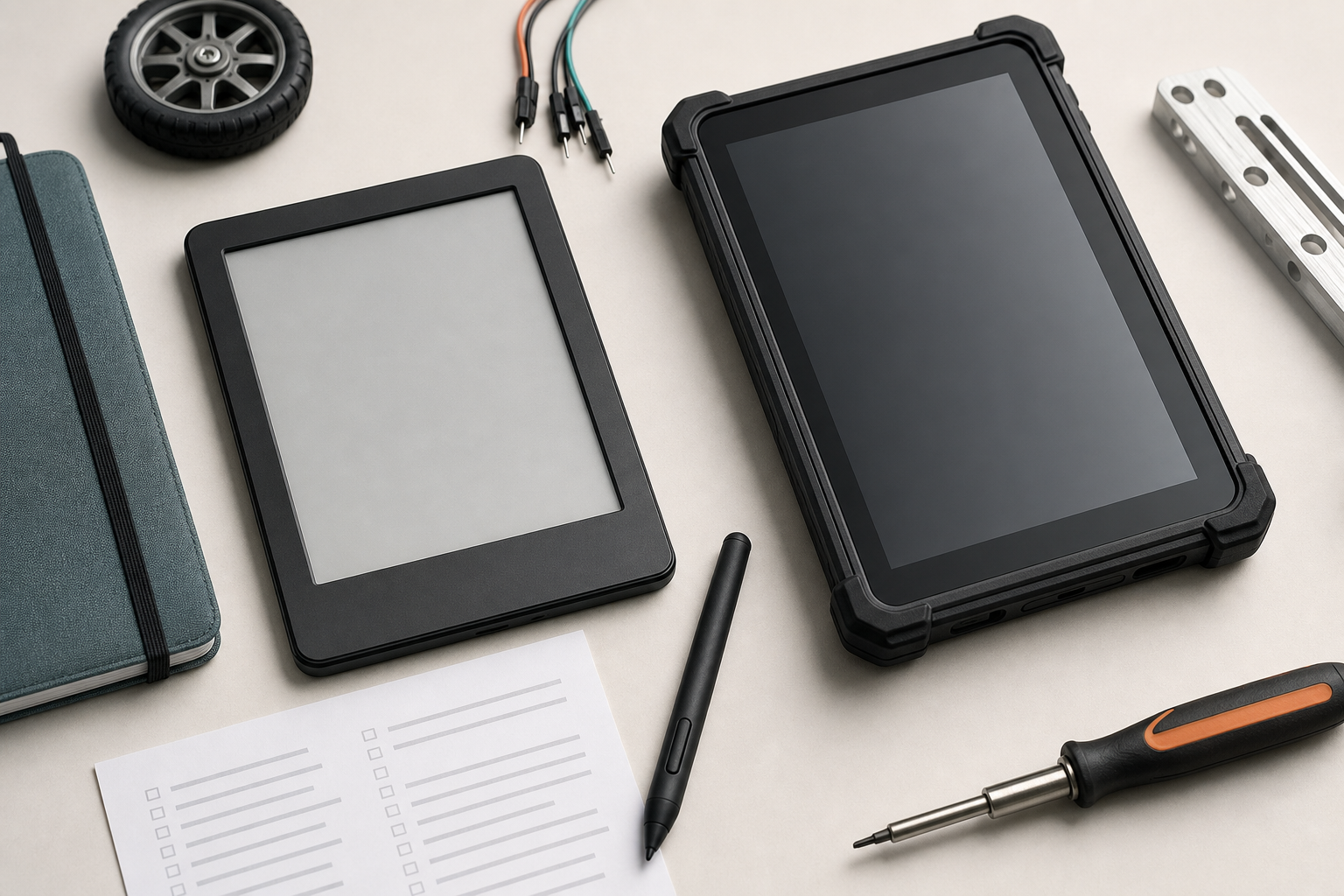
A field manual device looks simple until a team actually uses it outside the lab. The screen must be readable in sun and shade, the battery must last through a long day, the files must sync without drama, and the device must survive backpacks, work tables, dust, gloves, and hurried notes. For robotics teams, maker labs, inspection crews, and STEM programs, the buyer question is not “which gadget is best?” It is whether an e-reader or a rugged tablet fits the workflow.
TVG Report has covered e-reader display technology, portable monitor specs for maker labs, and field storage choices for cameras and robot logs. This buyer evaluation builds on that thread. TVG has not tested a specific e-reader or rugged tablet for this article and has not received a review unit. This is a workflow-based comparison for teams deciding what to test first.
Where e-readers win
E-readers are strongest when the job is reading. E Ink displays use reflected light rather than a bright emissive backlight, which can make them comfortable for long manual reading sessions and useful in bright outdoor conditions. E Ink’s product materials emphasize low-power ePaper applications across eReaders, eNotes, retail, transportation, healthcare, and other environments. That low-power behavior is the core appeal for teams that need a device to sit in a kit bag and still be ready.
For field manuals, build instructions, safety checklists, datasheets, wiring references, and long PDFs, an e-reader can be calmer than a tablet. It is less tempting for multitasking, usually has long standby time, and can be pleasant for students or volunteers who need to follow steps without screen glare. A pen-enabled e-note can also handle simple annotations, inspection notes, and checklist marks.
Where e-readers struggle
The tradeoff is speed and flexibility. E Ink refresh behavior is not ideal for fast web apps, video, complex dashboards, or rapid map interaction. Color ePaper technologies such as Kaleido 3 expand the use cases, but buyers should not expect the same saturation, motion, or interface response as an LCD or OLED tablet. If the team needs live robot telemetry, browser-based tools, CAD viewers, camera-control apps, or fast photo review, a standard e-reader is the wrong starting point.
File handling can also be a hidden problem. Some devices are excellent for books but awkward for folders of PDFs, versioned manuals, offline HTML, exported CAD drawings, or shared team notes. Before buying a batch for a classroom or club, test the exact file workflow: how manuals are loaded, how updates are distributed, how annotations are exported, and whether a student can recover from a sync mistake.
Where rugged tablets win
Rugged tablets are strongest when the field device is part of the work system. They can run Android or Windows apps, handle forms, access cloud storage, display color diagrams, connect to cameras or sensors, and support faster input. They are also designed around environmental claims. Getac describes MIL-STD-810H as a test standard focused on environmental conditions, while rugged-tablet vendors often pair those claims with IP ratings for dust and water resistance.
For a robotics field team, a rugged tablet can be the better choice when the device needs to show live logs, connect over Wi-Fi or USB, display video, run vendor tools, collect photos, or act as the main project dashboard. If the team is already using cloud forms, shared drives, messaging, QR-coded parts bins, and browser-based checklists, a tablet fits naturally.
Where rugged tablets struggle
Rugged tablets are heavier, more expensive, and more power-hungry than e-readers. A bright screen that works well indoors can still be tiring outdoors. Battery life may be adequate for active work but weaker for multi-day standby. The device also brings more management overhead: app updates, account access, browser security, device locks, charging stations, and repair logistics.
Durability claims need careful reading. IP ratings and MIL-STD references are not the same thing. An IP rating describes dust and water ingress under defined conditions. MIL-STD-810H relates to environmental test methods, but the specific tests, procedures, and configurations matter. A buyer should ask what was actually tested, whether ports were sealed, whether the device was operating during tests, and whether the warranty reflects field abuse or only manufacturing defects.
Decision matrix for technical teams
- Choose an e-reader first if the primary job is reading long manuals, keeping checklists available, annotating PDFs lightly, and maximizing battery standby.
- Choose a rugged tablet first if the primary job is running apps, collecting photos, viewing color diagrams, entering forms, connecting to devices, or reviewing logs.
- Choose both if the team has separate roles: one low-distraction manual reader in the field kit and one active tablet for capture, telemetry, and forms.
- Choose neither yet if the team has not standardized file naming, manual version control, charging, device ownership, and offline access.
What TVG would test in a full review
A real review should not stop at specifications. TVG would load the same manual set onto both devices: PDF datasheets, a wiring checklist, a safety procedure, a troubleshooting guide, and a field log template. We would test sunlight readability, glove use, stylus accuracy, cold-start time, annotation export, offline access, battery drain over a long idle period, charging time, accidental drops onto a work mat, and how quickly a new team member can find a procedure.
For the rugged tablet, we would verify the exact IP and MIL-STD claims, port covers, screen brightness, thermal behavior, app compatibility, and repair path. For the e-reader, we would test PDF reflow, zoom latency, note export, folder organization, color-diagram readability if applicable, and whether the device stays useful without a live account connection.
Workflow matters more than the device
The best field-manual device will fail if the team’s documentation is disorganized. Manuals should have clear names, dates, revision numbers, and ownership. Critical checklists should be available offline. Safety procedures should not depend on a single locked account. Teams should keep a printed emergency fallback for high-risk procedures and a way to confirm that the digital version is current.
For youth robotics and school programs, device management is part of the lesson. Students should know how to find a revision, cite a datasheet, mark an uncertainty, and avoid overwriting someone else’s notes. A durable field device can teach documentation discipline, but only if the adults set the workflow first.
TVG Take
An e-reader is the better field-manual appliance. A rugged tablet is the better field-computing tool. The mistake is buying either one because it looks professional. Start with the work: reading, annotating, logging, controlling, photographing, or troubleshooting. Then buy the device that makes that work more reliable with the fewest new failure points.