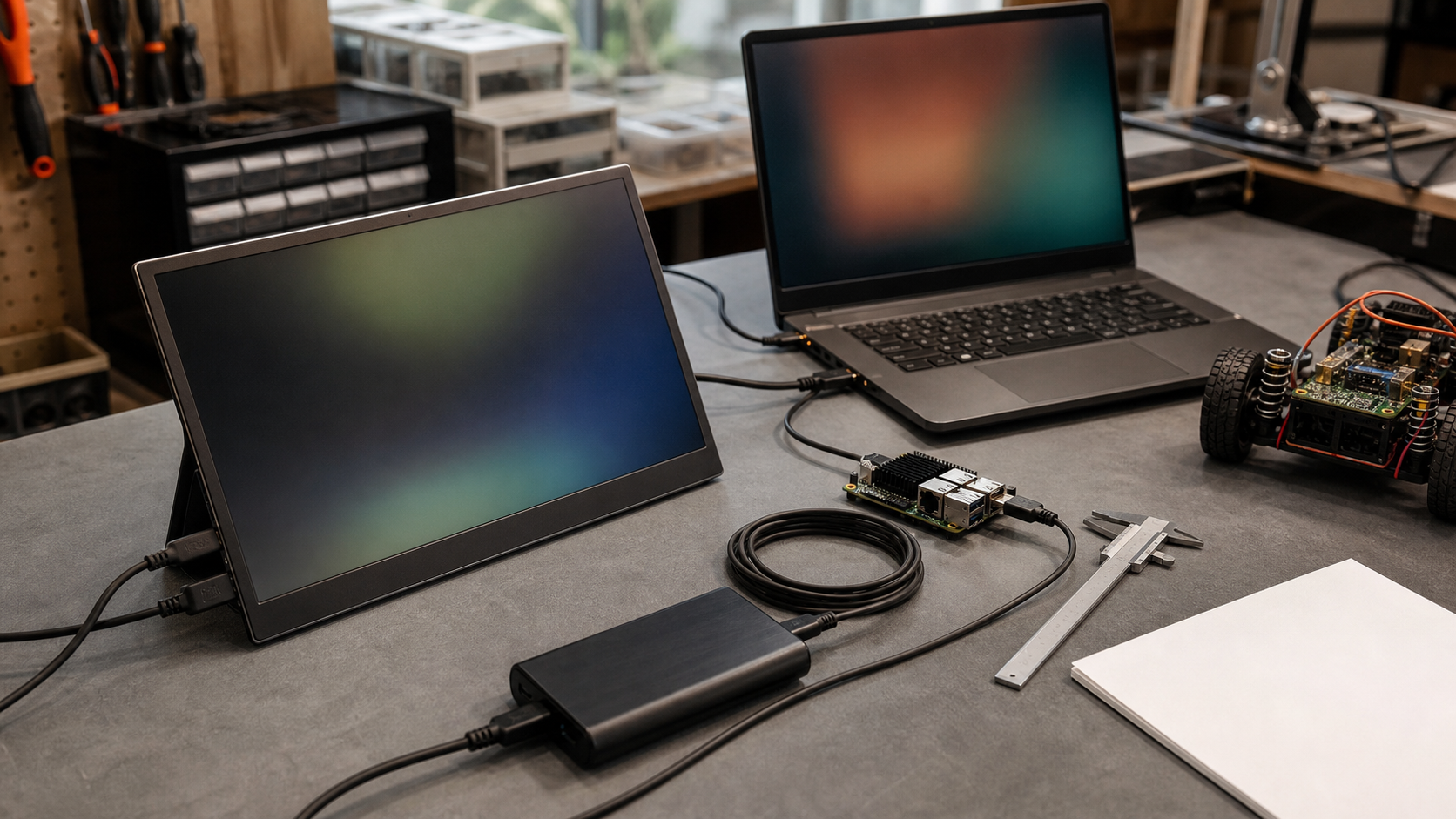
A portable monitor can be the most useful field accessory in a robotics pit, maker classroom, mobile CAD station, or temporary inspection bench. It can also become the first piece of gear everyone stops trusting: too dim outdoors, unstable over USB-C, impossible to power from the same battery as the laptop, or limited to a refresh mode that makes camera feeds and dashboards feel laggy. The spec sheet usually tells only part of the story.
This guide is a TVG checklist for buying portable displays for engineering work rather than for airport productivity photos. The goal is not to name a universal best monitor. It is to explain which specifications actually affect maker labs, robotics teams, field documentation, and small technical crews that need a second screen outside a controlled office.
Recent TVG coverage has looked at field capture tools such as action cameras for robotics and field teams and drone-versus-action-camera documentation tradeoffs. A portable monitor belongs in the same planning bucket. It is part of the measurement, debugging, and review loop. If the display cannot show telemetry, CAD, slicer previews, camera feeds, or test logs clearly where the work happens, it slows the team down.
1. Brightness matters more than marketing HDR
For lab use, 250 to 300 nits may be acceptable. For pits, classrooms with harsh overhead light, or outdoor shade, it can feel weak. For true outdoor work, even higher brightness may be needed, and battery draw rises quickly. Buyers should look for measured typical brightness, not just “HDR” language.
VESA’s DisplayHDR program is useful because it ties HDR claims to defined performance criteria such as luminance, color gamut, bit depth, and response behavior. Many low-cost portable monitors advertise HDR input support without delivering the brightness or contrast that makes HDR meaningful. For engineering work, readable SDR brightness and stable color are usually more important than a badge that does not match the use case.
2. USB-C is not one feature
USB-C causes more portable-monitor confusion than almost any other connector. A port can be physically USB-C without supporting DisplayPort Alternate Mode, enough Power Delivery, or the cable quality needed for a stable high-resolution signal. USB-IF maintains separate documentation for USB Type-C and USB Power Delivery, which is a reminder that connector shape, power negotiation, and display transport are different questions.
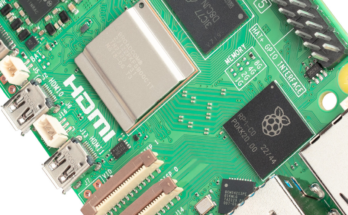
For a single-cable setup, the host laptop, tablet, or mini PC must output video over USB-C, the monitor must accept it, and the cable must support the required mode. If a robotics team is using a mixed fleet of school laptops, Raspberry Pi-class boards, mini PCs, and tablets, assume nothing. Test the exact devices. A monitor that works perfectly with a MacBook may need HDMI plus separate power when connected to a small embedded system.
3. Resolution should match the task, not the box photo
Full HD is still practical for 14- to 16-inch portable screens because it keeps UI scaling predictable and bandwidth modest. Higher-resolution panels can make CAD, code, and dense dashboards sharper, but they also increase GPU load, cable demands, and sometimes power draw. If a team mainly needs logs, terminal windows, slicer previews, and camera-monitoring dashboards, a dependable 1080p panel may beat a fragile 4K travel display.
For camera work, check whether the monitor accepts the real output modes from the camera, capture card, drone controller, or field computer. HDMI version language can be vague. HDMI Licensing publishes specification information, but product listings often hide whether a port supports the resolution, refresh rate, chroma format, and cable class your workflow needs. Ask the vendor directly if the monitor must handle unusual frame rates or high-refresh feeds.
4. Power budget decides field reliability
A portable monitor is not portable if it steals the only USB-C power path. Some displays can pass power through to the host; others require a second cable; some become unstable when brightness is raised or when the laptop battery is low. Engineering buyers should calculate the whole chain: laptop, monitor, hub, camera input, storage, and any sensor interface.
In a robotics pit, the best setup is often boring: one known-good charger, one known-good cable, one display mode, and a spare power path. For field documentation, a battery pack that supports the needed USB Power Delivery profile can matter more than panel resolution. Test from battery before the event, not at the event.
5. Touch support can help, but only if the software stack agrees
Touch looks attractive for dashboards and field review, but compatibility varies. Windows support may be straightforward while Linux, ChromeOS, Android, or single-board computer setups require driver checks. If the monitor is meant for a kiosk, testing station, or STEM classroom demo, verify touch input, calibration, sleep behavior, and reconnect behavior after a reboot.
DisplayLink-style USB graphics can be useful when a host lacks native video outputs. Synaptics describes DisplayLink as a GPU-agnostic approach that works across multiple operating systems and host platforms. That flexibility can rescue mixed labs, but it also means driver installation, compression behavior, and latency should be tested before the display becomes part of a live robot-debugging workflow.
6. Mounting and durability are engineering specs
Portable-monitor listings often focus on thinness. Maker labs should care about the stand. Can it survive a table bump? Does it hold the screen at a useful angle with gloves nearby, cables attached, and students moving around it? Does it support VESA mounting, tripod mounting, or a clamp? Can the cover be replaced if it fails?
For field crews, inspect the port placement. Side-mounted USB-C or mini-HDMI ports may be easy to damage if the cable exits into a crowded bench. A monitor used near soldering, 3D printers, batteries, or outdoor dust should have a case plan, not just a sleeve. The less glamorous mechanical details decide whether the display survives a season.
7. Color accuracy is task-dependent
For photo editing and product media, color coverage and calibration matter. For robot telemetry, slicer previews, and programming, consistency and readability matter more. If a team is buying one monitor for both creator work and engineering dashboards, ask for sRGB coverage, factory calibration claims, matte versus glossy surface details, and whether color changes noticeably when brightness is reduced.
Color E Ink and reflective displays are a different category, as TVG covered in its e-reader display technology guide. Portable LCD and OLED monitors are better for video and interactive dashboards; reflective e-paper is better for low-power reading and static reference material. Choosing between them starts with refresh and power needs, not preference.
Buyer checklist for robotics and maker teams
- Test the exact host devices, cables, hubs, and power banks before buying multiples.
- Prefer clear brightness numbers over vague HDR claims.
- Check whether USB-C supports video, power input, and power pass-through.
- Verify HDMI modes if using cameras, capture cards, drones, or gaming-style high-refresh outputs.
- Decide whether touch is required and test reconnect behavior.
- Inspect stand stability, port placement, and mounting options.
- Write down a standard cable and power kit so every team member uses the same setup.
TVG Take
The best portable monitor for a maker lab is usually the one with the fewest surprises. A slightly thicker, well-powered, readable 1080p display with reliable USB-C and HDMI behavior can outperform a thin high-resolution panel that needs constant cable troubleshooting. Treat the monitor as part of the lab infrastructure: test the signal path, power path, mounting, and software compatibility before it becomes essential.