This is a spec review, not a hands-on camera test. TVG has not tested the current flagship action cameras side by side in a controlled field workflow. The goal here is narrower and useful: identify which action camera specs actually matter when a robotics team, maker group, or field crew buys a small rugged camera for documentation, debugging, outreach, or training footage.
For teams, the best action camera is rarely the one with the loudest headline resolution. It is the one that records the right evidence, stays mounted, survives dust and bumps, handles heat, keeps files manageable, and does not slow down the people doing the work. That means the buying checklist should start with workflow, not with a single brand claim.
Product category summary
Modern action cameras from DJI, GoPro, Insta360, and others now compete on high-resolution video, wide fields of view, stabilization, waterproofing, replaceable batteries, companion apps, mounting ecosystems, and creator-friendly color modes. Official pages such as DJI’s Osmo Action specifications, Insta360’s Ace Pro 2 product page, and GoPro’s HERO13 Black product page show how much the category has moved beyond simple “small waterproof camera” positioning.
For TVG readers, the practical question is different: what do those specs mean when the camera is bolted to a robot cart, clipped to a pit table, mounted near a 3D printer, carried outdoors for a drone-field setup, or used to document a student engineering process?
Disclosure and review status
No review unit, sponsorship, affiliate relationship, or hands-on lab measurement is being claimed in this article. This is a buyer evaluation based on public specifications and the field-documentation needs of robotics and maker teams. A full review would need controlled tests for battery life, overheating, low-light performance, stabilization artifacts, audio, mounting durability, file reliability, app workflow, and footage recovery after impacts.
Sensor size and low-light behavior
Resolution is the easiest spec to sell and one of the easiest to overvalue. For field documentation, sensor size, lens brightness, image processing, and noise handling may matter more. A high-resolution mode can be useful for reframing, but many robotics teams publish at 1080p or 4K after editing. If footage is captured in a dim workshop, gym, pit area, or evening test field, low-light performance can decide whether the video is evidence or decoration.
What TVG would test: record the same moving mechanism under classroom fluorescent light, a dim workshop corner, and outdoor shade. Compare whether small fast-moving parts remain visible and whether the camera smears, sharpens too aggressively, or loses detail in shadows.
Stabilization is useful, but artifacts matter
Electronic stabilization can make walking footage and robot-mounted shots watchable. But aggressive stabilization may crop the frame, warp straight lines, or create odd motion around fast vibration. A drivetrain test, robot arm movement, or drone-field walkthrough can expose those artifacts quickly. Teams should also check whether stabilization works in the resolution and frame-rate modes they actually plan to use.
This connects to TVG’s broader coverage of vision systems and latency, including our edge AI camera latency guide. Documentation cameras are not control cameras, but both require honest thinking about frame rate, exposure, processing, and what the image is supposed to prove.
Heat and recording limits
Action cameras are tiny computers in sealed bodies. High-resolution recording, high frame rates, stabilization, Wi-Fi, and bright screens all generate heat. A camera that looks excellent in short clips may be frustrating during long testing sessions, classroom events, or all-day competitions. Official specs can list modes and battery claims, but the team should test the exact recording mode in the expected environment.
What TVG would test: record continuously in the intended mode for 30, 60, and 90 minutes with the camera mounted as it would be used. Check heat warnings, file segmentation, battery swap speed, and whether the mount blocks cooling.
Mounting ecosystem and physical reliability
For robotics and maker teams, mounting may matter as much as image quality. A camera needs to attach to aluminum extrusion, tripod plates, helmets, cart handles, tool cabinets, or temporary field rigs. Check whether the body needs a cage, whether doors remain accessible, whether charging while mounted is possible, and whether the lens cover can be replaced after scratches.
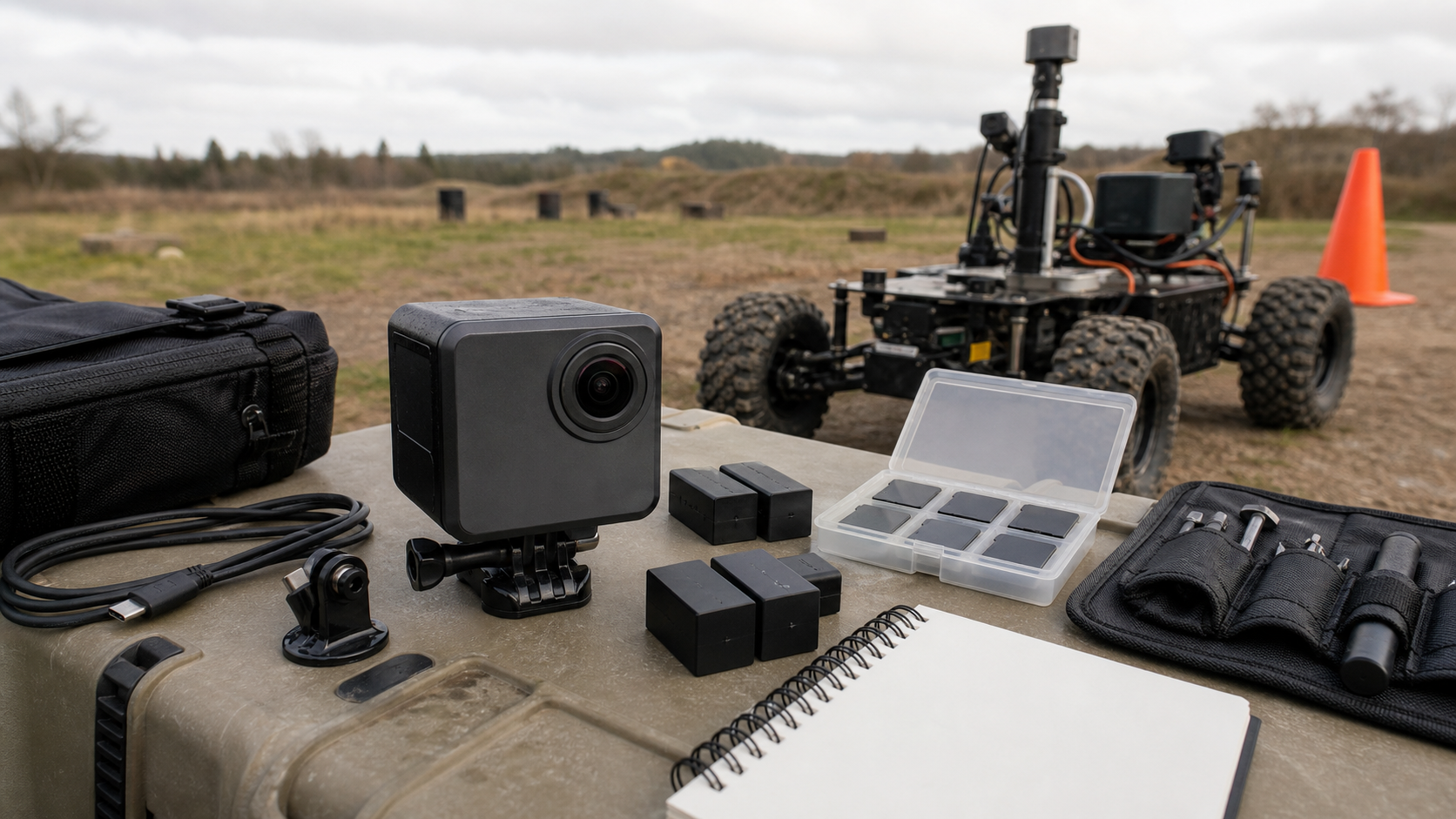
A good field kit should include spare mounts, short safety tethers, lens protection, labeled batteries, a small card case, and a known-good charging routine. That is less exciting than 8K video, but it is what keeps footage from being lost during a busy event.
Audio and notes are underrated
Many teams use action cameras as silent b-roll devices. That works for outreach, but engineering documentation is better when someone narrates what is being tested. Built-in microphones can be poor in wind, near machinery, or in crowded pits. If the camera supports external audio or reliable wireless mics, that can turn a vague clip into useful evidence.
Teams should also create a simple slate habit: say the date, test name, robot configuration, and goal at the start of each clip. The best camera cannot fix a folder full of unnamed videos with no context.
Workflow: files, apps, and editing
Before buying, check how footage leaves the camera. Does the team prefer USB-C file transfer, microSD readers, phone app transfer, cloud sync, or direct editing? Are files easy to archive by date and event? Can students use the workflow without signing into personal accounts? Can long clips be recovered if a battery dies?
TVG’s recent drone vs. action camera buyer evaluation made the same point from another angle: the best documentation tool depends on the job. A drone can capture site context; an action camera can ride with the work. Both need a workflow that a real team can maintain.
Who should buy what kind of action camera?
A school robotics team should prioritize ruggedness, battery swaps, simple transfer, stabilization, and wide mounts. A maker lab should prioritize close-range detail, heat behavior, and compatibility with tripods or bench rigs. A field crew should prioritize weather sealing, audio options, horizon leveling, and fast charging. A creator-focused team may care more about color profiles, app editing, and vertical-video support.
If the budget is tight, buy fewer headline features and more complete kits: batteries, cards, mounts, cases, and a known storage workflow. A cheaper camera that is always charged and correctly mounted beats an expensive one sitting in a drawer.
What TVG would test first
- Continuous recording in the intended resolution and frame rate.
- Low-light performance in a real workshop or gym.
- Stabilization on a vibrating robot cart or handheld field walk.
- Battery swap speed and charging while mounted.
- Mount security after bumps, vibration, and quick repositioning.
- Audio intelligibility with narration near machinery or crowds.
- File transfer and archive workflow with student or team accounts.
Engineering Takeaway
TVG’s take: for robotics and field teams, an action camera is an engineering documentation tool before it is a creator gadget. Buy for reliable evidence capture: stable mounting, usable low-light footage, controlled heat, clear file handling, and enough audio context to understand the test later. Headline resolution is useful only after the basics survive a real practice session.