E-readers look simple from the outside: a thin slab, a matte screen, weeks of battery life, and a store full of books. For engineers, educators, makers, and field teams, the display technology underneath matters more than the shopping page usually admits. The same “paper-like” screen can be excellent for outdoor reading, mediocre for fast diagrams, frustrating for color photos, and surprisingly useful for low-power dashboards.
This guide explains the display choices that matter before buying an e-reader, e-note, or e-paper device for technical reading, classroom work, maker documentation, or field reference. The goal is not to crown one model. It is to help TVG Report readers understand the tradeoffs behind monochrome E Ink, color E Ink, front lights, refresh behavior, stylus latency, file formats, and battery claims.
The durable query: what e-reader display specs actually matter?
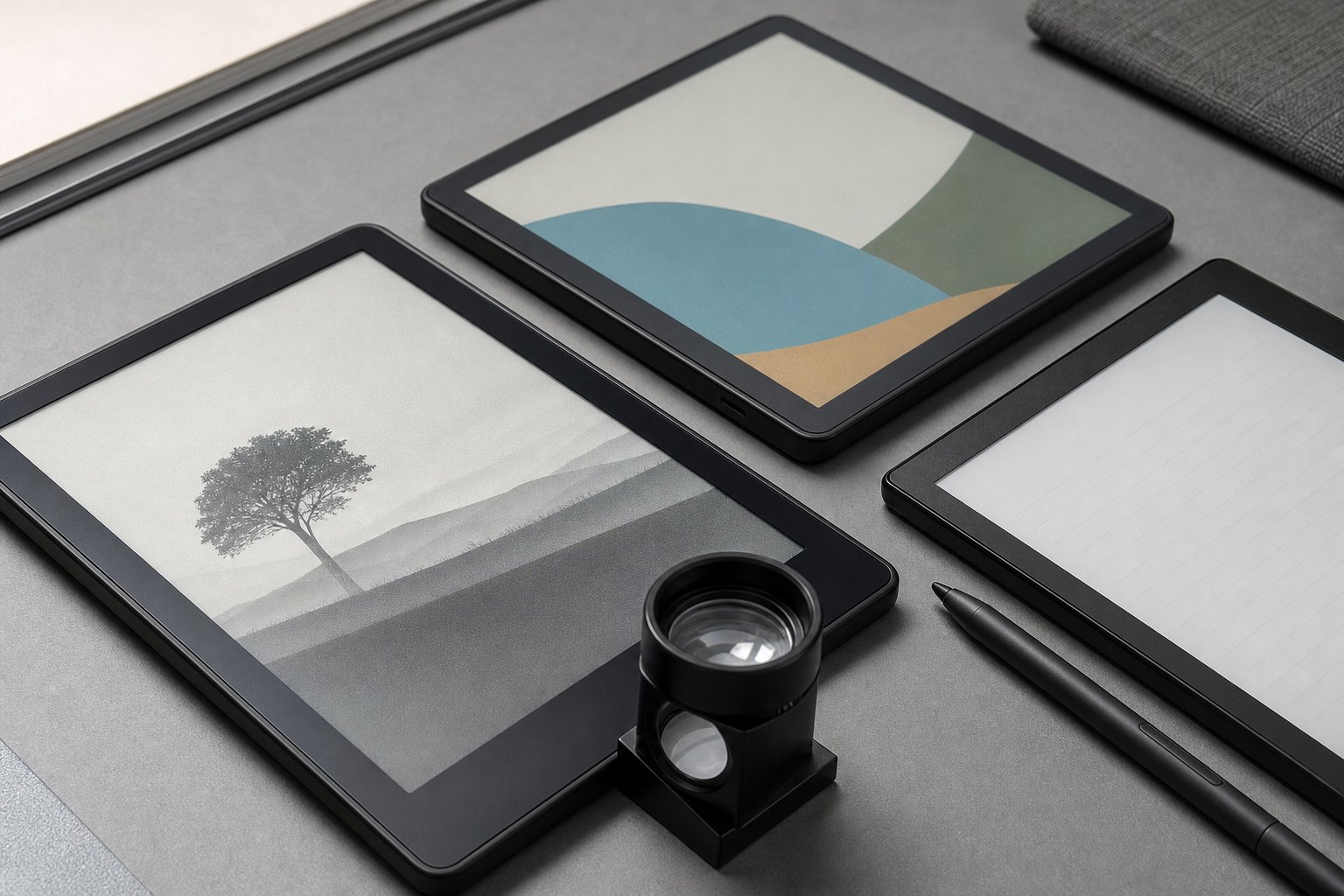
The first spec to check is not storage or even screen size. It is the display type. Traditional monochrome electrophoretic E Ink remains the best choice when the job is long-form reading, outdoor visibility, low eye strain, and battery life. Color E Ink, such as E Ink’s Kaleido family, adds a color filter layer over the reflective display. That enables maps, charts, comics, highlights, and diagrams, but it also introduces limits in color saturation, refresh speed, and apparent brightness.
E Ink says Kaleido 3 supports 16 levels of grayscale and 4,096 colors, with color saturation improved by 30 percent over Kaleido Plus. That is useful progress, but buyers should not confuse it with an OLED tablet. Color e-paper is at its best for annotation, textbooks, field manuals, schematic highlights, and low-power dashboards. It is not the right display for color-critical photo editing or fast video.
Amazon’s Kindle Colorsoft announcement and Kobo’s Libra Colour product page show why the category is getting more attention: readers want color book covers, highlights, notebooks, and illustrated material without giving up the calm, low-power reading experience. For TVG’s expanded creator and engineering audience, the question is whether the color layer helps your actual workflow.
Monochrome E Ink: still the benchmark for technical reading
If most of your reading is PDFs, manuals, standards documents, code books, research papers, or long articles, a sharp monochrome panel is still hard to beat. Black text on a reflective screen is readable outdoors, does not fight sunlight the way glossy tablets do, and can run for long stretches because power is mostly used when the page changes.
For robotics teams, this can be more valuable than it sounds. A dedicated e-reader can hold rulebooks, wiring references, CAD-exported drawings, checklists, and scouting notes without the distraction and battery anxiety of a phone. It also pairs well with the kind of practical field documentation discussed in TVG’s guide to choosing sensors for a school robotics team and our maker-focused coverage of CAN bus in robotics projects.
The main drawback is visual hierarchy. Monochrome screens can show diagrams and photos, but colored wiring diagrams, heat maps, CAD annotations, and UI screenshots lose information when converted to grayscale. If your work depends on red/yellow/green status markings or multi-color graphs, monochrome can become a source of mistakes.
Color E Ink: useful, but not magic
Color e-paper is the display category to watch for education, maker documentation, and field reference. A color panel makes it easier to read charts, distinguish annotation layers, scan book covers, and review illustrated procedures. It also makes an e-note more useful as a project notebook because colored highlights and sketches carry meaning.
The tradeoff is that color e-paper usually looks muted compared with LCD or OLED. That is not a defect; it is a consequence of the reflective display stack and color-filter approach. A buyer who expects tablet-like color will be disappointed. A buyer who wants readable wiring colors, map zones, textbook figures, and low-power notes may be satisfied.
For engineering work, the right question is: “Does color reduce ambiguity enough to justify the cost and brightness tradeoff?” In a classroom robotics notebook, yes. In a sunlight-readable drone maintenance checklist, possibly. In a photo portfolio, probably not.
Front lights are not backlights
E-readers often advertise adjustable lighting, but the physics are different from a phone or tablet. Most e-paper devices use a front light that shines across the display surface rather than a backlight shining through emissive pixels. That helps preserve the paper-like feel and outdoor readability, but front-light quality still varies.
Check for evenness, warm-light control, and whether the screen becomes gray or washed out at the brightness level you actually use. A low-quality front light can make a good panel feel cheap. A strong warm front light can make long technical reading at night more comfortable than a conventional tablet, especially when you are reviewing documentation before a build session.
Refresh rate and ghosting: the hidden workflow spec
E-paper refresh behavior is one of the biggest practical differences between e-readers and tablets. Turning a page is fine. Scrolling a dense PDF, panning a large schematic, typing rapidly, or dragging a stylus stroke can expose lag and ghosting. Some devices offer faster refresh modes, but they often reduce image quality or increase artifacts.
For makers and educators, this affects how the device should be used. E-paper is good for prepared reference material, checklists, lesson notes, and reading. It is less ideal as a live control surface, oscilloscope viewer, or fast CAD inspection tool. If you need live dashboards or frequent redraws, a tablet or portable monitor may still be the better tool.
Stylus latency and note-taking
E-notes add another decision layer: stylus feel. A good e-note can replace printed engineering notebooks for sketches, test logs, design notes, and class diagrams. But stylus latency, palm rejection, export options, and PDF annotation tools matter more than the raw “supports pen” claim.
Before buying, test or research four things: how quickly ink appears under the stylus, whether the writing surface feels slippery or paper-like, how annotations export, and whether notes are trapped in a proprietary cloud. Teams using devices for robotics competitions, classroom labs, or maker documentation should prefer formats that can be backed up and shared without depending on one account.
Battery life claims need context
E-reader battery claims are often stated in weeks, but the real result depends on front-light use, Wi-Fi, Bluetooth audio, note-taking, PDF rendering, and refresh-heavy workflows. A monochrome reader used for novels can run much longer than a color e-note used for illuminated technical PDFs and stylus work.
The practical buyer move is to estimate by workload. If the device will live in a backpack as a reference library, battery life is a major advantage. If it will be a daily note-taking tablet with brightness high and sync always on, treat the “weeks” claim cautiously.
Buyer checklist for engineering and maker use
- Display type: monochrome for long reading; color E Ink for diagrams, highlights, maps, and illustrated manuals.
- Screen size: 6–7 inches for portability; 8–10 inches or more for PDFs, schematics, textbooks, and note-taking.
- File support: confirm PDF behavior, EPUB support, annotation export, and whether your library is locked to a store.
- Lighting: check front-light evenness and warm-light options.
- Refresh behavior: look for reviews that test scrolling, zooming, handwriting, and ghosting.
- Durability: field teams should check case options, water resistance claims, and replacement stylus/battery policies.
- Privacy: understand sync settings and cloud note processing before using the device for student or customer data.
TVG Take
E-readers are no longer just book devices. For technical teams, they can be low-distraction reference terminals, field notebooks, and classroom documentation tools. But the display type should match the job. Monochrome E Ink is still the practical winner for long technical reading. Color E Ink is worth considering when diagrams, highlights, and illustrated notes reduce mistakes. Tablets remain better for video, fast scrolling, and color-critical work.
The best purchase is not the most advanced e-reader. It is the display that removes friction from a real workflow: rulebook on the competition table, wiring reference in the workshop, annotated manual in a field kit, or a low-power notebook that does not pull students into a notification stream.