Drone photogrammetry is attractive because it appears to turn a simple flight into a map, a site model, or a 3D reference for a build. For maker teams, robotics clubs, construction-adjacent student projects, and field-documentation crews, that promise is real — but only if the capture process is treated as measurement work rather than casual drone footage. The software can only solve from the images and metadata it receives.
TVG Report has recently covered drone versus action camera field documentation, camera sensor size for field teams, and a spec review of the Potensic Atom 3. This guide takes the next step: if a small team wants a drone to produce useful photogrammetry rather than nice aerial clips, what should it check before trusting the model?
Start by defining the output
The first mistake is flying before deciding what the output must prove. A photogrammetry run for a classroom demo has different requirements from a site-progress map, a robot-test course archive, a terrain reference, or a model used for fabrication planning. Write down whether the goal is a visual orthomosaic, a rough 3D mesh, a measured map, a repeatable inspection route, or a reference model for design discussion.
That decision affects flight height, overlap, camera angle, ground-control needs, processing settings, and review time. If the model only needs to explain a project area, relative accuracy may be enough. If the team wants to measure distances, compare dates, or align the result to a real coordinate system, absolute accuracy matters and the field workflow must be stricter.
Understand relative versus absolute accuracy
Pix4D’s support material separates relative accuracy from absolute accuracy. Relative accuracy describes how well features agree with each other inside the reconstructed project. Absolute accuracy describes how well the outputs align with their real-world position. That distinction is critical for small teams because a model can look internally clean while still being shifted or scaled incorrectly in the world.
Ground control points, checkpoints, and RTK or PPK workflows can improve absolute accuracy, but they also add setup cost and field complexity. DroneDeploy’s guidance on ground control points emphasizes the role of GCPs and checkpoints in anchoring and verifying maps. For maker teams, the practical takeaway is this: do not use a visually convincing map as a measuring tool unless you have a validation method.
Image overlap is not optional
Photogrammetry software needs many matching features between images. Weak overlap creates holes, warping, floating geometry, or surfaces that look plausible but fail under inspection. A basic field plan should include high forward overlap and side overlap, consistent speed, stable exposure, and a route that captures the area from predictable angles. Manual “wander and shoot” flights are fine for scouting, but they are a poor basis for repeatable mapping.
Teams should avoid mixing dramatically different heights, camera angles, and exposure settings in the same processing batch unless they know why. Oblique photos can help 3D structure, especially for walls, equipment, and vertical features, but they should be planned. Nadir-only mapping is simpler for flat areas; mixed nadir and oblique capture can improve model context when processed correctly.
Lighting and surface texture decide more than resolution
More pixels do not automatically produce a better model. Reflective surfaces, water, shiny metal, moving grass, blank concrete, repetitive roof patterns, and hard shadows can confuse matching. Midday sun may produce sharp imagery but harsh contrast. Low light may create motion blur and noise. A cloudy bright day often gives more even texture, but wind can move vegetation and lightweight targets.
Before a serious capture, walk the site and identify problem surfaces. Add safe, non-damaging visual markers where allowed. Avoid flying over people, roads, or restricted areas. Confirm local rules, site permission, battery reserve, weather, and emergency landing options. A small photogrammetry mission is still an aviation operation, even when the drone is marketed as beginner-friendly.
Use ground targets deliberately
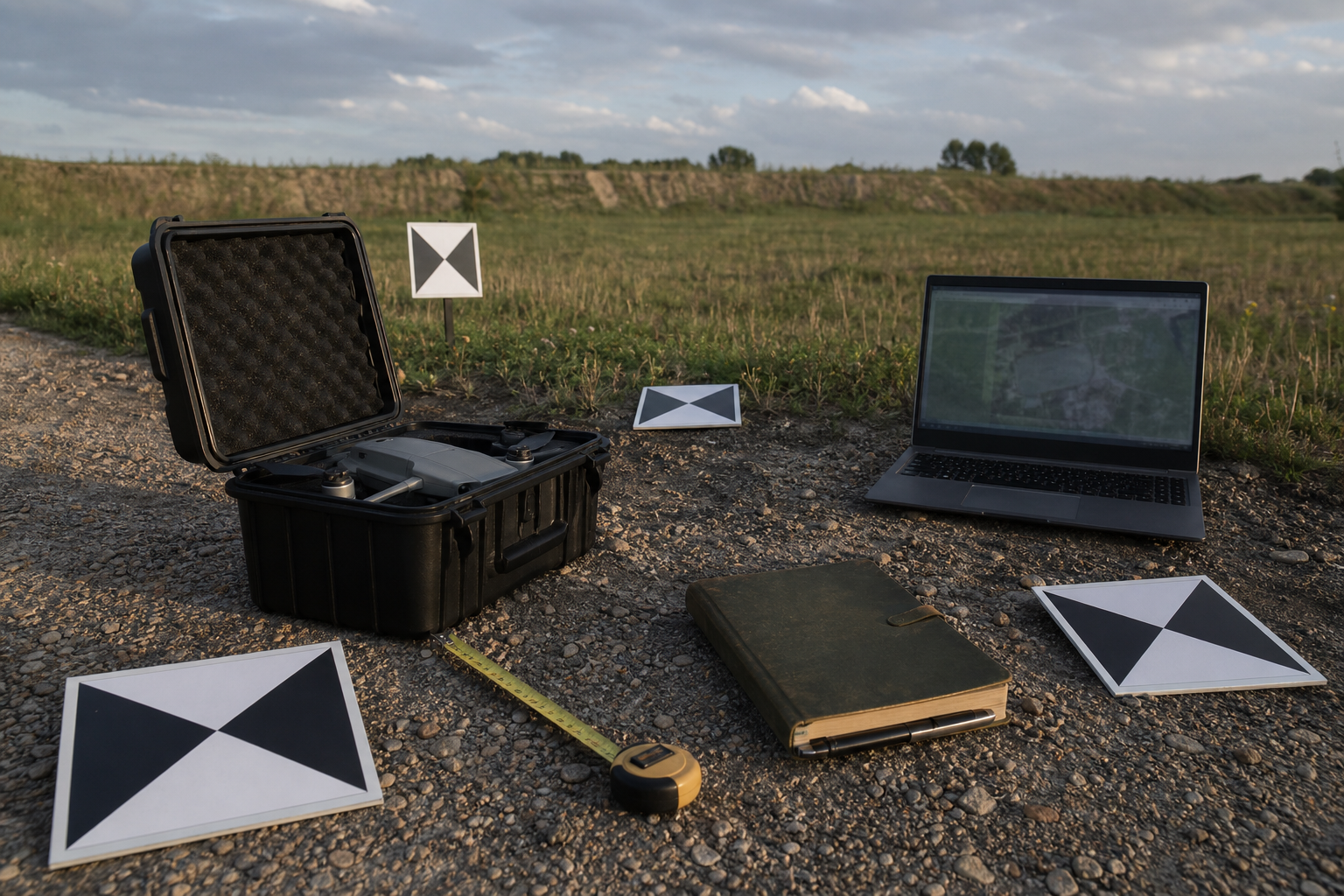
Ground-control targets do not need to be fancy for a learning workflow, but they must be visible, stable, and measured consistently. For educational or maker use, teams can start with high-contrast targets, a tape measure, and a simple site sketch, then move toward surveyed GCPs when the project requires real measurement quality. The key is to separate control points used to align the model from checkpoints used to verify it.
Do not place all points in one corner. Spread them around the site and include interior checks where practical. Photograph target placement before flight so the team can troubleshoot later. If a target moves, is hidden by a shadow, or is barely visible in images, mark that in the field log instead of pretending the run is cleaner than it is.
Processing checks after the flight
After processing, resist the urge to accept the prettiest export. Review tie-point quality, camera alignment, rejected images, dense-cloud artifacts, ground-control residuals, scale bars, and visible seams. Compare measured distances in the model against real measurements taken in the field. If the model is meant to support a robot route, classroom safety plan, or fabrication decision, add a second-person review.
A good field notebook should include date, time, weather, drone model, camera settings if available, flight height, overlap plan, battery notes, control-point locations, processing software, export settings, and known defects. This documentation is what turns a drone hobby flight into useful engineering evidence.
When a phone, action camera, or tripod may be better
Drone photogrammetry is not always the right tool. For small objects, indoor work, tight workshops, or areas with overhead restrictions, a handheld camera, action camera, phone capture, or structured-light scanner may be safer and more precise. Recent TVG coverage of 3D scanner accuracy for makers covers some of those tradeoffs. The drone is strongest when the area is large, outdoors, safely accessible from above, and worth documenting from a consistent aerial perspective.
Recommended beginner workflow
- Define the output: visual reference, orthomosaic, 3D mesh, or measured map.
- Sketch the site and identify hazards, no-fly areas, people, reflective surfaces, and low-texture zones.
- Set a route with consistent altitude, strong overlap, and enough battery reserve to repeat a pass if needed.
- Place visible ground targets and reserve some as checkpoints, not just control points.
- Capture a short test run before the full mission.
- Process the data, inspect quality reports, and compare the result with real field measurements.
- Archive the images, project file, exports, field notes, and known limitations together.
TVG Take
Drone photogrammetry is a workflow, not a button. The teams that get useful results are not necessarily the ones with the most expensive drone; they are the ones that control overlap, lighting, ground references, safety, and validation. For maker and robotics teams, the best first upgrade may be a better checklist, not a bigger sensor.