Wi-Fi 7 routers are starting to look like simple speed upgrades, but home-lab buyers should treat the spec sheet as a reliability and port-planning problem. The number printed on the box is usually the least useful part of the decision. A lab that moves camera footage, robot logs, NAS backups, local AI datasets, and smart-home traffic has different needs than a living-room streaming setup.
The durable long-tail question is this: which Wi-Fi 7 router specs actually matter for a home lab? The useful answer starts with standards, then quickly moves into Ethernet ports, 6 GHz conditions, VLAN support, thermal design, firmware cadence, and whether the router can keep routing when inspection features are enabled.
Wi-Fi Alliance says Wi-Fi 7 was introduced in 2024 and improves performance across 2.4 GHz, 5 GHz, and 6 GHz bands. Its feature list includes 320 MHz channels in the 6 GHz band, Multi-Link Operation for using multiple links more efficiently, 4K QAM for higher transmission rates than Wi-Fi 6, and efficiency improvements such as compressed block acknowledgments and multiple resource units. Those are real improvements, but they do not remove the need for a wired backbone.
Start with the wired side, not the wireless speed number
For home-lab and creator workflows, the router’s Ethernet layout often matters more than its advertised aggregate wireless speed. A Wi-Fi 7 radio cannot help much if the WAN port, LAN ports, switch uplink, or NAS path is stuck behind a single 1GbE bottleneck.
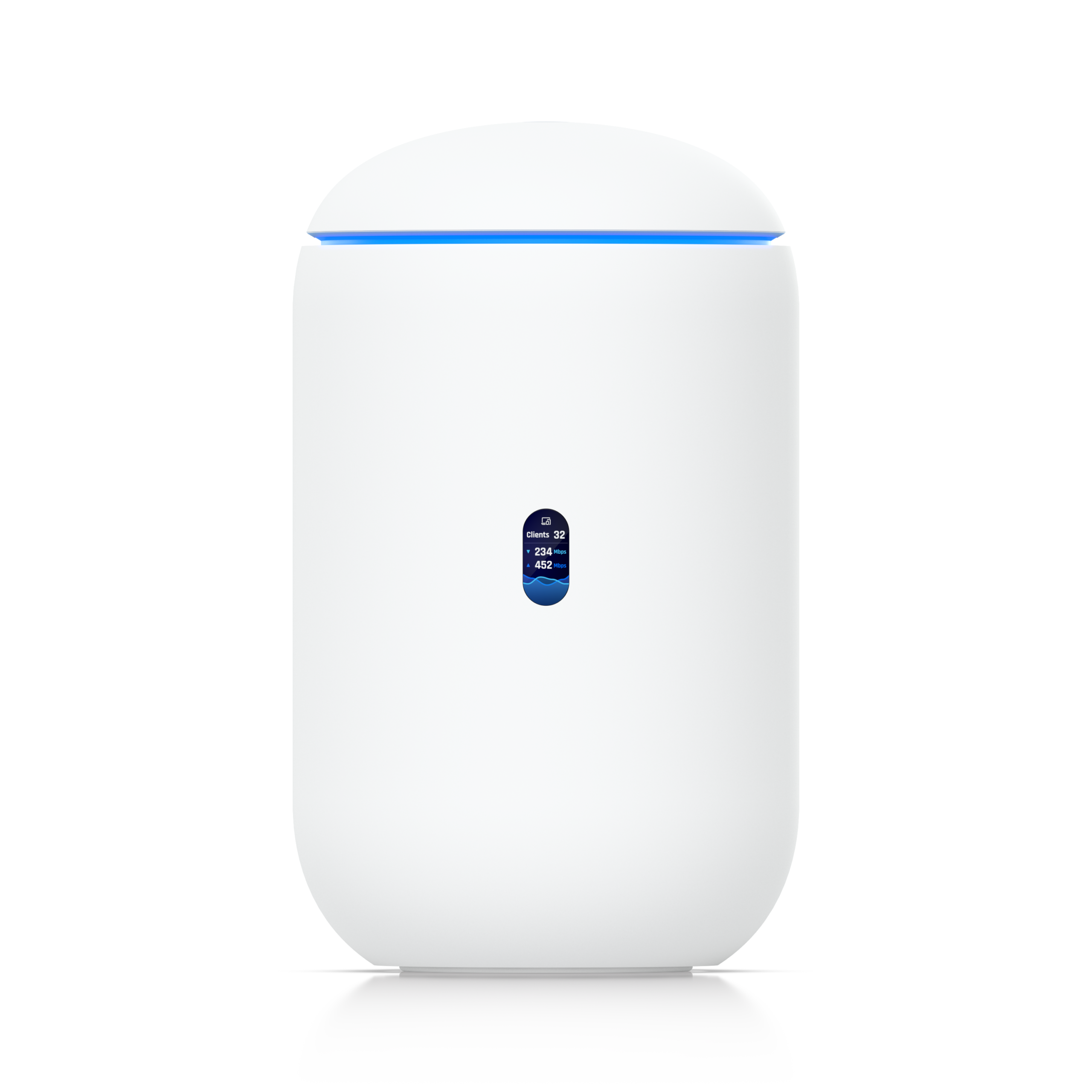
Look for at least one 2.5GbE WAN/LAN port if the internet connection, NAS, or workstation can use it. For heavier camera, 3D scanning, or local-AI dataset workflows, a 10G SFP+ or 10GbE path can be useful, but only if the rest of the network is ready. Ubiquiti’s UniFi Dream Router 7, for example, lists a 10G SFP+ port, multiple 2.5GbE RJ45 ports, integrated Wi-Fi 7, and a compact desktop form factor. That makes it a useful public spec example, not an automatic recommendation for every lab.
The practical test is a path diagram. Draw the route from a field laptop or camera ingest station to the NAS, from the NAS to the editing machine, from the robot bench to the log server, and from smart-home hubs to the controller. If a single port or switch uplink constrains multiple flows, a bigger Wi-Fi number will not fix the daily workflow.
Understand what 6 GHz gives you — and what it does not
Wi-Fi 7’s 6 GHz support is attractive because it can provide wider channels and less interference in compatible regions and homes. Wi-Fi Alliance describes 320 MHz channels in the 6 GHz band as a path to multigigabit device speeds. For a home lab, that can help with short-range high-throughput tasks: moving footage from a creator laptop, controlling test devices near the bench, or syncing a portable workstation without running a cable across the room.
The limitation is physics. Higher-frequency wireless signals do not magically pass through walls, metal shelving, appliances, or crowded maker spaces. A clean 6 GHz link in the same room may be excellent; the same device two rooms away may fall back or become unreliable. If the lab is in a garage, basement, classroom, or metal-rack-heavy workspace, placement and wired access points matter more than buying the biggest all-in-one router.
Multi-Link Operation should be treated as a reliability feature
Multi-Link Operation is often sold as a speed feature, but the more interesting home-lab value is resilience. Wi-Fi Alliance says MLO can let devices transmit and receive over multiple links for increased throughput, reduced latency, and improved reliability. In a real lab, that could help a compatible laptop, tablet, or test device move between bands when interference changes.
Do not assume every client will benefit immediately. Both the router and client device need compatible support, and firmware behavior matters. If a lab depends on a tablet as a robot dashboard, an e-reader or rugged tablet as a field manual, or a portable workstation for camera ingest, test the actual client devices before trusting MLO for critical work.
IDS/IPS throughput and firewall features can change the answer
Many home-lab buyers want more than a radio. They want VLANs, traffic identification, firewall rules, content filtering, VPNs, and sometimes intrusion detection or prevention. The important detail is that security features consume CPU and memory. A router that can pass high raw throughput may route less when inspection is enabled.
Read the fine print for IDS/IPS throughput, maximum managed devices, simultaneous clients, and power draw. Ubiquiti’s UDR7 spec sheet, for example, lists IDS/IPS throughput separately from port layout and coverage area. That separation is useful because it reminds buyers to match the feature mode to the real workload.
Coverage claims need a floor-plan reality check
Coverage numbers are usually optimistic. A home lab with shelving, printers, power tools, camera cases, metal tripods, or robotics frames is a hostile RF environment compared with an empty room. If the router will sit in a closet, the lab may need wired access points instead of a larger standalone router.
For reliable bench work, prioritize Ethernet to fixed devices: NAS, desktop, 3D printer controller, NVR, home assistant server, and development workstation. Use Wi-Fi 7 for mobile devices, temporary benches, tablets, phones, handheld scanners, and short-term creator workflows. This approach keeps the wireless network from becoming the default path for everything.
Firmware and support lifecycle are part of the spec
A router is a long-lived security device. Before buying, check update history, documentation quality, backup/restore behavior, and whether the vendor publishes clear release notes. Labs that segment IoT devices, cameras, classroom hardware, or prototype boards need stable VLAN and firewall behavior after updates.
Also check whether the system requires a cloud account for features you consider local. Cloud management can be convenient, but a home-lab or school lab should know which settings work offline, how recovery works, and what happens if the vendor changes a service.
What to test in the first week
- Port map: Verify which ports are WAN, LAN, PoE, SFP+, or multi-gig, and confirm which can be reassigned.
- NAS path: Copy a large real project folder, not a synthetic single-file benchmark.
- Camera ingest: Move action-camera, 360-camera, or drone footage from the actual field laptop or card reader.
- Robot logs: Stream logs while also running normal household or classroom traffic.
- VLAN rules: Segment IoT, cameras, and lab devices, then confirm discovery and blocking behavior.
- Heat and noise: Run the router for several hours with inspection and wireless clients active.
- Recovery: Export the config, restore it, and confirm the process before the lab depends on the device.
Internal TVG context
This router checklist connects directly to TVG’s broader field-workflow coverage. If a lab is documenting outdoor tests, see our drone vs. action camera buyer evaluation. If the bottleneck is storage rather than wireless, the microSD vs. portable SSD field workflow guide is the better place to start. Networking only helps when the capture, storage, and backup chain are planned together.
TVG Take
Buy Wi-Fi 7 for a home lab only after mapping the workload. The right router is not the one with the largest combined speed number; it is the one with the right wired ports, stable firmware, enough routing headroom with security features enabled, and a radio plan that matches the building. Treat Wi-Fi 7 as a useful upgrade to a wired-first lab design, not a replacement for one.