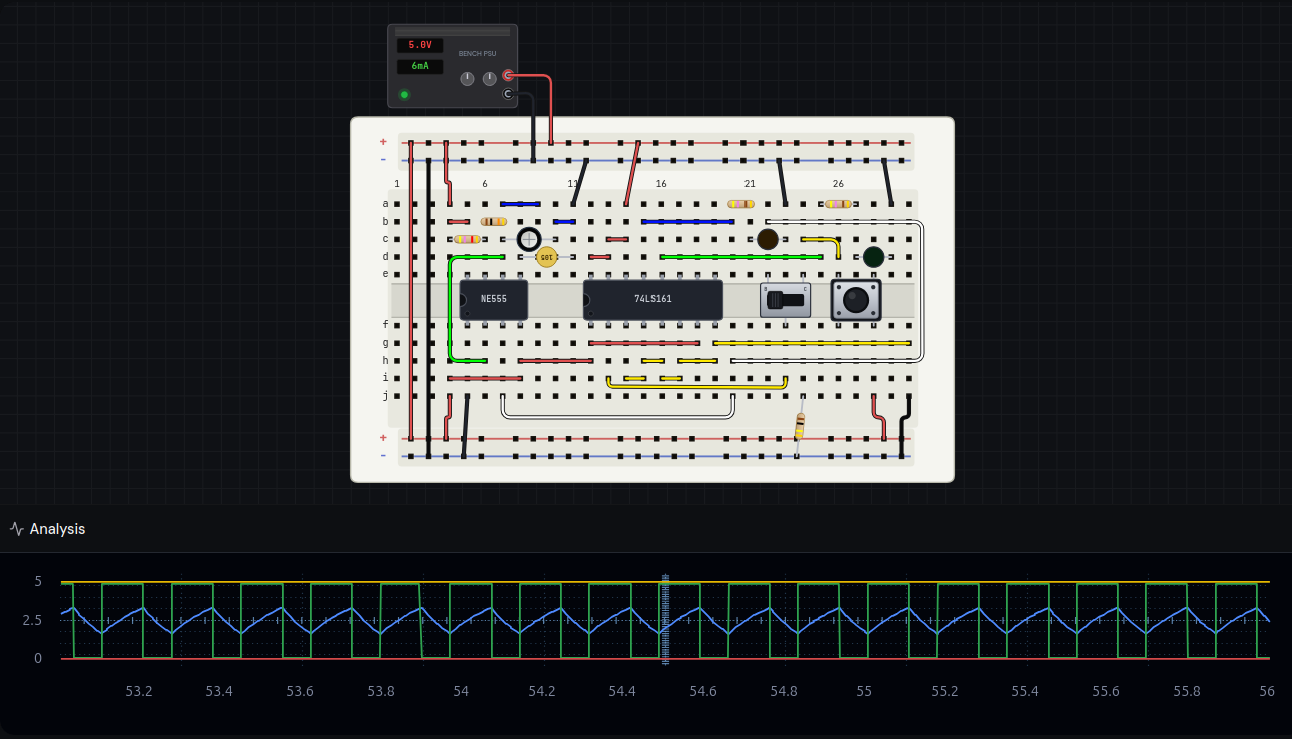
de:volt lets you wire a virtual breadboard, watch its signals and run supported microcontroller firmware in the same browser workspace. The free plan includes an oscilloscope and multimeter, making it a useful starting bench for exploring how code and circuits interact before assembling the physical version.
A November 18 report from CNX Software takes a first-person look at Dev Kapadia’s tool, which its documentation describes as a public beta. Components and jumper wires sit on virtual breadboards whose rows and power rails connect like their physical counterparts; the simulation stays live while you build.
Screenshot: CNX Software.
Code and circuit feed each other
According to the developer’s account, a modified nodal analysis engine solves the circuit on your own machine as you change it. The product site places that engine in a browser worker rather than on a simulation server. Local calculation and project storage are separate: saving a project uses the cloud.
The firmware paths differ by board. The developer says the simulated micro:bit V1 and RP2040 board run MicroPython itself, while the UNO R3 and classic Nano execute AVR machine code. Pin states drive the analog circuit and read back from it, connecting a program’s behavior to the circuit around the board.
CNX’s Jean-Luc Aufranc illustrates that connection with an RP2040 board wired to an external red LED on GP0. He edited the default MicroPython blink example to control that LED. He also reports building circuits and using the oscilloscope without signing in, registering only when he wanted to save a project.
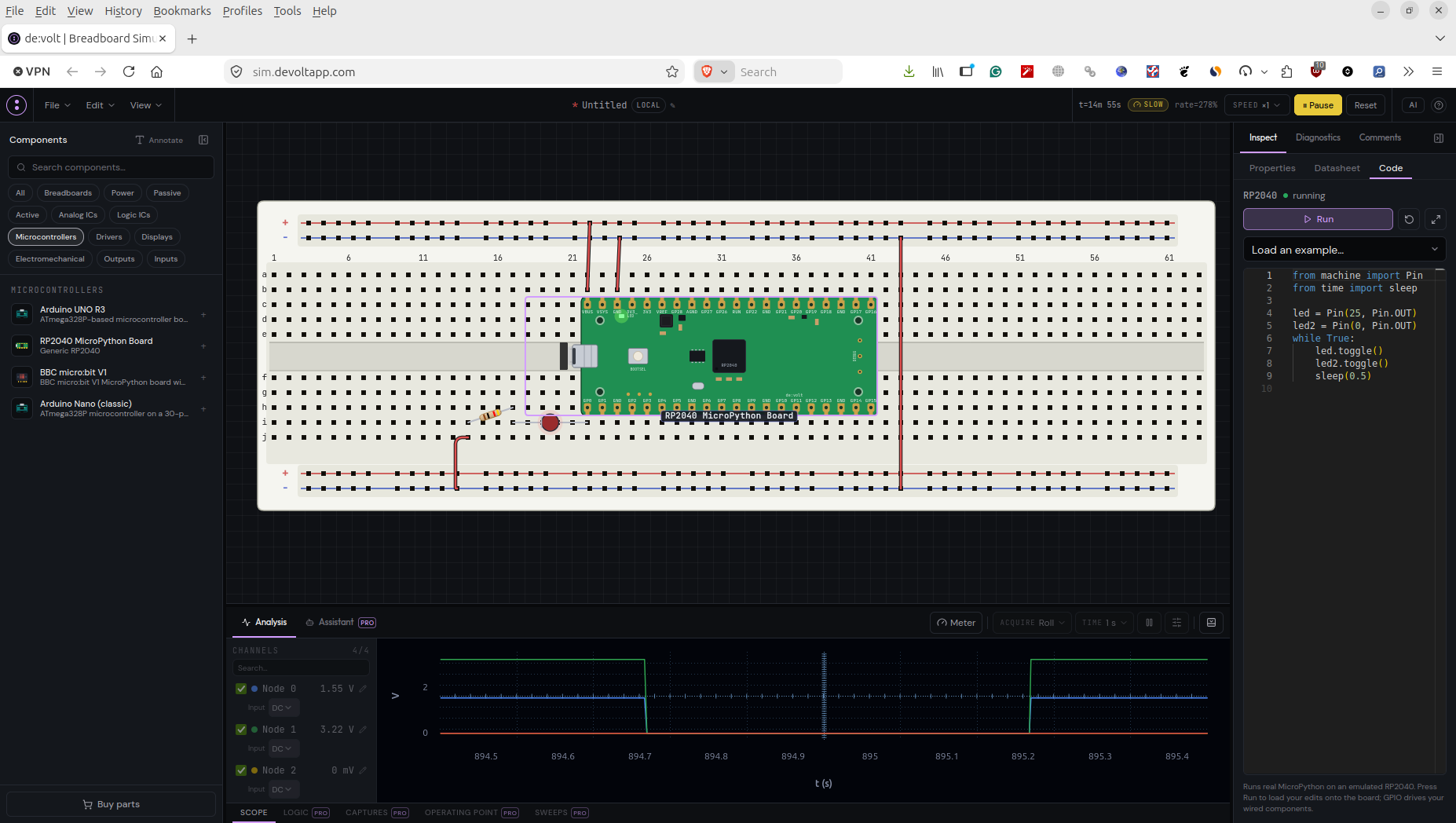
CNX positions de:volt primarily as a breadboard-prototyping tool, with less depth for code development than the Wokwi and Velxio alternatives it discusses. Its attraction is keeping wiring, firmware and measurements together.
What the free bench includes
The Hobby plan includes every catalog part, five cloud projects with up to 100 components each, live readings, the oscilloscope, multimeter and SPICE netlist import. The learning system adds a related idea: guided-build objectives pass when circuit measurements meet their targets.
Pro removes the project and component limits and adds advanced analysis, private sharing, live collaboration and 100 AI requests a month. It costs A$6.99 monthly or A$69 yearly, renews until cancelled, and may attract taxes.
The documentation confines the simulator to educational prototyping. The developer acknowledges simplified models: use it to explore circuit behavior and revise a build, then verify the physical design on a real bench before real-world use.