Choosing sensors for a school robotics team is not about buying every module that looks interesting. The better question is: which measurements will make the robot more repeatable under match conditions, and can students wire, calibrate, debug, and explain those measurements?
In 2026, teams have more options than ever: low-cost time-of-flight distance sensors, smart cameras, compact IMUs, absolute encoders, current sensors, color sensors, and edge-AI modules. The trap is assuming that more sensing automatically means better autonomy. In practice, a badly mounted encoder or uncalibrated camera can make a robot less reliable than a simple mechanism with a limit switch and good software limits.
Start with the control problem
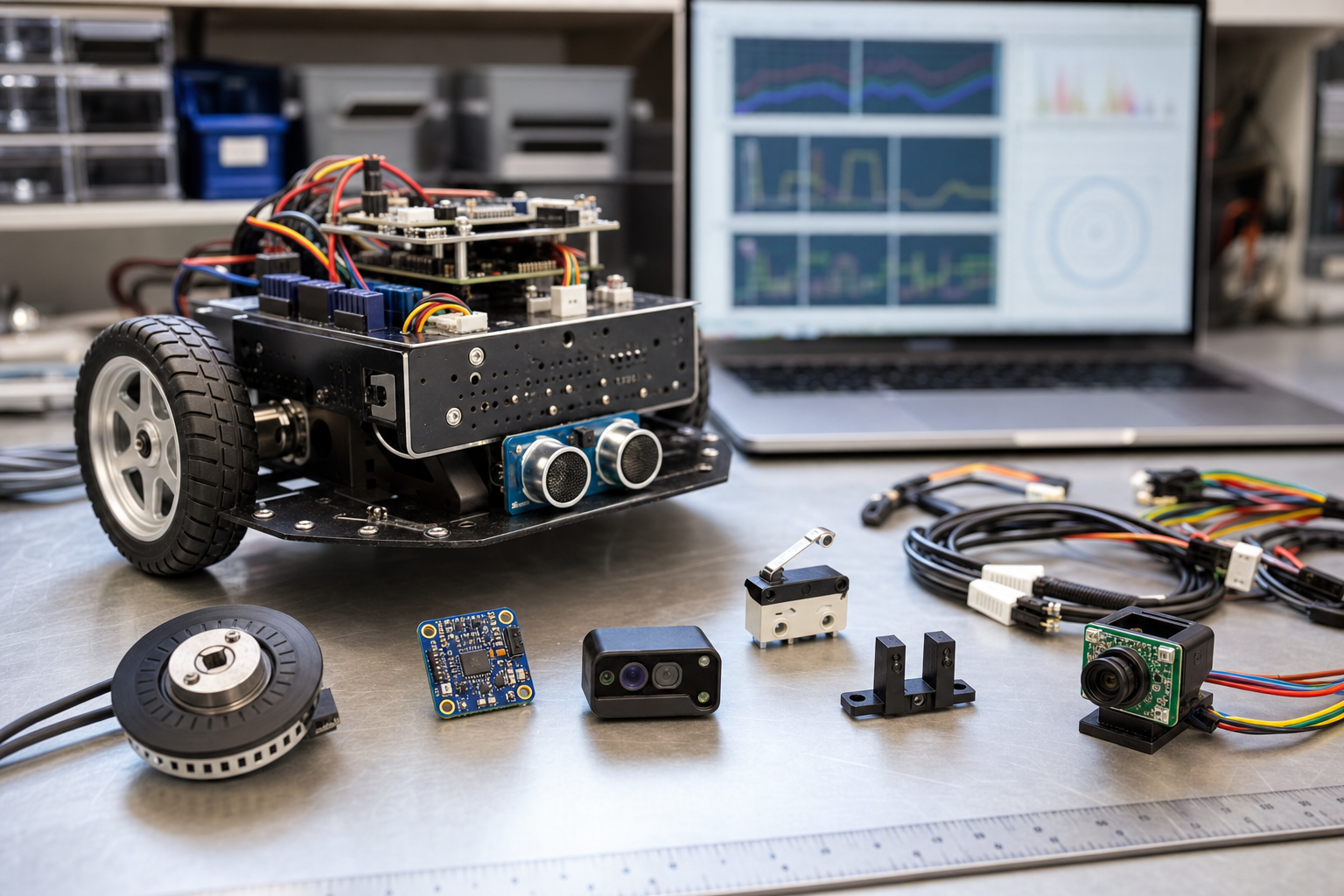
Before buying hardware, write down the control problem in plain language. Does the robot need to know how far a wheel has turned? Use an encoder. Does an arm need to return to the same angle every match? Consider an absolute encoder or a homing switch plus a motor encoder. Does the robot need to know whether a game piece is present? A beam-break, limit switch, current spike, or distance sensor may be enough. Does it need to navigate a field? Now an IMU, wheel odometry, AprilTag camera, or vision pipeline may enter the discussion.
The official WPILib sensor documentation is a useful reference because it separates sensor types by electrical interface and control role. REV Robotics’ DUO sensor documentation is also helpful for teams working with common education control hubs and expansion hardware. Those resources are more reliable than random wiring diagrams found in old forum posts.
The first sensors most teams should understand
Encoders are usually the most important sensor family after basic switches. They turn motion into counts, angles, or positions that software can use for closed-loop control. A drivetrain with encoders can drive a measured distance. An arm with a properly configured encoder can move to setpoints instead of relying on driver feel. The key is mounting: backlash, slipping wheels, loose shafts, and unprotected cables will ruin the data.
Limit switches and beam-break sensors are underrated. They are cheap, easy to explain, and excellent for homing a mechanism or detecting game-piece presence. Their weakness is physical placement. A switch mounted where it can be crushed, bent, or hit at an angle will create intermittent failures. Teams should design a hard stop, a protected actuation point, and a software debounce strategy.
IMUs and gyros help a robot estimate heading, but they are not magic navigation systems. They drift, they need calibration, and they can be affected by vibration. Use them when heading matters: field-oriented driving, balancing, turn-to-angle routines, and odometry. Do not expect an IMU alone to tell the robot where it is on the field.
Distance sensors can help align to walls, detect objects, or measure mechanism positions without contact. Ultrasonic sensors are inexpensive but can be noisy in crowded environments. Infrared and time-of-flight sensors are compact but need range and reflectivity testing with the actual field materials. A sensor that works on a white lab table may behave differently on black plastic, polycarbonate, or fabric.
Cameras are powerful, but they raise the software and lighting burden. A camera pipeline can identify AprilTags, colored game pieces, or fiducial markers, but teams need to test exposure, latency, mounting angle, processor load, and field lighting. For many school teams, a camera should be added after the drivetrain and basic mechanisms are already reliable.
Budget order: what to buy first
If a team has limited funds, start with sensors that improve reliability across many robot designs. A practical order is: spare limit switches and beam-break sensors, drivetrain encoders if they are not already integrated, one or two mechanism encoders, an IMU supported by the team’s software stack, and only then a camera or higher-end vision processor. This order teaches the basics of closed-loop control before adding the complexity of image processing.
Teams should also budget for the unglamorous parts: proper cables, strain relief, ferrules or approved connectors, mounting brackets, spare housings, labels, and small fasteners. Most sensor failures on student robots are not caused by the sensing chip. They are caused by loose connectors, pinched wires, weak mounts, and code that assumes the sensor can never be unplugged.
Calibration and testing plan
Every sensor needs a test procedure. For an encoder, mark the shaft, rotate it a known amount, and verify counts or degrees. For an IMU, rotate the robot by known angles and check sign convention and drift. For a distance sensor, test at several real distances using the actual target material. For a camera, test under bright, dim, and uneven lighting. For a switch, test bounce and mechanical repeatability.
The test should be simple enough for a new student to run. A good pattern is to create a “sensor check” mode that prints live values to the dashboard or driver station. Before an event, the team can lift the robot, move each mechanism, trigger each switch, and confirm the software sees the expected values. That five-minute routine can prevent hours of pit debugging.
Software architecture matters
Sensor choice affects code structure. Encoders and IMUs should be wrapped in subsystem classes or hardware abstraction layers so students can replace a device without rewriting the whole robot. Calibration constants should live in one clear file. Dashboard values should have human-readable names. Failure handling should be explicit: if a sensor returns impossible data, the robot should degrade safely instead of driving a mechanism into a hard stop.
This is where school teams can connect everyday building to broader engineering practice. TVG’s recent coverage of low-cost quadruped robotics and local AI agents on maker benches points to the same principle: hardware becomes educational when students can inspect the loop between sensing, decision-making, and action.
Common mistakes to avoid
- Buying a camera before the drivetrain is repeatable. Vision cannot compensate for a robot that cannot drive straight or hold a mechanism position.
- Mounting sensors as an afterthought. A sensor needs mechanical protection, cable routing, and access for inspection.
- Ignoring units. Counts, rotations, degrees, meters, and inches must be converted consistently.
- Skipping failure modes. Ask what happens if the sensor is unplugged, saturated, blocked, or returns stale data.
- Copying code without understanding calibration. A sample project is a starting point, not a finished control system.
TVG Take
The best robotics sensor is the one that closes a real control loop and survives the student build environment. For most school teams, that means mastering encoders, switches, wiring discipline, and calibration before chasing advanced vision or edge AI. When students can explain what a sensor measures, how it is mounted, how it fails, and how the code reacts, the robot becomes a stronger machine and a better engineering lesson.