Disclosure: this is a spec-based buyer evaluation and review preview. TVG Report has not claimed hands-on testing, benchmark measurements, review-unit access, or long-term field results for the Raspberry Pi AI Camera.
The Raspberry Pi AI Camera is one of the more interesting low-cost vision options for robotics builders because it moves part of the machine-learning workload closer to the sensor. Raspberry Pi launched it at $70 and described it as compatible with all Raspberry Pi models, targeting vision AI applications that would otherwise need a separate accelerator or more CPU headroom.
For a maker lab, that pitch is attractive: camera input, local inference, and a familiar Raspberry Pi ecosystem. But a robotics buyer should evaluate it differently from a desktop AI demo. The questions are not only “can it detect objects?” but “can it do useful work under vibration, changing light, limited power, field glare, cable strain, and student software maintenance?”
What the hardware is trying to solve
Classic robot vision pipelines often ask a small computer to do everything: capture frames, preprocess images, run a neural network, make a control decision, and communicate with the robot. That can work, but latency and CPU load become real constraints. A camera module with on-sensor or near-sensor AI capability can reduce pressure on the host system, especially when the robot only needs detection results rather than full raw-frame processing.
Raspberry Pi’s announcement frames the AI Camera as a way to create vision AI applications with a dedicated imaging and AI path. The related Raspberry Pi AI Camera documentation is the first place builders should check for supported software, model workflow, cabling, and setup requirements. For robotics, documentation support matters as much as the chip. Students and mentors need repeatable installation steps, not a mystery stack that only works on one laptop.
Where it fits
The AI Camera is most compelling for small robots, classroom demonstrations, maker projects, and lab benches where a Raspberry Pi is already the control or perception computer. Potential uses include object detection for a tabletop rover, parts counting on a small conveyor, visual triggers for a science exhibit, AprilTag-like experiments if the supported pipeline fits, or local classification without sending frames to the cloud.
It is less obviously suited as a drop-in replacement for every competition vision system. Teams already using a tuned coprocessor, multi-camera setup, or field-specific fiducial pipeline may need more control than a compact AI camera provides. Industrial builders may care about enclosure, lens options, thermal limits, lifecycle support, and environmental specs beyond what a hobbyist camera module is designed to offer.
What TVG would test first
The first test is latency. A robot does not just need a correct detection; it needs the detection soon enough to steer, stop, or align. A practical benchmark would measure the time from a physical target entering view to a usable result in the robot code. That should be tested at realistic frame sizes, model settings, and lighting conditions.
The second test is repeatability under lighting changes. Classroom labs, gym floors, event venues, and workshops all create reflections and shadows. Builders should test bright overhead lights, dim corners, backlit targets, and moving shadows. A camera that performs well on a desk may struggle near shiny field elements or transparent plastic.
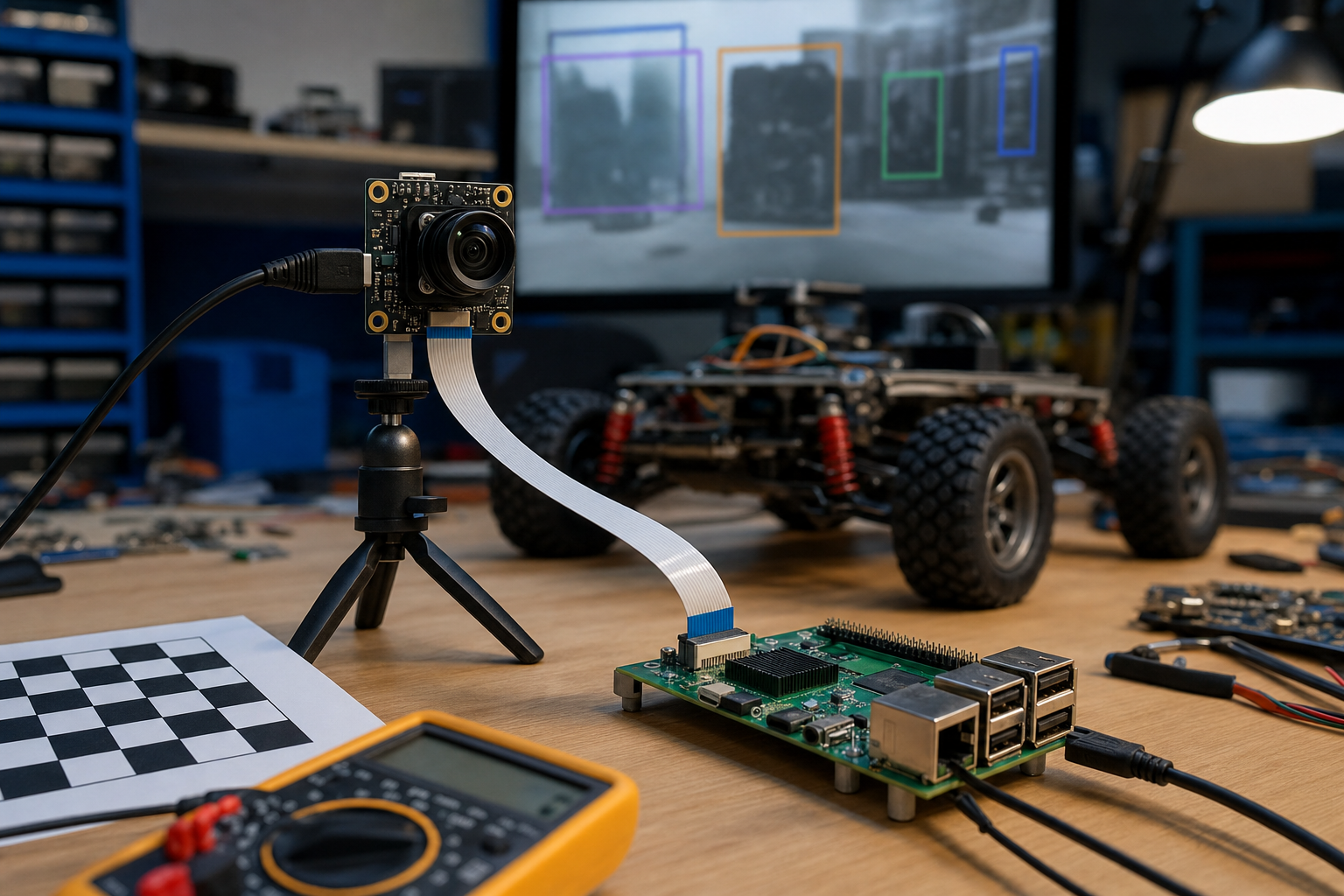
The third test is mechanical reliability. Ribbon cables and small camera boards need strain relief. On a mobile robot, a loose cable can look like a software bug. Any serious deployment should include a printed or machined mount, cable retention, and an inspection routine.
The fourth test is student-maintainable software. Can a new team member install the stack, run a sample, swap a model, and read diagnostic output? If only one mentor can maintain the pipeline, the system is fragile even if the hardware is good.
Alternatives to compare
A buyer should compare the AI Camera against three alternatives. The first is a normal Raspberry Pi camera plus CPU-side processing. This may be enough for simple color, contour, or fiducial work. The second is a USB webcam paired with a stronger single-board computer or mini PC. That can offer more flexibility at the cost of power and mounting complexity. The third is a dedicated edge-AI platform such as a Jetson-class module, which may be appropriate when the robot needs larger models, multiple sensors, or GPU-accelerated perception.
TVG has been tracking this split across edge-AI and maker hardware coverage, including JetPack 7.2 and agentic edge workflows and ESP32-P4 multimedia maker boards. The common pattern is that the right board is the one that matches the control loop, not the one with the most exciting spec sheet.
Who should consider it
The Raspberry Pi AI Camera makes sense for educators, maker spaces, and robotics builders who want a compact path into local vision AI without building a full accelerator stack from scratch. It is especially interesting if the project already uses Raspberry Pi hardware and the vision task is narrow: detect a class of objects, trigger an action, or prototype perception concepts for students.
Buyers should be more cautious if the project needs harsh-environment reliability, long cables, multiple synchronized cameras, very low latency, or unsupported custom models. In those cases, the AI Camera may still be useful for prototyping, but not necessarily as the final robot vision system.
TVG Take
The Raspberry Pi AI Camera is not automatically a robotics vision upgrade; it is a promising building block that deserves engineering tests. For TVG’s lane, the most important question is whether it helps builders make a robot more repeatable without hiding the learning process. If students can mount it cleanly, measure latency, test lighting, understand the model pipeline, and recover from failures, it becomes a strong education and prototyping tool. If it is treated as a magic AI sensor, it will disappoint.