Outdoor PoE robot cameras need electrical planning before the first storm. A cable that works on the bench can carry water, surge energy, or grounding mistakes back into the switch, NVR, or robot controller.
Quick answer
- Use PoE for reliability: but plan surge protection, grounding, weather sealing, and cable strain together.
- Do not ignore bonding: bad grounding can damage more than the camera.
- Test after weather: inspect glands, connectors, drip loops, and image quality after rain and temperature swings.
Quick answer
For outdoor PoE cameras, plan the electrical path before mounting the camera. Use outdoor-rated cable and enclosures, create drip loops, protect exposed runs with appropriate surge protection, bond and ground equipment according to local electrical requirements, and keep the switch side serviceable. When in doubt, involve a qualified electrician for grounding and building-entry work.
Why outdoor PoE is different
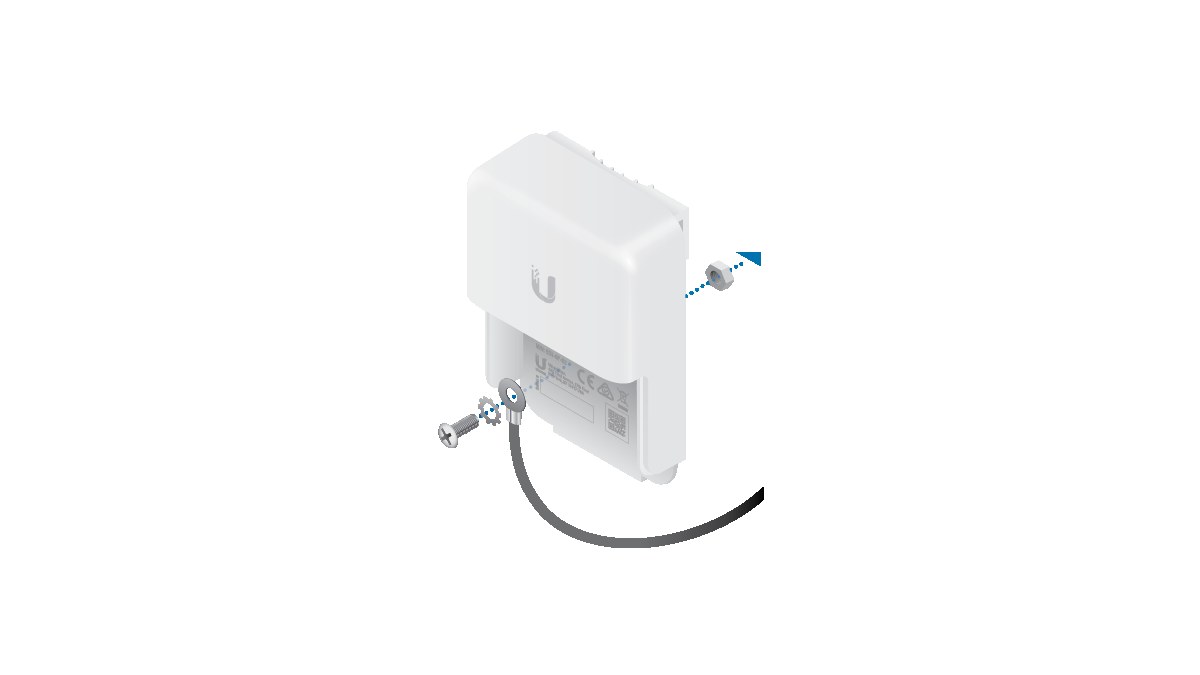
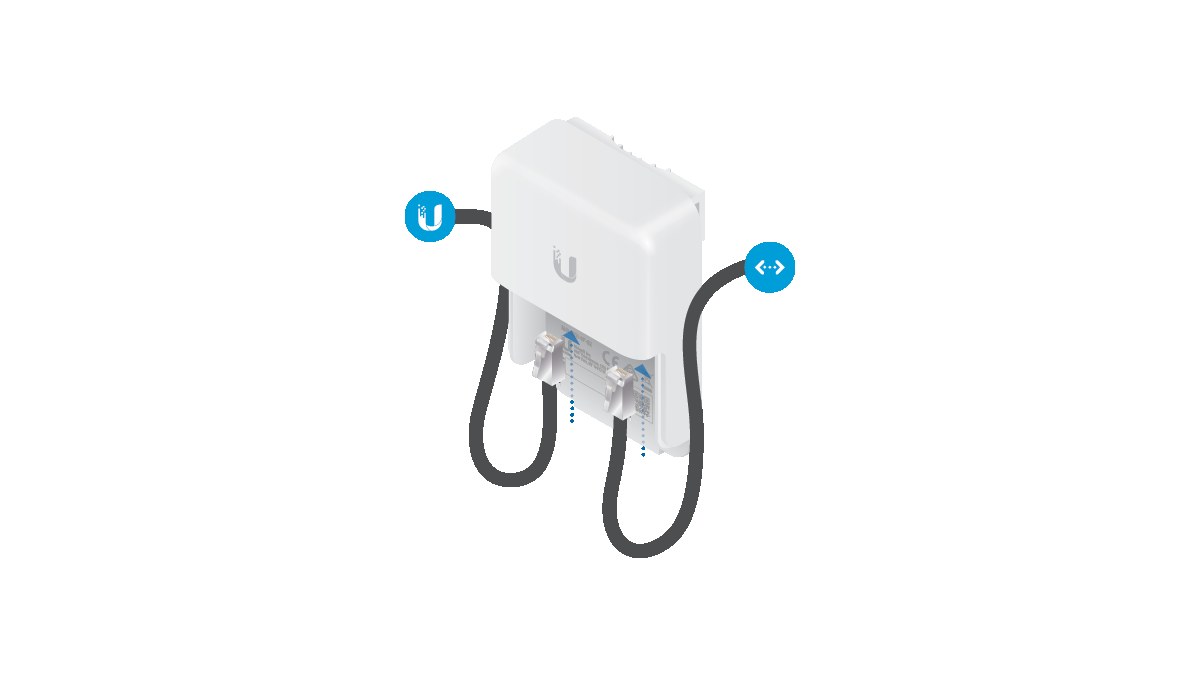
Indoor PoE cable usually lives in a controlled environment. Outdoor cable may cross metal structures, run along fences, enter a garage, sit near motors or share a path with other conductors. Ubiquiti publishes installation guidance for its Ethernet surge protector, and surge-protection vendors document why outdoor RJ45 runs need protection at the equipment side, and the broader electrical-safety point is the same: a network cable is still part of an electrical system once it leaves the bench.
The camera may not be the only failure. A surge or water path can damage the PoE switch, upstream router or controller, turning a cheap sensor mount into a broader outage.
Installation checklist
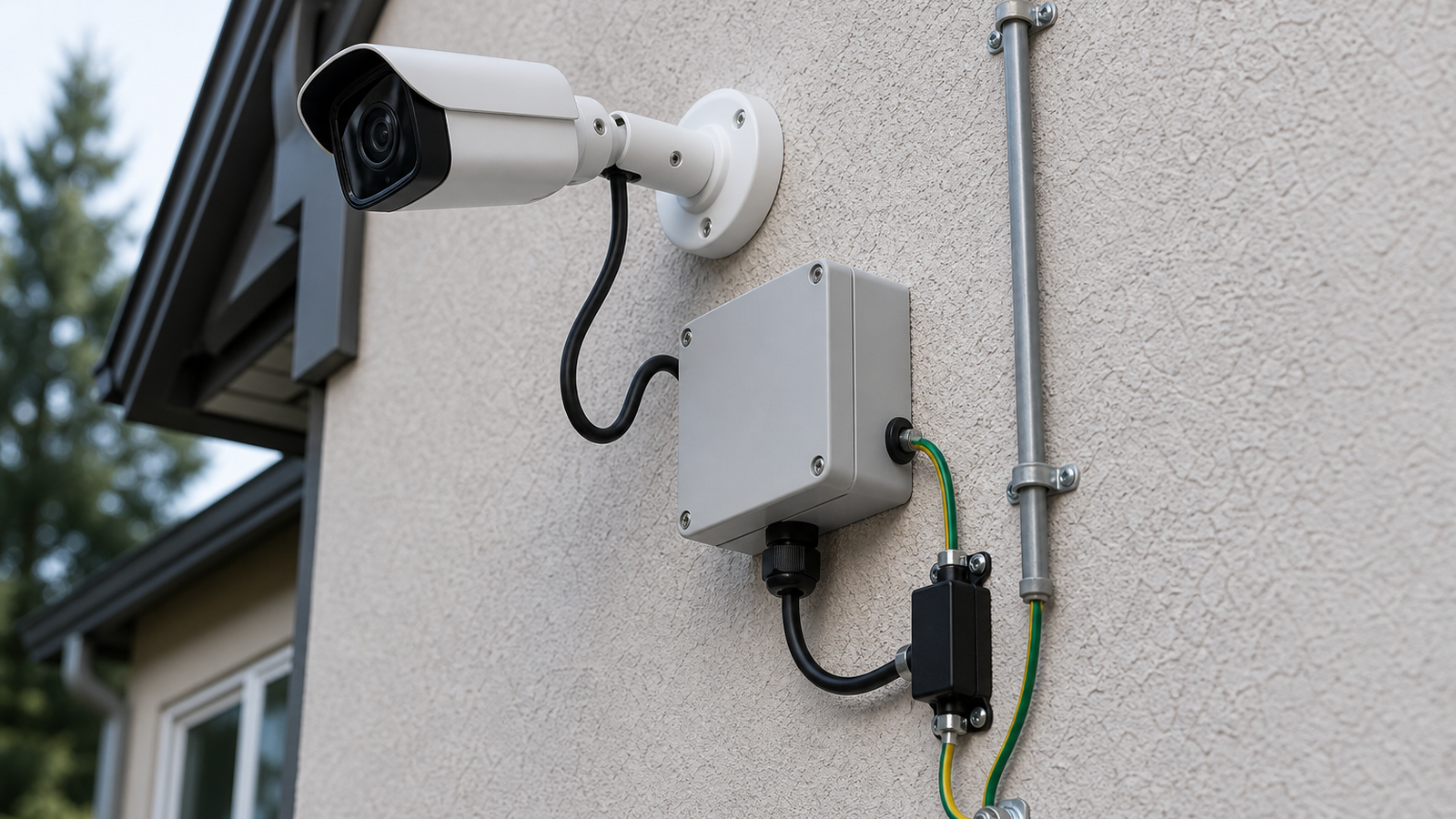
- Use outdoor-rated cable and weather-rated junction boxes where the run is exposed.
- Add drip loops so water does not follow the cable directly into a connector or enclosure.
- Place surge protection where the cable enters the protected equipment area, following the protector manufacturer’s grounding guidance.
- Avoid tight bends, crushed cable and unsupported cable weight near the camera.
- Label both ends of the cable and document the switch port.
- Leave a service loop so the camera can be replaced without cutting a new run.
How this supports robot vision
TVG has covered PoE versus Wi-Fi robot cameras, camera cable labeling and field-of-view calibration. Outdoor PoE protection is the physical layer beneath those guides. If a camera intermittently drops frames after rain or a switch port dies during a storm, no amount of model tuning fixes the root cause.
Maintenance is part of the design
Outdoor camera projects should include a maintenance plan before the first hole is drilled. The installer should be able to open the junction box, identify the cable, replace the camera and confirm the surge protector connection without guessing. A weatherproof box that requires cutting cable to service the camera is not a reliable robot-vision installation.
Teams should also photograph the finished install and store the switch-port map with the robot or lab documentation. After a storm, those records help separate software problems from physical-layer failures. If the camera drops offline, the first checks become cable, port, protector and enclosure condition rather than random AI-model debugging.
What not to overclaim
No small inline protector can guarantee survival from every lightning event, and TVG is not presenting this as electrical-design advice for every building. The realistic goal is risk reduction and serviceability: reduce the chance that an outdoor cable carries a damaging transient into sensitive gear, and make the install easier to inspect when something does fail.
TVG Take
Outdoor PoE camera work should be treated as a small electrical and mechanical project, not a quick camera mount. The most useful robot-vision installation is the one that remains boring after bad weather: dry connectors, documented ports, protected cable entry and a service path that does not require rebuilding the mount.