Action cameras are easy to buy and surprisingly easy to misuse. A spec sheet may lead with resolution, frame rate, and slow motion, but robotics teams and field crews usually fail in more practical ways: the mount vibrates, the field of view hides the failure point, the stabilization crops out the mechanism, or the camera overheats just as the run becomes useful.
This guide is for robotics teams, maker labs, drone-documentation crews, inspection students, and creator-field kits that need repeatable footage rather than cinematic highlight reels. TVG has already covered action camera stabilization specs, camera sensor size for field documentation, and drone versus action camera field documentation. The next buyer question is how to build a testable camera setup before trusting the footage.
Start with the job, not the resolution
A field camera can serve several different jobs. It can record a robot run for driver review, document a wiring failure, capture a manufacturing step, inspect a roofline, or create public-facing project media. Each job changes the setup. Driver review needs a stable view of the whole field. Failure analysis may need a close angle on a joint, belt, wheel, or gripper. Public media may tolerate a wider angle and smoother motion but still needs truthful context.
Before buying or mounting a camera, write the footage requirement in one sentence: “We need to see whether the intake roller stalls when the robot turns,” or “We need a clean record of each inspection pass from the operator’s perspective.” That sentence determines lens angle, mount height, frame rate, stabilization, battery plan, and file workflow.
Mounting is a mechanical problem
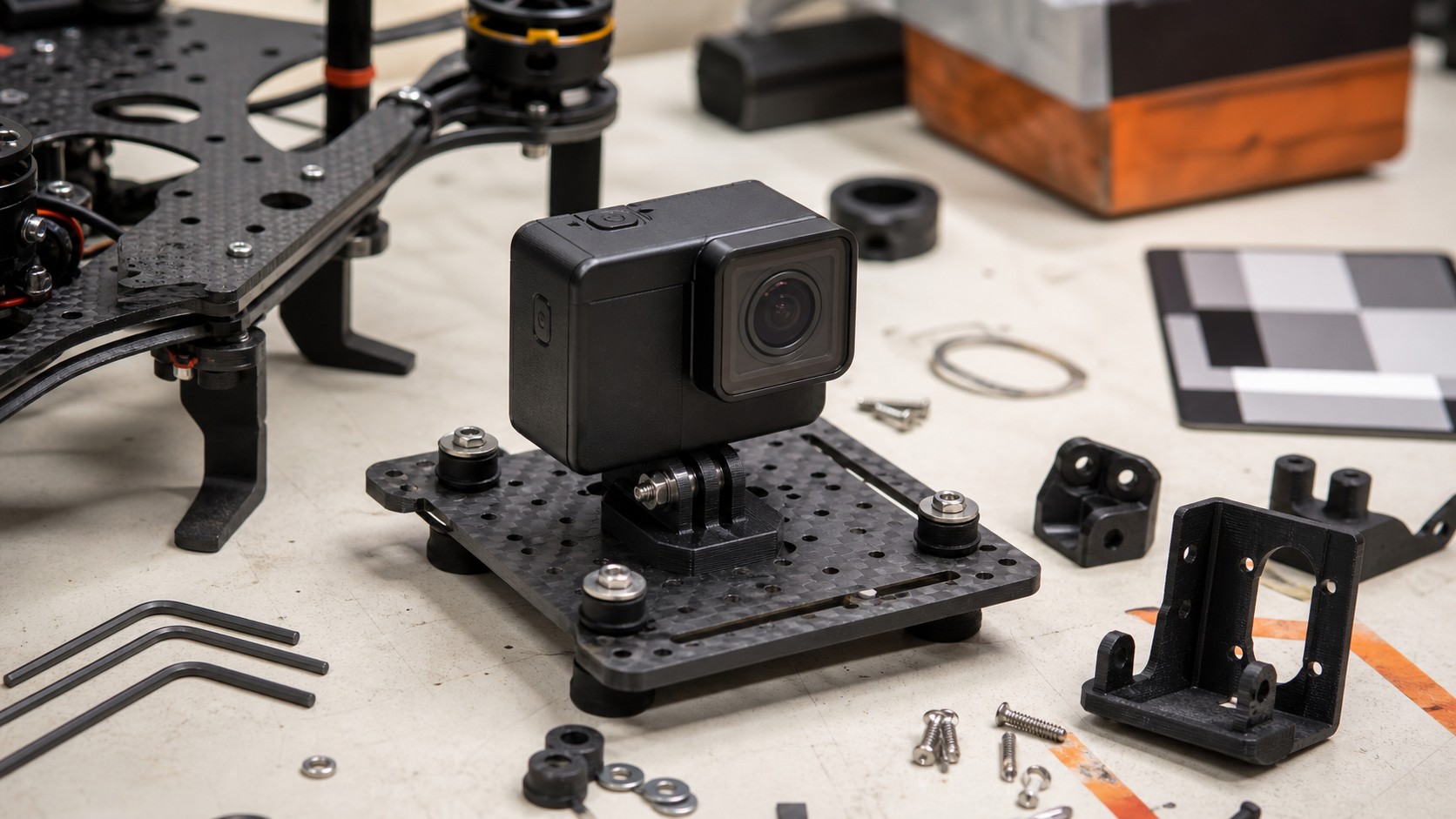
Most action-camera failures begin at the mount. A rigid mount can transmit motor vibration directly into the camera. A flexible mount can wobble after each impact. A convenient adhesive pad may be useless on dusty plastic or a curved surface. A clamp may look secure until a robot hits a field wall or a cart rolls over rough pavement.
Teams should test mounts with the same vibration and impact profile expected in real use. For a robotics team, that means mounting the camera during practice runs, not just waving it by hand in a classroom. For a maker lab, it means checking whether a 3D-printed bracket softens near motors, lights, or outdoor heat. For a drone or field camera kit, it means confirming that the mount does not block controls, microphones, doors, cooling paths, or memory-card access.
A good mounting checklist includes fastener type, thread engagement, safety tether, vibration isolation, tool access, angle repeatability, and whether the mount can be reinstalled by a new team member without guesswork. If the answer depends on one person remembering the trick, the mount is not field-ready.
Stabilization can hide useful evidence
Electronic stabilization is valuable, but it is not free. GoPro’s HyperSmooth materials and DJI’s Osmo Action camera specifications show how central stabilization has become in action-camera marketing. The engineering tradeoff is that stabilization may crop the image, change the effective field of view, or smooth away small motion cues that reveal a mechanical problem.
For analysis footage, teams should record at least one baseline clip with stabilization settings documented. If a mechanism vibrates only under load, the raw shake can be evidence. If stabilization is required for watchable review, leave enough margin in the frame so cropping does not cut off wheels, grippers, gauges, or human safety boundaries.
Field of view is a measurement choice
Ultra-wide views look dramatic, but they distort geometry. A robot bumper may appear farther from a wall than it really is. A close-up part may look curved. A driver reviewing strategy may miss an object near the edge of the frame because the wide view compresses distance. Narrower fields of view can make diagnostics clearer, especially when the camera is pointed at a mechanism rather than a whole field.
Do a three-angle test before standardizing a setup: wide contextual view, medium mechanism view, and close failure-point view. Label the files by angle and mount position. If the team cannot later identify which clip came from which setup, the documentation workflow is too loose.
Battery, heat, and storage are part of image quality
A sharp file that stops early is not useful. Action cameras are small sealed computers, and high-resolution recording can create heat, battery drain, and large files. Teams should test the actual recording length needed for practice, inspection, or field work. They should also test recovery: how fast can a student swap a battery, replace a card, confirm recording, and rename the file?
Storage planning matters. TVG’s microSD versus portable SSD comparison covers the field-log side of that decision. For camera work, the minimum standard is simple: use known-good cards, format them deliberately, offload after each session, and avoid mixing random personal footage with team evidence.
Audio and timestamps are underrated
Audio can turn footage into evidence. A motor squeal, relay click, propeller change, or human callout may identify the moment a failure begins. If the camera is sealed in a waterproof case or mounted inside a noisy chassis, the audio may be useless. Test it. If audio matters, consider a separate recorder or a second camera angle near the operator.
Timestamps also matter. If video, robot logs, and inspection notes do not share a rough timeline, post-event review becomes guesswork. Teams should synchronize camera clocks, name files consistently, and record a simple start marker such as a clap, hand signal, or displayed run number. The marker does not need to be fancy; it needs to be repeatable.
A practical test plan
- Define the job of the footage in one sentence.
- Build two mount options: one rigid and one vibration-isolated.
- Record the same run from wide, medium, and close angles.
- Test stabilization on and off, then document the crop and field-of-view change.
- Run long enough to expose heat, battery, and storage problems.
- Offload files using the same naming pattern the team will use during events.
- Review the footage with the person who actually needs the answer, not only the person who shot it.
Engineering Takeaway
The best action camera for a technical team is not the one with the largest number on the box. It is the one the team can mount securely, aim repeatably, power through the job, and use to answer a specific engineering question. Treat the camera like a sensor in the workflow. Validate the mount, document the settings, and make the file path boring before you depend on the footage.