
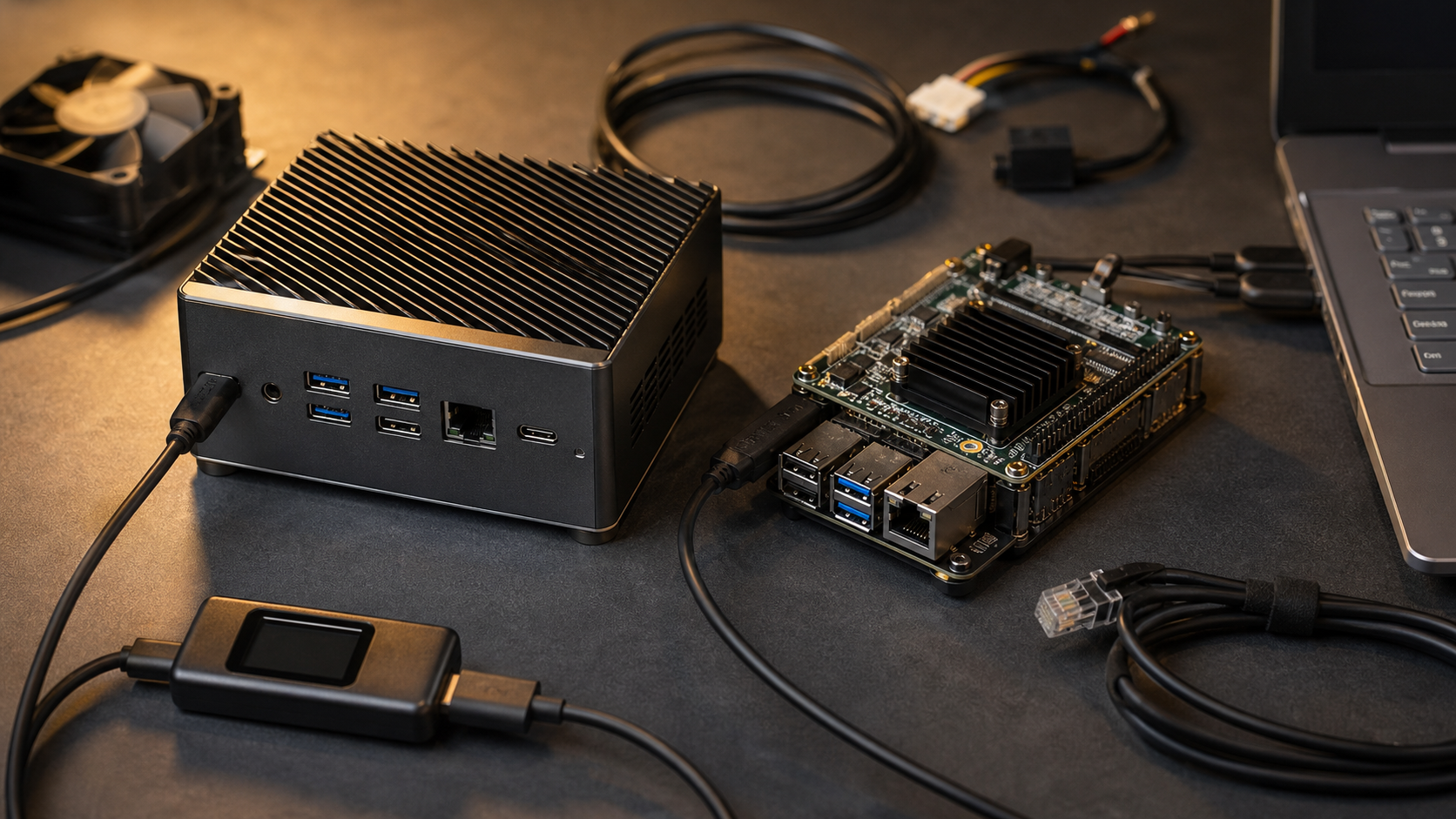
This is a spec-based buyer evaluation, not a hands-on review. TVG has not tested a specific laptop, mini PC, or Jetson kit for this article. The goal is to help small labs decide which hardware class deserves a closer look before spending money.
Local AI hardware has become confusing because the same phrase can mean very different workloads. A classroom might want speech-to-text demos and small vision models. A robotics team might need camera inference near a rover. A creator studio might want local transcription, image sorting, and small language-model experiments without sending every file to a cloud service.
The short version: an NPU laptop is best when battery life, portability, and Windows AI features matter. A mini PC is usually the flexible home-lab choice when you want more RAM, storage, wired networking, and easier desk deployment. A Jetson-style developer kit is the better fit when the project is camera-heavy, robotics-adjacent, Linux-first, and comfortable with embedded development tradeoffs.
Quick answer
Choose an NPU laptop for mobile AI features and general productivity. Choose a mini PC for a small always-on lab box, local services, file workflows, and experiments that need RAM or storage more than battery life. Choose a Jetson-style kit when the project needs camera input, GPIO-style integration, compact power draw, and an embedded AI software stack. Do not buy on TOPS alone.
The spec trap: TOPS is not a complete benchmark
TOPS, or trillions of operations per second, is now the easiest number to market and the easiest number to misuse. Microsoft says Copilot+ PCs require an NPU capable of at least 40 TOPS, along with other hardware requirements such as memory and storage. NVIDIA’s Jetson Orin Nano Super Developer Kit page highlights up to 67 INT8 TOPS for edge AI development. Those numbers are useful signals, but they are not a universal speed test.
TOPS depends on precision, model type, software stack, memory bandwidth, thermal limits, and whether the workload actually runs on the NPU or accelerator. A high NPU number does not guarantee that a specific open-source model, camera pipeline, or robotics package will run cleanly. The practical buying question is whether your intended tools support the accelerator path you are paying for.
That is why TVG’s earlier local RTX PC coverage and AI wearables buyer evaluation both came back to ownership of the full software path. Hardware capability matters only when the runtime, drivers, updates, and workload fit.
NPU laptop: best for portable Windows AI, weaker for lab control
An NPU laptop makes sense when the device is already your daily computer. You get a screen, keyboard, battery, camera, Wi-Fi, and a supported operating system in one package. For teachers, students, and mobile creators, that matters. A laptop can move from the classroom to the robot pit to the editing desk without another box.
The tradeoff is that laptops are not always ideal lab nodes. Ports may be limited. Sustained thermals vary by chassis. Upgrades are usually constrained. A laptop can also be awkward as an always-on service box because it has a lid, battery-health concerns, sleep behavior, and a higher replacement cost if the lab environment is rough.
Buy an NPU laptop if the workload is mostly local productivity, transcription, image organization, basic model demos, teaching, and mobile experimentation. Be more cautious if the plan is 24/7 inference, multi-camera capture, robotics I/O, or heavy storage ingest.
Mini PC: the flexible home-lab middle ground
A mini PC is often the most practical small-lab answer because it can sit near the router, NAS, 3D printer bench, or camera ingest station. It can run Linux or Windows, connect to wired Ethernet, host small services, and use external storage or docks more cleanly than a laptop.
The best mini PC choice depends on the accelerator path. Some models lean on CPU and integrated GPU. Others include newer NPUs. Some can attach external GPUs over USB4 or Thunderbolt, though that adds cost, heat, and cable complexity. For local language-model experiments, RAM capacity and memory bandwidth may matter more than a headline AI feature. For media and creator workflows, codec support and storage ports can be just as important.
Mini PCs also make sense when a lab wants a stable machine for students or volunteers to access remotely. TVG’s ESP32-P4 IP-KVM story covered a smaller path to remote lab access; a mini PC is the heavier companion when you need a real desktop-class host behind that access layer.
Jetson-style developer kit: strongest when AI meets sensors
A Jetson-style kit is not a normal desktop replacement. It is a development platform for edge AI projects that often involve cameras, sensors, robotics software, and Linux deployment. NVIDIA positions the Jetson Orin Nano Super Developer Kit for generative AI and computer-vision development at the edge, and its compact power envelope is attractive for prototypes that may eventually leave the desk.
The advantage is integration with embedded AI workflows. The tradeoff is that you are buying into a more specialized software and hardware environment. Storage, enclosure, power, cooling, camera compatibility, and driver versions all become part of the project. That is fine for a robotics lab. It may be frustrating for a creator who only wants a quiet box to transcribe interviews and sort photos.
Choose this class when the project includes cameras, real-time vision, robotics middleware, field prototypes, or sensor fusion. Avoid it as a general-purpose local AI computer unless your team already wants the embedded learning curve.
What we would test before recommending a specific unit
- Runtime support: Does the target model run on the NPU, GPU, or accelerator without fragile conversions?
- Sustained thermals: Can it hold performance for a 30- to 60-minute inference or ingest task?
- Memory: Is there enough RAM or unified memory for the model size and context?
- I/O: Are there enough camera, Ethernet, USB, and storage ports for the actual lab setup?
- Power behavior: Does it resume cleanly after outages, sleep events, or battery drain?
- Update risk: Are drivers, firmware, and runtime versions documented well enough for volunteers or students?
- Noise: Is the fan profile acceptable in a classroom, podcast corner, or robotics pit?
Buyer fit by scenario
STEM classroom: Start with NPU laptops if students need normal computers first. Add one shared mini PC or embedded kit only when projects require services or sensors.
Robotics club: A Jetson-style kit deserves the first look for camera/vision prototypes, while a mini PC can handle logging, simulation, dashboards, and build tools.
Creator studio: A mini PC with enough RAM, storage, and wired networking may be more useful than a laptop NPU if the work is ingest, transcription, cataloging, and local services.
Home lab: Choose the mini PC unless portability is essential. It is easier to leave running, easier to wire, and usually easier to place next to storage and networking gear.
TVG Take
The safest local AI purchase is the one that matches the project’s control surface. If people will carry it, teach from it, and use Windows AI features, buy the NPU laptop. If it will sit on a shelf and serve files, tools, or small models, buy the mini PC. If it will connect to cameras and robots, buy the embedded developer kit and budget time for the software stack.
For most small labs, the first filter should be workload ownership: model support, memory, I/O, thermal behavior, and update path. TOPS can narrow the list, but it should not decide the purchase by itself.




That’s a really useful breakdown of the key differences. It’s great to see a focus on specs for this kind of comparison – it avoids getting lost in marketing hype.