As robotics projects become more complex, with an increasing number of sensors, motors, and controllers, the simple point-to-point wiring of protocols like I2C and SPI can become a bottleneck. For student teams, advanced makers, and professional engineers, the Controller Area Network (CAN) bus offers a robust, industry-proven alternative for reliable inter-device communication. This guide provides a practical starting point for integrating CAN bus into your next robotics project.
Quick answer
CAN bus is useful in robotics when a project has several controllers, motor drivers, sensors, or embedded modules spread across a noisy chassis. It gives teams a message-based network that is easier to expand and debug than many point-to-point wiring schemes, provided termination, grounding, and message IDs are documented.
Key takeaways
- CAN bus fits distributed robots with multiple modules, not every tiny prototype.
- Wiring, termination, grounding, and bit rate choices matter as much as the controller code.
- Good message-ID documentation is what makes a CAN-based robot debuggable later.
What is CAN Bus and Why is it a Good Choice for Robotics?
CAN bus is a message-based protocol designed to allow microcontrollers and devices to communicate with each other’s applications without a host computer. It was originally developed for the automotive industry to reduce copper wiring, but its robustness and reliability have made it a standard in industrial automation, medical equipment, and modern robotics.
- Robustness: CAN uses differential signaling (with two wires, CAN High and CAN Low). This makes it highly resistant to electromagnetic interference (EMI) and noise, which is a common problem in robots with powerful motors and high-current electronics.
- Prioritization & Arbitration: CAN has a built-in system for message prioritization. If two devices (nodes) try to send a message at the same time, the one with the higher priority (a lower ID number) wins arbitration and continues transmitting without interruption or data loss. This is critical for real-time control systems where a message from a safety sensor must be processed ahead of a routine status update.
- Reduced Wiring: All devices on a CAN bus connect to the same two wires. This drastically simplifies the wiring harness compared to a star topology where every device needs a dedicated connection to a central controller.
- Error Detection: The protocol includes multiple mechanisms for error detection, including CRC checks and frame acknowledgments, ensuring high data integrity.
Core Hardware Components
A functional CAN network requires a few key hardware pieces:
- CAN Controller: This is typically built into a microcontroller (like many STM32, ESP32, or Teensy models). It handles the low-level protocol tasks like message framing and arbitration.
- CAN Transceiver: This is a separate chip (e.g., the MCP2551 or TJA1050) that sits between the controller and the physical bus. It converts the single-ended logic signals from the microcontroller into the differential signals used on the bus, and vice-versa.
- CAN Nodes: Any device on the network—a motor controller, a sensor array, a main computer—is a node.
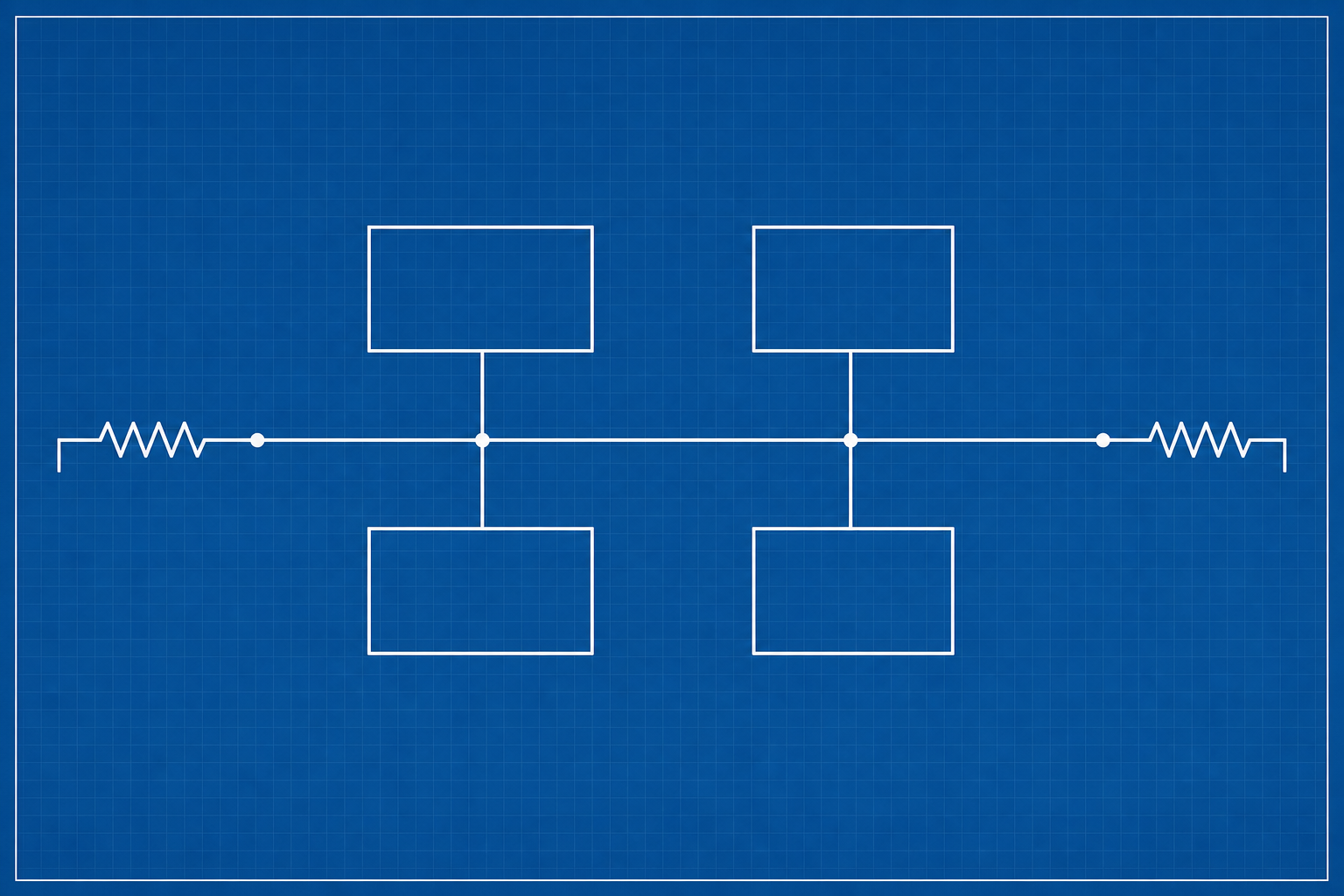
- Termination Resistors: A 120-ohm resistor must be placed at each of the two physical ends of the bus. This is crucial for preventing signal reflections that can corrupt data. Many off-the-shelf robotics components have a built-in, switchable termination resistor.
Wiring Best Practices for a Reliable Bus
How you wire the bus is critical to its performance. Follow these rules to avoid common pitfalls:
- Use Twisted Pair Wires: The CAN High and CAN Low wires should be twisted together. This is the most important step for noise immunity.
- Daisy-Chain Topology: Nodes should be connected in a line (daisy-chain), not a star. The main bus should be a single, linear path with short “stub” connections branching off to each node. Keep these stubs as short as possible.
- Terminate Correctly: The bus must be terminated at its two furthest physical points with 120-ohm resistors. Do not terminate at every node. Forgetting termination is one of the most common causes of an unreliable CAN bus.
A Basic Implementation Workflow
- Select Your Hardware: Choose microcontrollers with built-in CAN controllers and pair them with appropriate CAN transceivers. Many robotics-focused products, like the ODrive motor controller or various FRC components, have this built-in.
- Plan Your Network: Draw a diagram of your robot’s electronic system. Identify the two physical endpoints of your CAN bus. Plan the daisy-chain path for your wiring.
- Wire the Bus: Create your main bus with twisted-pair cable. Connect your nodes with short stubs. Solder and properly insulate your connections.
- Enable Termination: Place a 120-ohm resistor at the two end nodes. If your devices have built-in terminators, enable them with the switch or jumper.
- Start with Simple Software: Before integrating into your main robot code, use a simple “hello world” example. Set up two nodes to send and receive a basic message. Most microcontroller frameworks (Arduino, PlatformIO, etc.) have libraries that simplify this process (e.g., the `FlexCAN_T4` library for Teensy).
- Expand and Debug: Once you have a reliable two-node connection, add more devices to the bus one at a time. Use a USB-to-CAN adapter and software like BusMaster to monitor traffic on the bus, which is invaluable for debugging.
TVG Take: The Engineering Takeaway
CAN bus isn’t a new technology, but its adoption in non-automotive fields is a sign of maturing complexity in maker and educational robotics. The key takeaway for builders is that CAN represents a shift from a “master-slave” communication model (like I2C) to a distributed, “multi-master” system. Every node can initiate communication, and the built-in arbitration handles conflicts gracefully. This architecture is inherently more scalable and resilient. As you add more subsystems to your robot—advanced sensors, multiple smart motors, custom controllers—the investment in learning and implementing a CAN bus will pay significant dividends in reliability and simplified wiring. It’s a professional-grade tool that is now well within reach of the ambitious builder.
What to watch next
For readers tracking the same engineering lane, the next useful step is to compare this update with nearby coverage in TVG Report’s archive:
- Edge AI Camera Latency Budget: A Practical Guide for Robotics Builders
- Albert Shows How Cheap Quadruped Robots Can Teach Real Robotics
- LooperRobotics Insight 9 Project Watch: A Spatial AI Camera Backer Checklist
CAN bus robotics FAQ
Why use CAN bus instead of I2C or SPI in a robot?
CAN bus is designed for noisy environments, longer cable runs, distributed modules, and fault-tolerant messaging. That makes it useful when a robot has multiple motor controllers, sensors, and microcontrollers spread across a chassis.
What hardware does a maker project need?
Most projects need a controller, CAN transceiver, twisted-pair wiring, proper termination, and software that defines message IDs clearly enough to debug when a module fails.
What is the most common CAN bus mistake?
Unclear wiring and termination are common problems. Teams should document cable length, termination points, grounds, bit rate, message IDs, and test steps before adding more nodes.
Related TVG reading
- Robot safety standards for moving machines
- Arduino UNO Q local AI agents on the maker bench
- Sub-$50 quadruped robot evaluation