
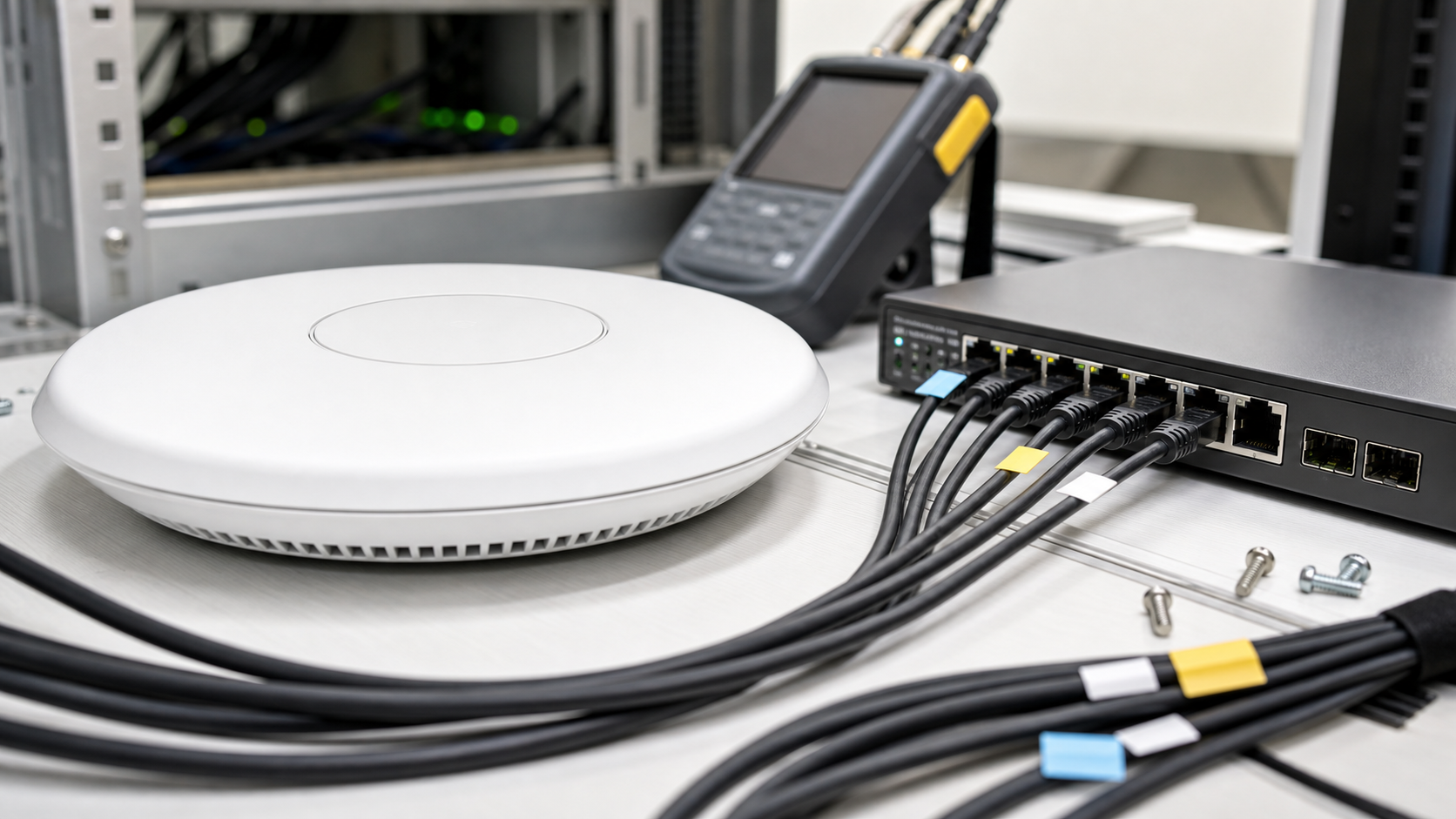
A Wi-Fi 7 access point can be a useful upgrade for a home lab, robotics club, classroom maker space, or small creator studio. It can also be an expensive way to discover that the real bottleneck was a 1 GbE uplink, a crowded channel plan, or clients that still behave like Wi-Fi 6 devices.
The headline features are real. Wi-Fi Alliance describes Wi-Fi CERTIFIED 7 as adding features such as 320 MHz channels, 4K QAM, and Multi-Link Operation, while the broader IEEE 802.11be generation targets higher throughput and lower latency than Wi-Fi 6/6E. But those features only matter when the access point, wired network, client radios, spectrum conditions, and firmware maturity line up.
For TVG readers, the better question is not “Should I buy Wi-Fi 7?” It is “Which specs decide whether Wi-Fi 7 improves this lab workflow?”
Quick answer
For most maker spaces and home labs, the most important Wi-Fi 7 access point specs are 6 GHz support, at least a 2.5 GbE uplink, sane PoE requirements, firmware that supports stable VLAN/SSID mapping, documented channel-width controls, and enough client compatibility to justify the spend. 320 MHz channels and Multi-Link Operation are useful, but they should not outrank wired backhaul, placement, and management.
Start with the wired side
Wi-Fi 7 marketing often starts with wireless peak rates, but the access point still has to move traffic into a switch, router, NAS, or workstation. A single 1 GbE uplink can become the limiter before a Wi-Fi 7 radio has a chance to show much advantage.
For a maker lab, look for at least one 2.5 GbE port on the access point. A 5 GbE or 10 GbE uplink may be useful for dense client counts, multi-gig internet, or wireless access to a fast NAS, but it raises switch and cable costs. If your lab already has only 1 GbE switching, the access point may still improve range or latency, but the storage and file-transfer story will stay capped by the wired link.
This is why Wi-Fi 7 belongs in the same planning conversation as TVG’s earlier home-lab media server sizing guide and field backup buyer evaluation. Wireless speed does not help if the NAS, switch, or ingest workstation is the choke point.
320 MHz channels are powerful, but not automatic
Wi-Fi 7 can use 320 MHz channels in the 6 GHz band where regulations and device support allow it. In clean spectrum, that can deliver a large throughput jump. In a real lab, the useful channel width depends on geography, neighboring networks, wall materials, client distance, and whether your clients actually support 6 GHz operation.
A small classroom with a few high-end laptops may benefit from wider channels. A community maker space with many phones, tablets, microcontroller projects, smart-home devices, and older laptops may get better reliability from narrower channels and careful SSID separation. Wider is not always better when the goal is stable build nights and clean firmware updates.
Before buying, check whether the access point lets you choose channel width manually. Auto-only behavior may be fine at home, but labs need predictable operation. If the AP lets you pin 6 GHz behavior, keep 2.4 GHz for low-bandwidth IoT, and reserve 5/6 GHz for laptops, tablets, cameras, and development machines, it is much easier to troubleshoot.
Multi-Link Operation: useful, but client-dependent
Multi-Link Operation, or MLO, is one of Wi-Fi 7’s most interesting additions. In simple terms, it allows capable devices to use multiple links across bands in coordinated ways. Wi-Fi Alliance highlights MLO as part of the Wi-Fi 7 performance story, especially for latency-sensitive and high-throughput uses.
That sounds attractive for labs streaming camera feeds, moving CAD files, or connecting tablets used as dashboards. The catch is that MLO needs support on both sides. A Wi-Fi 7 AP alone does not make older clients behave like Wi-Fi 7 clients.
For purchase planning, count your likely clients. If most devices are Wi-Fi 5 or Wi-Fi 6, prioritize AP quality, roaming behavior, VLAN support, and backhaul over premium MLO claims. If the lab is buying new creator laptops, tablets, AR/VR devices, or Wi-Fi 7 phones, MLO becomes more relevant.
PoE budget and heat matter in the real install
Many strong access points want Power over Ethernet, and higher-end Wi-Fi 7 models can have bigger power requirements than older APs. Check whether the unit needs PoE+, PoE++, or a local power adapter for full operation. Some APs can run in a reduced mode when underpowered, which is easy to miss during installation.
Heat is another practical detail. A ceiling AP mounted above a dusty printer area, CNC enclosure, or crowded network shelf has a different thermal life than a unit tested on an open bench. Maker spaces should think about airflow, cleaning, mounting height, and whether the AP’s enclosure runs hot during sustained transfers.
Firmware and management should outrank peak speed
For a lab, firmware support is a spec. Look for a vendor that documents update cadence, supports stable VLAN/SSID mapping, exposes channel controls, and does not lock core management behind an unnecessary subscription. Cloud management can be useful, but a local-control fallback is valuable when the internet connection is down during a workshop.
If your lab runs separate networks for guests, IoT boards, admin devices, and NAS/workstations, VLAN handling matters more than another marketing rate tier. The same applies to WPA3 behavior, guest isolation, DHCP interactions, and compatibility with older embedded devices.
TVG’s Matter and Thread hub checklist made a similar point for smart-home automation: reliability comes from the full control path, not one shiny protocol logo. Wi-Fi 7 access points should be judged the same way.
What to check before upgrading
- Client inventory: Count how many devices actually support Wi-Fi 6E or Wi-Fi 7, especially 6 GHz.
- Backhaul: Confirm whether the AP, switch, router, and cabling can run at 2.5 GbE or better.
- Power: Match the AP’s PoE requirement to the switch budget.
- Channel controls: Prefer APs that allow manual 2.4/5/6 GHz planning.
- Management: Verify VLANs, guest isolation, local admin access, logs, and firmware cadence.
- Placement: Plan ceiling/wall location before buying extra radios.
- Workload: Separate file transfers, live camera feeds, IoT boards, and guest internet into different expectations.
TVG Take
Wi-Fi 7 is worth considering when a lab is already refreshing switches, storage, and client devices. It is less compelling as a single-box fix for slow uploads, unreliable IoT boards, or poorly placed access points.
The best first purchase is often not the most expensive AP. It is the model with the clearest management controls, a real multi-gig uplink, enough PoE headroom, and firmware support that a volunteer or small team can maintain. For robotics teams, creator labs, and STEM classrooms, a boring, documented network usually beats a faster but opaque one.



