Robotics teams often buy an action camera by scanning the loudest numbers first: 4K, 5.3K, 8K, 120 fps, waterproof depth, battery minutes. Those specs matter, but they do not answer the field question that shows up on review night: can the camera produce usable evidence when it is bolted to a vibrating robot, handheld by a student running across a pit area, or mounted above a mechanism that shakes every time a motor stalls?
For TVG’s expanded creator-and-field-tech lane, stabilization is the better buying lens. A camera that produces sharp, level, boringly useful footage can save a team hours when it is diagnosing intake timing, autonomous path drift, wheel slip, or driver practice mistakes. That makes the camera part of the engineering workflow, not just a social-media accessory.
Start with the stabilization crop
Electronic image stabilization works by using sensor margin around the recorded frame. GoPro’s own HyperSmooth explainer describes the basic idea: the system crops into the image so it has room to counter motion. DJI markets related modes such as RockSteady and HorizonSteady on its Osmo Action line, with horizon correction designed for bigger rotation events. The useful question is not which name sounds better. It is how much field of view you lose at the stabilization setting you will actually use.
For robotics, crop matters because teams often mount cameras close to the mechanism. If stabilization turns a wide shot into a tight shot, the video may miss the wheel, sensor bracket, or game piece interaction you needed to see. Before buying, look for sample clips at the exact resolution and frame rate you plan to use. If possible, test the camera on a cart, drivetrain, or practice robot instead of judging a handheld walking clip.
Mount geometry beats marketing claims
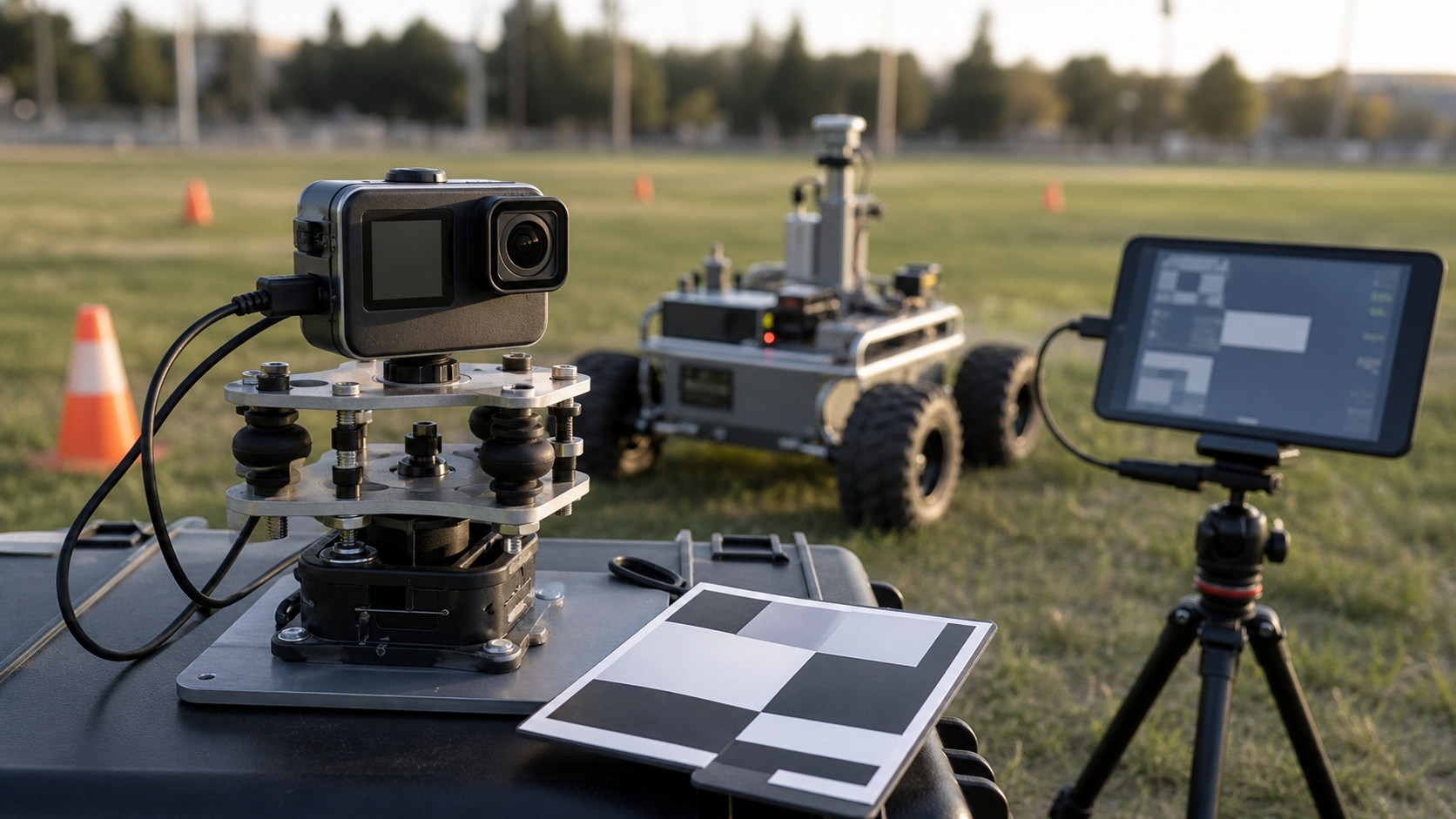
A stabilizer cannot fix a bad mounting decision. Thin plastic arms, long extension poles, loose thumbscrews, and flexible brackets turn motor vibration into visible shake. A short, rigid mount close to the robot frame usually beats a dramatic overhead angle that wobbles. Add rubber isolation only when it solves a specific vibration frequency; too much softness can make the camera lag behind the robot’s motion and create a floaty result.
This is why TVG’s earlier action-camera spec review for robotics and field teams emphasized the whole capture system. Camera, mount, storage, battery, field of view, and review workflow all interact. A cheaper camera on a rigid mount may produce more useful diagnostic footage than a flagship camera dangling from a flexible adapter.
Rolling shutter and fast mechanisms
Action cameras use compact sensors and fast processing, but many still show rolling-shutter distortion under rapid vibration or fast panning. For a creator shot, that may only look ugly. For an engineering review, it can mislead the viewer about timing or geometry. If a flywheel, arm, shooter, or swerve module appears bent or warped in video, the problem may be the sensor readout rather than the mechanism.
High frame rates help with motion review, but they also raise storage and heat demands. A 120 fps clip can be excellent for diagnosing a short failure, while a long practice session may be better at 4K/60 or 2.7K/60 with stable exposure and reliable battery behavior. Teams should choose modes by use case: slow-motion failure analysis, driver-review footage, overhead match documentation, or quick social clips.
Low light, pits, and gyms
Robotics footage is often captured in difficult light: school gyms, convention halls, pits with mixed LED fixtures, and practice fields near sunset. Stabilization can make low-light footage look worse if the shutter speed drops too far. Motion blur is not the same thing as shake, and software cannot recover detail that was smeared during exposure. A larger sensor, faster lens, or lower frame rate may help more than a more aggressive stabilization mode.
Teams should run a simple pre-season test. Record the same robot path in daylight, a classroom, a gym, and a pit-like corner. Compare license plates, wheel spokes, printed field markings, and small mechanism details. If those details disappear, the footage may still look smooth but fail as engineering evidence.
Heat and recording limits
Small action cameras are thermally constrained. High resolution, high frame rate, horizon lock, bright screens, wireless preview, and hot environments all add load. A camera that works for a two-minute clip may not survive a full practice block. That is why buyer guides should treat recording reliability as a spec. Turn off screens when possible, avoid sealed cases indoors, carry spare batteries, and test the exact mode long enough to find the failure point before event day.
Audio and timestamp discipline
Audio is underrated. A camera mounted near a robot can capture motor pitch, impacts, driver commands, and referee whistles. Even if the microphone is not beautiful, it helps align the video with logs and human observations. If your team also records driver-station logs or robot telemetry, start each run with a visible clap, LED flash, or spoken run number. That tiny habit makes post-run analysis much faster.
Storage discipline matters too. TVG’s drone-versus-action-camera field documentation guide made the same point: the capture device is only useful if the team can find, transfer, and review the clip afterward. File naming, card rotation, and a laptop offload station are part of the system.
A practical buying checklist
- Stabilization crop: How wide is the view after the useful stabilization mode is enabled?
- Mount ecosystem: Can you build a short, rigid, safe mount without blocking mechanisms?
- Low-light behavior: Does detail survive in a gym or pit?
- Rolling shutter: Do fast mechanisms look distorted?
- Thermals: Can the camera record your longest realistic practice segment?
- Power: Can it run from a safe external source when needed?
- Storage: Are cards fast enough and easy to manage?
- Review workflow: Can students transfer and annotate clips quickly?
TVG Take
The best action camera for a robotics team is not automatically the one with the highest resolution. It is the one that turns shaky field moments into repeatable engineering evidence. Buy for stabilization margin, rigid mounting, low-light detail, heat behavior, and review workflow first. Treat cinematic features as a bonus after the footage can answer the question: what happened, when did it happen, and what should the team change before the next run?