A 3D scanner can look precise in a product photo and still disappoint in a maker lab. The problem is not that spec sheets are useless. It is that the most important words — accuracy, precision, and resolution — are often read as if they mean the same thing. They do not. If your goal is reverse engineering a bracket, documenting a robot part, checking a printed enclosure, or creating a model for fabrication, that distinction matters more than the headline megapixel count.
This guide is written for makers, robotics teams, STEM labs, and small fabrication shops that need practical results rather than metrology theater. The goal is to help you decide what to test before buying, what to ignore in marketing copy, and what workflow habits improve scans without turning a classroom or garage into a measurement lab.
Accuracy, precision, and resolution are different checks
Accuracy is how close a scan is to the real object. If a 100 mm part scans as 100.8 mm, the result may be visually convincing but dimensionally wrong. Precision is repeatability: if you scan the same object five times, do the measurements cluster together? Resolution is detail capture: can the system see small edges, holes, texture changes, or thin features? Artec’s learning center explains the difference between accuracy, precision, and resolution in scanner performance, and it is a useful starting point because many buying mistakes come from mixing those terms.
For makers, the key question is application fit. A decorative model can tolerate more dimensional error than a replacement part. A robot sensor mount may need holes and standoffs to align. A drone shell may need enough surface accuracy for fairing fit but not the same tolerances as a machined fixture. A school robotics team may care more about reliable scans of medium-size plastic parts than about capturing a tiny embossed logo.
Scanner type shapes the tradeoff
Different capture methods have different failure modes. Structured-light scanners project a known pattern and use cameras to infer shape. They can be strong for close-range objects and detailed surfaces, but shiny, transparent, black, or highly reflective materials can cause trouble. LiDAR and time-of-flight systems can capture larger spaces and objects, but consumer implementations often trade fine detail for speed and convenience. Photogrammetry uses many overlapping photos and software reconstruction, making it accessible but sensitive to lighting, texture, lens quality, and camera movement. Engineering.com’s overview of LiDAR, photogrammetry, and infrared/structured-light techniques is a good reference for the basic method differences.
No method is automatically best for every maker. A team scanning robot field elements may prefer portability and repeatability. A prop maker may prioritize color texture. A mechanical project may need enough dimensional accuracy to compare a printed part against CAD. That is why the purchase decision should start with sample parts, not with a brand ranking.
The spec sheet questions to ask first
Start with working volume. What is the smallest and largest object you can scan without awkward stitching? A scanner that is excellent for small parts may be inefficient for a full robot chassis. Then check stated accuracy and ask whether the figure applies to a single frame, a small object, a calibrated environment, or a full stitched model. A tiny accuracy number may not describe the result you get after multiple passes, alignment, smoothing, and export.
Next, look at minimum feature size. If your parts have screw holes, ribs, connectors, or snap-fit tabs, resolution matters. But do not buy resolution alone. More detail can mean heavier meshes, longer cleanup, and more ways to capture surface noise. For many maker workflows, a clean lower-resolution scan is more useful than a dense mesh that takes hours to repair.
Also check software. Artec’s guide to choosing a 3D scanner highlights factors such as object size, tolerances, software, support, and budget. That matters because scanning is not only capture. It is alignment, hole filling, mesh cleanup, decimation, scaling, export, and comparison against CAD. Bad software can waste more time than a slower scanner.
Surface prep can change the result
Many failed scans are surface problems. Glossy black plastic, clear parts, polished metal, carbon fiber, and reflective labels can confuse optical systems. In a maker setting, removable matte scanning spray, painter’s tape, temporary dots, or controlled lighting can improve results. The tradeoff is that surface prep may not be allowed on final parts, borrowed items, or electronics.
For robotics teams, test common materials: 3D-printed PLA or PETG, black injection-molded brackets, aluminum extrusion, rubber wheels, clear polycarbonate, wiring harnesses, and textured field elements. A scanner that looks strong on a beige demo sculpture may behave differently on a black plastic gearbox or reflective shaft collar.
Calibration and environment matter
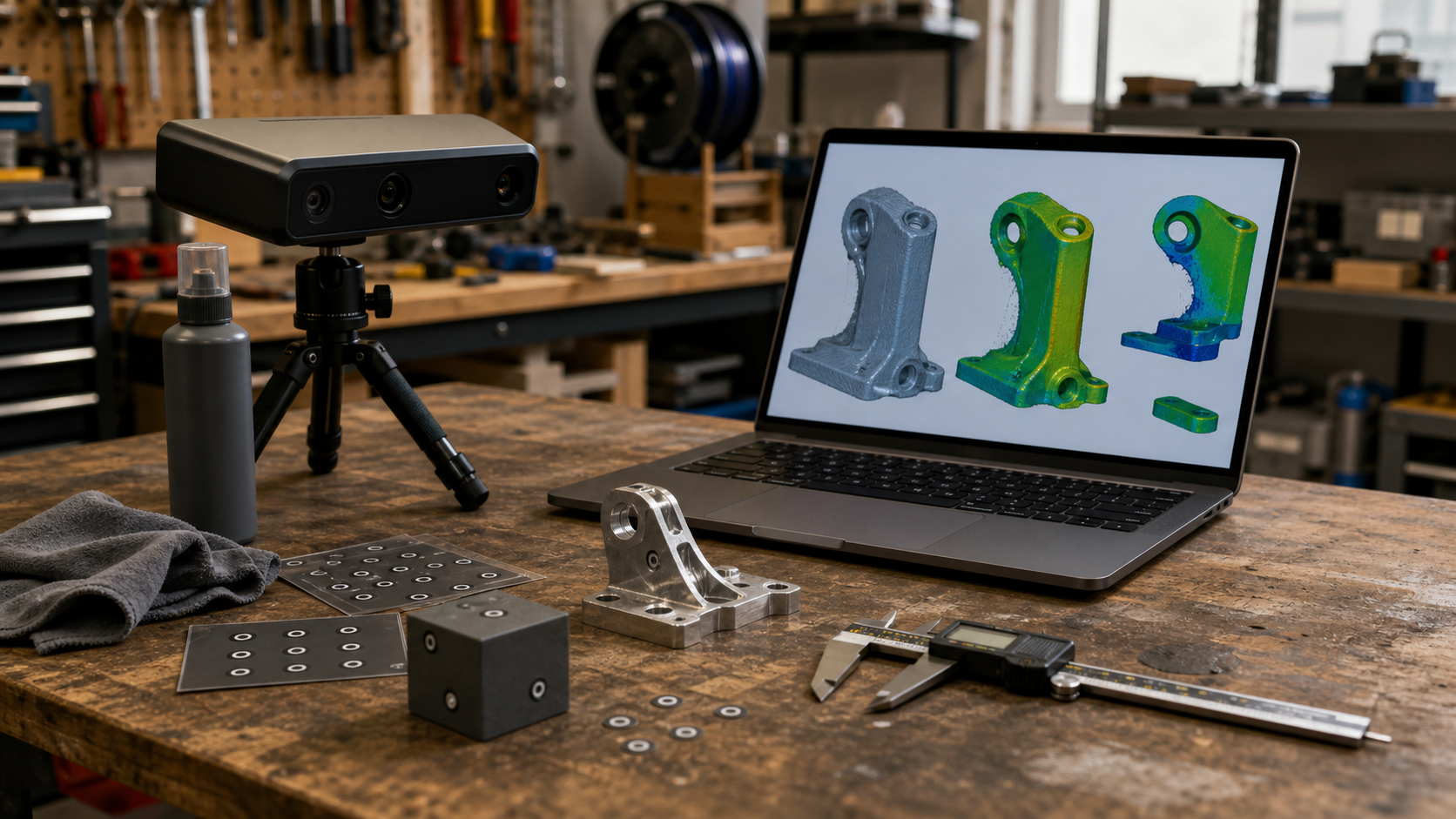
If a scanner requires calibration, treat it as part of the workflow, not a nuisance. Temperature changes, camera alignment, transport, and lighting can affect results. A team that carries a scanner between a classroom, pit area, and workshop should expect to verify calibration more often than a lab that leaves it on one bench. Keep a known reference object nearby: a gauge block, caliper-checked cube, printed calibration artifact, or manufactured part with trusted dimensions.
Lighting also matters. Strong sunlight, flicker, specular highlights, and inconsistent shadows can degrade capture. If the scanner uses projected light, the environment should be controlled enough that the pattern remains readable. If the workflow uses photos, use diffuse lighting and lock exposure when possible.
A practical maker test plan
Before buying, ask for sample data or run your own short test. Scan one simple reference object with known dimensions, one real project part with holes and edges, one difficult surface, and one object close to the maximum size you expect to capture. Measure the exported mesh in software and compare it against calipers or CAD. Then scan the same object again and see whether the result repeats.
Use four checks: dimensional error, repeatability, cleanup time, and export usefulness. Dimensional error tells you whether the scan can support reverse engineering. Repeatability tells you whether the scanner is stable enough for team workflows. Cleanup time tells you whether the scanner will actually be used. Export usefulness tells you whether the mesh works in your CAD, slicer, or inspection tool.
Where 3D scanning fits in a maker lab
Scanning is strongest when it fills a gap between physical parts and digital models. It can help rebuild a missing bracket, document a mechanism, compare a printed prototype against intent, capture a sculpture or ergonomic grip, or teach students how tolerances show up in real objects. It is weaker when teams expect it to replace measurement skill. Calipers, CAD constraints, and controlled test prints still matter.
That is why 3D scanning pairs well with the same lab discipline TVG has covered in maker fabrication and robotics integration. A printer such as the large-format systems discussed in our Bambu Lab A2L maker-lab checklist can produce bigger parts, but scanning helps verify whether those parts match the job. Likewise, a robotics control topic such as CAN bus planning benefits from the same habit: measure the real system, not only the diagram.
Buyer checklist
- Define the part sizes you will scan most often.
- Ask whether stated accuracy applies to your object size and workflow.
- Test black, shiny, transparent, and textured materials before buying.
- Check repeatability with the same object scanned multiple times.
- Time the full workflow from capture to cleaned export.
- Verify exports in your CAD, slicer, or inspection software.
- Budget for lighting, turntables, targets, spray, training, and storage.
Engineering Takeaway
TVG’s take: do not buy a 3D scanner because the demo mesh looks sharp. Buy it because it gives repeatable, useful data for the parts your team actually builds. For most makers, the best scanner is not the one with the most dramatic spec sheet; it is the one that can scan your real materials, export clean geometry, and fit into a workflow students or volunteers will use without heroic cleanup.