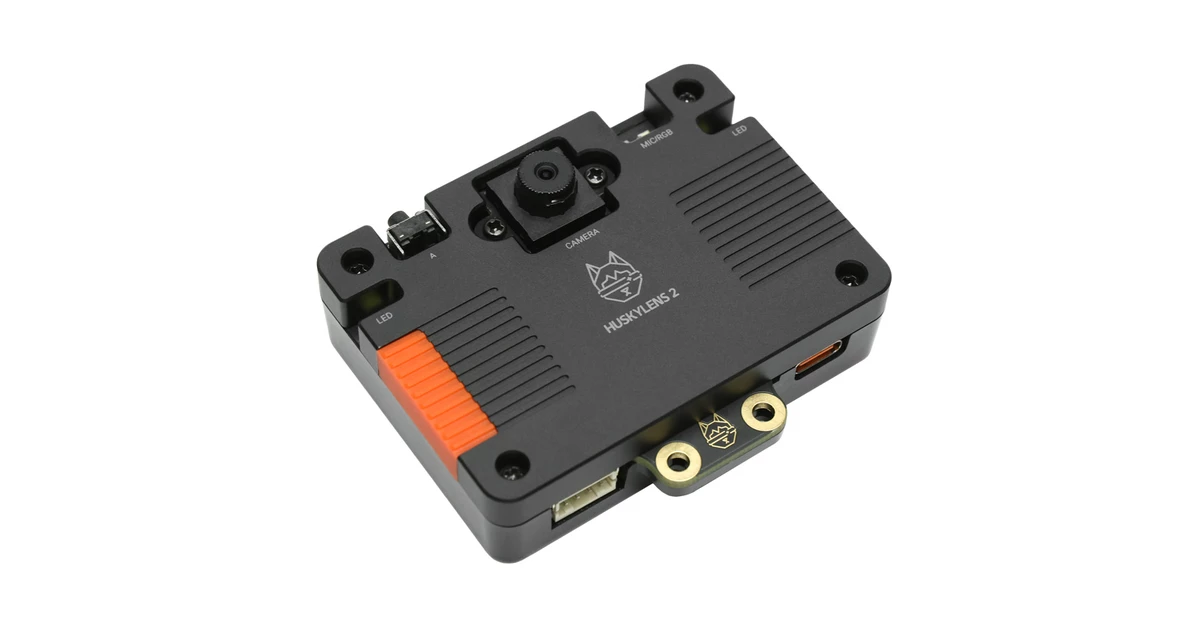
Product image: DFRobot.
DFRobot’s HUSKYLENS 2 moves the company’s self-contained vision-sensor idea onto a substantially more capable edge-AI platform. The published hardware combines a Kendryte K230 processor with a 6-TOPS INT8 neural-processing unit, 1 GB of LPDDR4 memory, 8 GB of eMMC storage, a 2-megapixel camera and a 2.4-inch touchscreen.
That specification set makes HUSKYLENS 2 more than a camera peripheral, but it does not automatically make it a general-purpose AI computer. Its practical value depends on the firmware, supported models and host interfaces that DFRobot exposes. This analysis therefore separates the documented hardware from performance and usability claims that the current public material does not quantify.
What is materially different
The original HUSKYLENS established a simple workflow: select a built-in vision function on the device, train or configure it through the screen, then pass results to a microcontroller. HUSKYLENS 2 keeps that appliance-style approach while adding enough compute and memory for a broader model set.
DFRobot lists object recognition, face recognition, object tracking, line tracking, color recognition, tag recognition, instance segmentation and classification among the built-in functions. Those modes matter because they can return compact results—such as an object class, position or tracked target—without making an Arduino-class controller process the image itself.
The interfaces define the classroom value
The most important design choice is not the 6-TOPS headline; it is the combination of local controls and microcontroller-friendly output. A touchscreen can keep model selection and camera feedback on the sensor, while UART or I²C carries structured results to a robot controller. USB-C provides power and a direct connection for configuration or higher-bandwidth use.
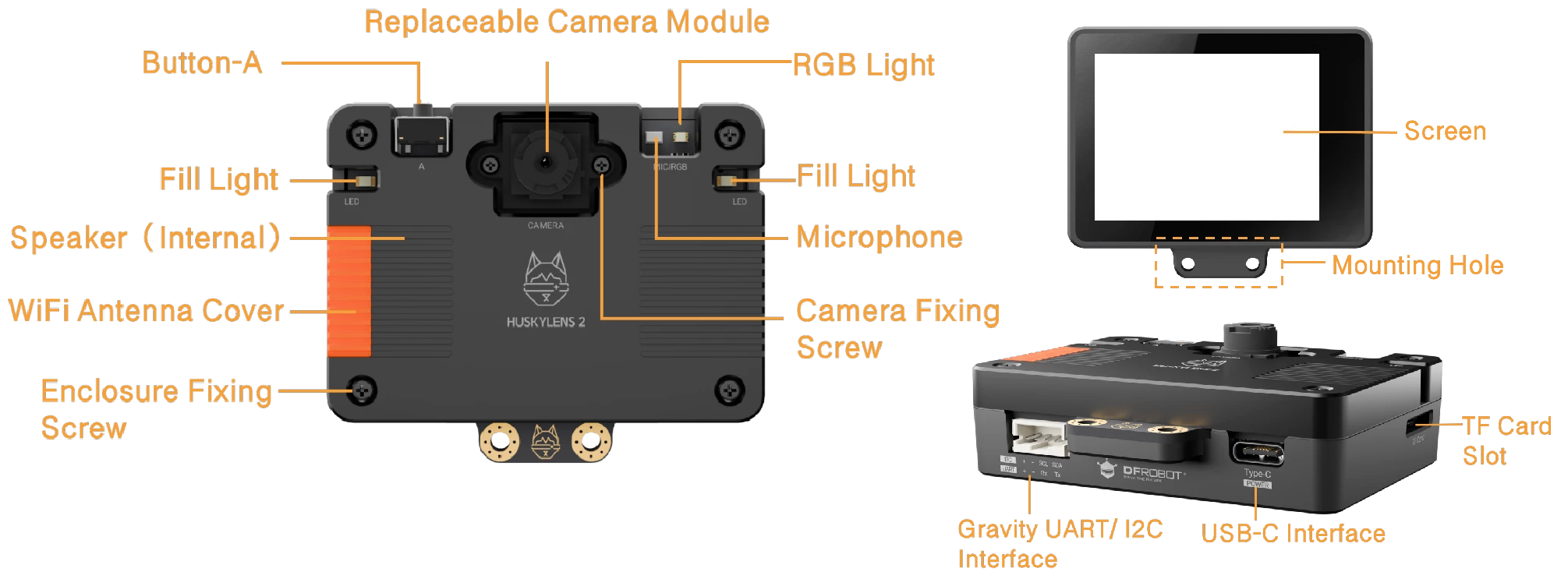
That architecture can reduce setup work for small robots, interactive exhibits and classroom demonstrations because the host controller does not need a Linux image, camera driver and inference runtime. It also creates a dependency: the product is only as flexible as DFRobot’s firmware, model-conversion path and protocol documentation allow.
Custom models are the more important claim
DFRobot says HUSKYLENS 2 can use custom models created through its online training workflow and MaixHub. If the supported export path remains stable, that is more consequential than a long list of canned demos: a class could train a narrow detector for its own parts, signs or objects and deploy it without rebuilding the full software stack on each robot.
The current public pages do not provide a model-by-model table of input size, supported operators, quantization constraints, memory limits or measured inference latency. “Custom model support” should therefore be read as a documented workflow, not as compatibility with any arbitrary neural network.
Two documentation details need caution
DFRobot also promotes “large-model interaction” and MCP-oriented use. The hardware can participate in a networked system that calls remote services or coordinates tools, but the published 1 GB memory and 6-TOPS INT8 accelerator do not imply that a large language model runs locally on the sensor. Buyers should distinguish onboard vision inference from cloud- or host-assisted language features.
What the specification does not establish
The official material does not publish independently comparable measurements for end-to-end latency, sustained thermal behavior, detection accuracy under different lighting, Wi-Fi video reliability, firmware update longevity or classroom recovery after corrupted storage. None of those gaps makes the product unsuitable, but they prevent a source-based article from assigning a hands-on score or durability recommendation.
The replaceable camera module, onboard lighting, mounting points and multiple host links are concrete strengths visible in the hardware design. The unresolved questions are mainly about software limits and operational consistency rather than whether the necessary interfaces exist.
Who should consider it
HUSKYLENS 2 is most relevant to educators and robot builders who want object or line perception without maintaining a Raspberry Pi-class operating system on every project. It may also fit interactive installations that benefit from a local screen, audio and Wi-Fi in one enclosure.
Projects that need reproducible latency, a fully open deployment toolchain, unrestricted model conversion or long-term fleet management should examine DFRobot’s firmware and model documentation before standardizing on it. For those use cases, the key decision is not the NPU rating alone; it is whether the supported workflow matches the models, host protocol and maintenance plan the project actually requires.
Bottom line
HUSKYLENS 2 packages useful edge-AI hardware into a form that is easier to connect to classroom robots than a bare accelerator board. Its 6-TOPS NPU, local display, camera, audio, Wi-Fi and UART/I²C links make the platform technically interesting. The strongest reason to evaluate it is the integrated workflow; the largest remaining uncertainty is how broadly and reliably the firmware turns that hardware into deployable custom vision projects.