When a Linux service fails once, restarts and appears healthy, its current status is often the least useful evidence. The failure may belong to the previous process invocation—or the previous boot—and a volatile systemd journal can erase the only useful messages at restart. The reliable troubleshooting sequence is to preserve the journal first, then narrow by boot, unit and invocation before changing restart policy.
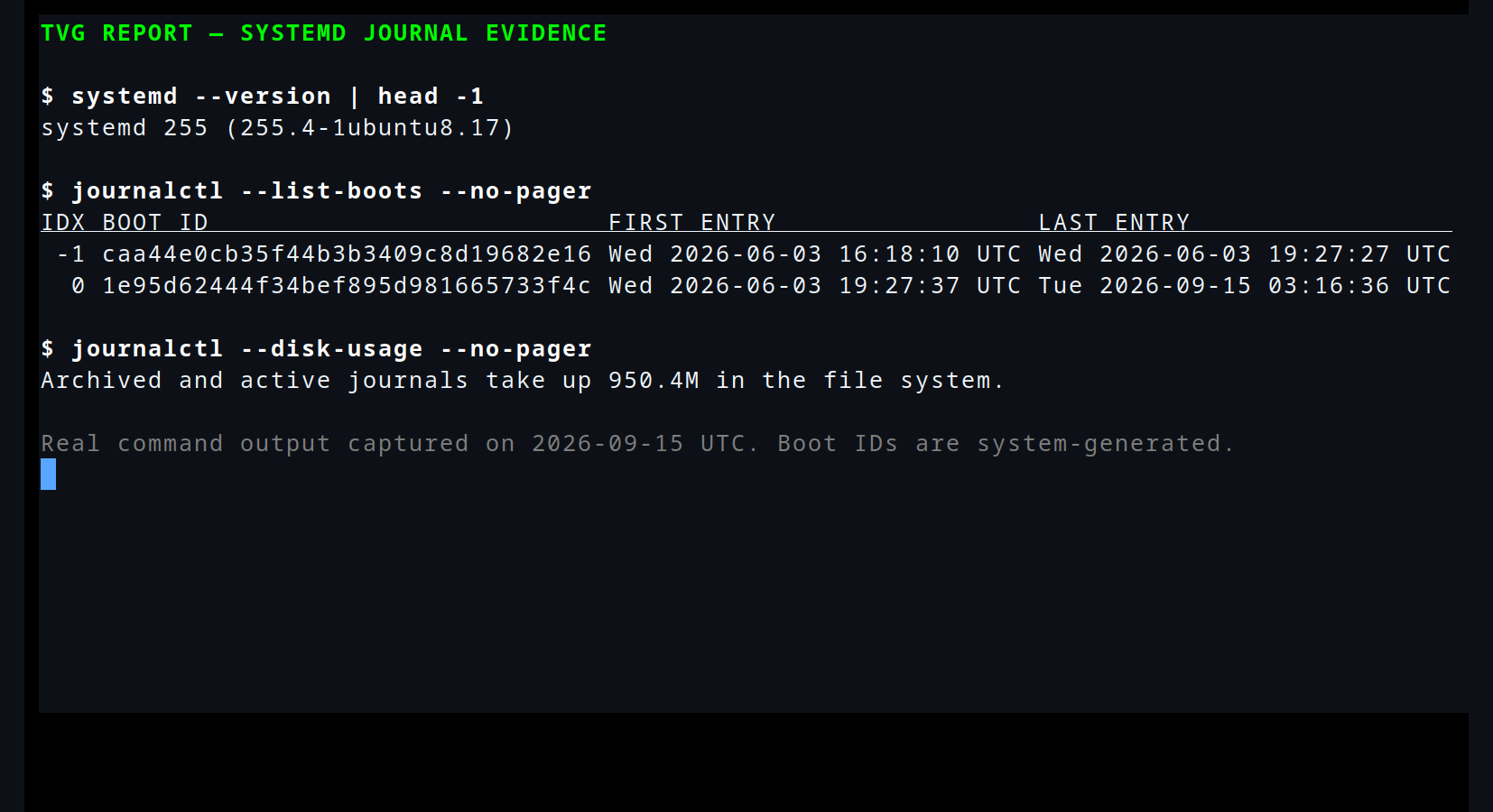
Featured image: real journalctl --list-boots and --disk-usage output captured by TVG Report on September 15, 2026. Command reference: systemd journalctl manual source. Image: TVG Report.
First check whether the evidence survives a reboot
systemd-journald supports Storage=volatile, persistent, auto and none. Volatile data lives under /run/log/journal and disappears on reboot. Persistent data is stored under /var/log/journal, with an early-boot fallback to /run/log/journal if the disk is not writable. In auto mode, the existence of /var/log/journal determines whether disk persistence is used.
sudo install -d -m 2755 /var/log/journal
sudo systemctl restart systemd-journald
journalctl --list-boots
journalctl --disk-usage
Confirm the result rather than assuming the directory change worked. journalctl --list-boots should show a table of boot numbers, boot IDs and first/last timestamps. On a device that already rebooted after the fault, no negative boot entry means the old evidence was not retained. Red Hat’s troubleshooting documentation uses the same boot-list and boot-ID workflow for cross-reboot investigation.
Reduce the journal to one failure window
Start broad enough to keep context, then narrow. -b -1 selects the boot before the current one; -u adds matches for a systemd unit and related manager or coredump messages. Time bounds accept human-readable values, so the following query isolates a ten-minute incident window without exporting the entire journal:
journalctl -b -1 -u robot-bridge.service --since "2026-09-10 14:20:00" --until "2026-09-10 14:30:00" -o short-full --no-pagershort-full is useful when timestamps must be copied into an issue because it includes the weekday, year and timezone in a locale-independent format. If the service restarted several times within one boot, systemd v257 and later also provide journalctl -u robot-bridge.service --list-invocations. Then -I selects the latest invocation, while --invocation=-1 selects the one before it. This avoids mixing a failed process with the healthy replacement that followed.
Read the stop reason before tuning Restart=
Pair journal output with the unit’s recorded result:
systemctl show robot-bridge.service -p ActiveState -p SubState -p Result -p ExecMainCode -p ExecMainStatus -p NRestartsAn exit code, signal, timeout or watchdog result points to different failure mechanisms. A restart can hide the visible outage while NRestarts keeps rising. That is especially relevant for robot bridges, camera collectors and lab gateways where a connection comes back but state, buffered data or device ownership does not.
Rate limits are evidence, not just an obstacle
StartLimitIntervalSec= and StartLimitBurst= restrict how many starts a unit may attempt in a time span. If the burst is exceeded, systemd refuses further starts. Setting the interval to zero disables rate limiting, but doing that during diagnosis can turn a deterministic failure into a fast restart loop and overwrite the most relevant context.
Instead, record the existing values with systemctl show, capture the failed invocation, and only then decide whether the service needs a longer backoff, a dependency condition or an application fix. If storage pressure matters, journalctl --disk-usage reports active plus archived journal usage; vacuum operations remove archived files, not the active file, so their effect may not exactly match the displayed total.
This workflow complements TVG’s guidance on separating power-loss counters from media errors. The storage log can reveal that a host lost power; the boot- and invocation-scoped journal can show which service failed before or after that event. Preserve both timelines before resetting counters or repeatedly restarting the unit.