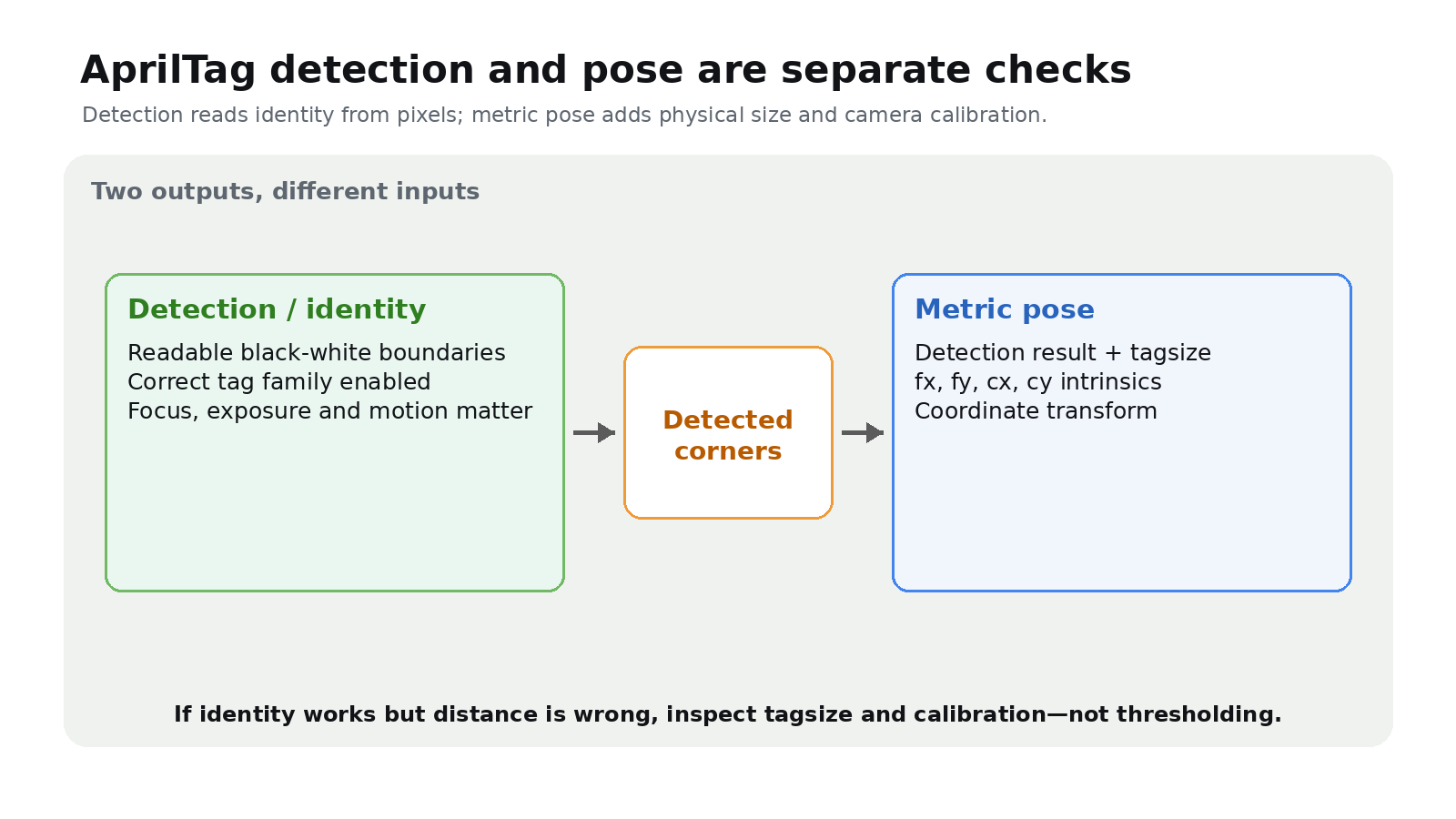
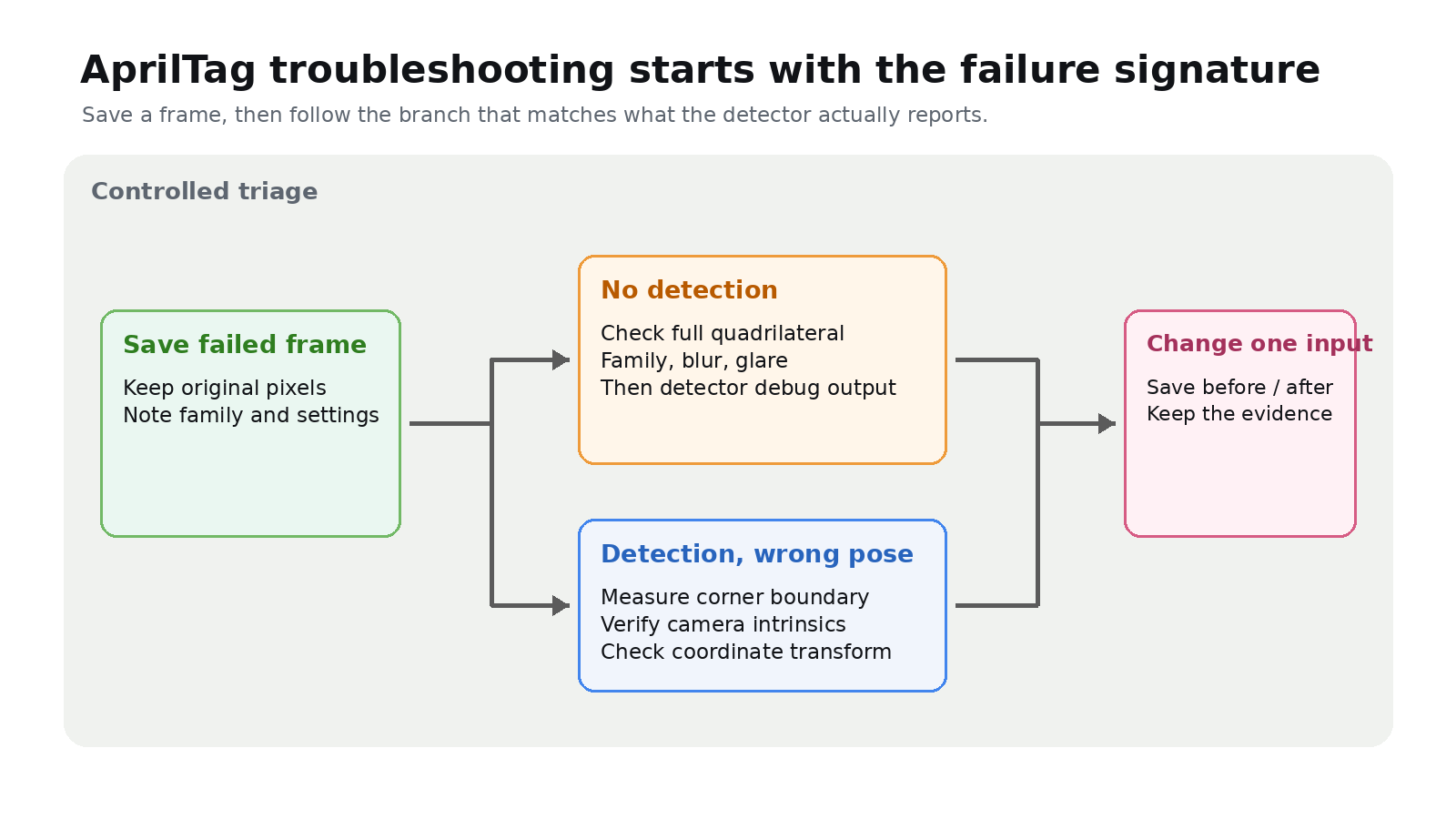
Quick answer: First determine whether the camera fails to detect the tag or detects it but reports the wrong pose. Detection depends on a readable tag image and the correct family. Metric pose also depends on measured tag size and calibrated camera intrinsics.
If there is no detection, inspect the frame
Save a failed frame before changing thresholds. Confirm that the full tag is visible, black-and-white boundaries remain sharp, glare has not erased part of the pattern, and motion blur has not joined adjacent cells. Then confirm that the detector enables the printed family.
AprilRobotics documents a specific tuning sequence. Use detector debug output; if the tag border is not found as a quadrilateral, reduce quad_decimate. If the border is found but decoding still fails, test decode_sharpening. Do not change several parameters at once.
If detection works but distance is wrong, measure the right square
AprilTag identity detection does not require a physical-size input. Pose estimation does. The AprilRobotics API takes tagsize in metres with fx, fy, cx and cy from camera calibration.
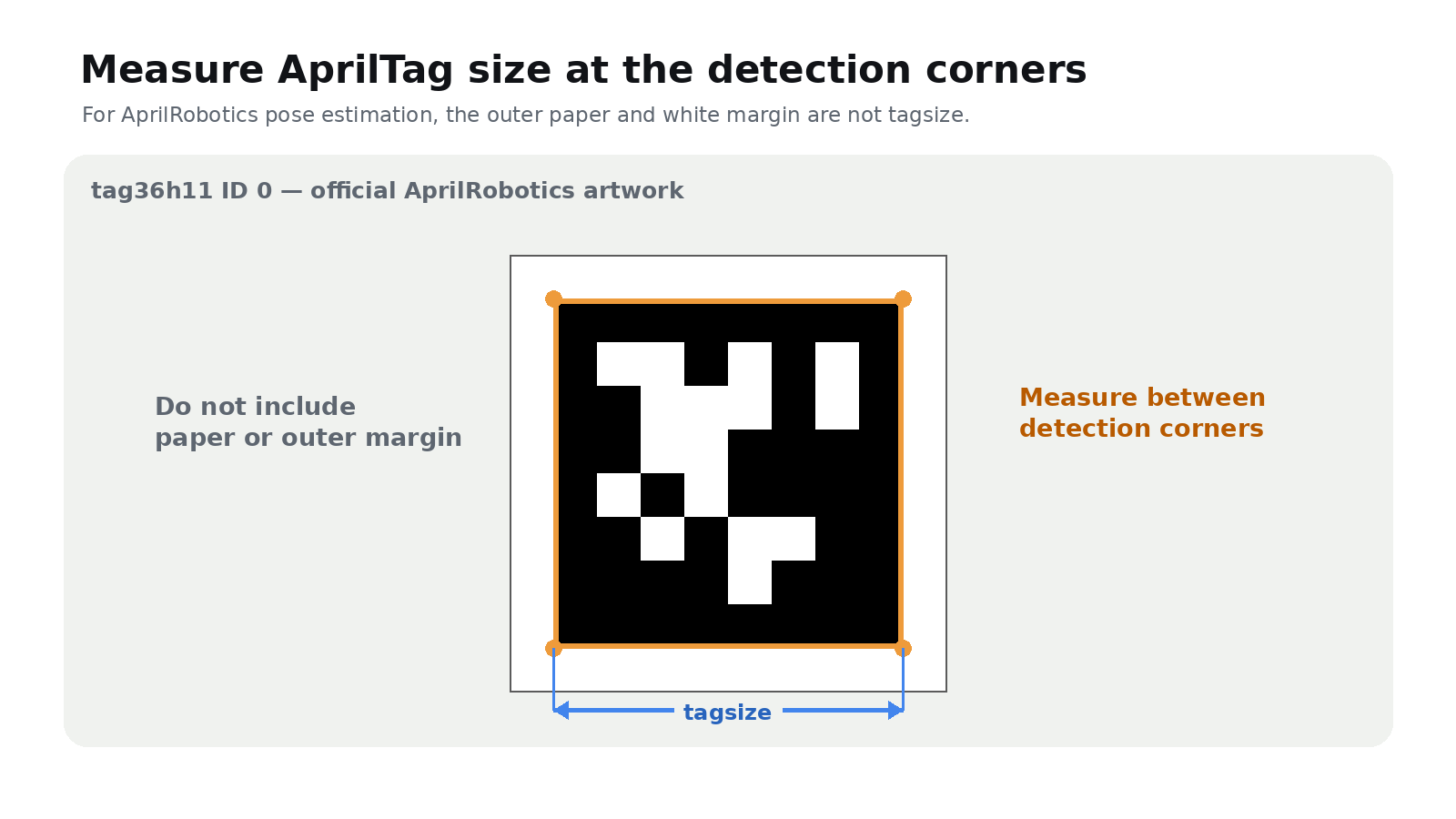
Measure the distance between detection corners, where the black and white borders meet. Do not enter the outside paper dimension or include the outer white margin. Record that value beside the exact print file and disable “fit to page” when printing replacements.
If pose moves, check calibration and planarity
A correct size value cannot compensate for wrong camera intrinsics. Use calibration values for the camera, lens, focus and resolution actually running on the robot.
Mount the tag as a plane, not across a seam or curve. Check it from the required range and angle and save frames under operating lighting. The useful question is whether the recorded tag retains clean boundaries without clipping, blur, glare or occlusion.
Record one controlled preflight
- tag family and ID;
- measured detection-corner size in metres;
- camera resolution and calibration file;
- exposure and focus settings, if fixed;
- nearest, farthest and most oblique required views, with a saved frame from each.
If detection fails with a readable frame and expected family, investigate detector settings. If detection succeeds but metric pose is wrong, investigate tagsize, intrinsics and coordinate transforms.