
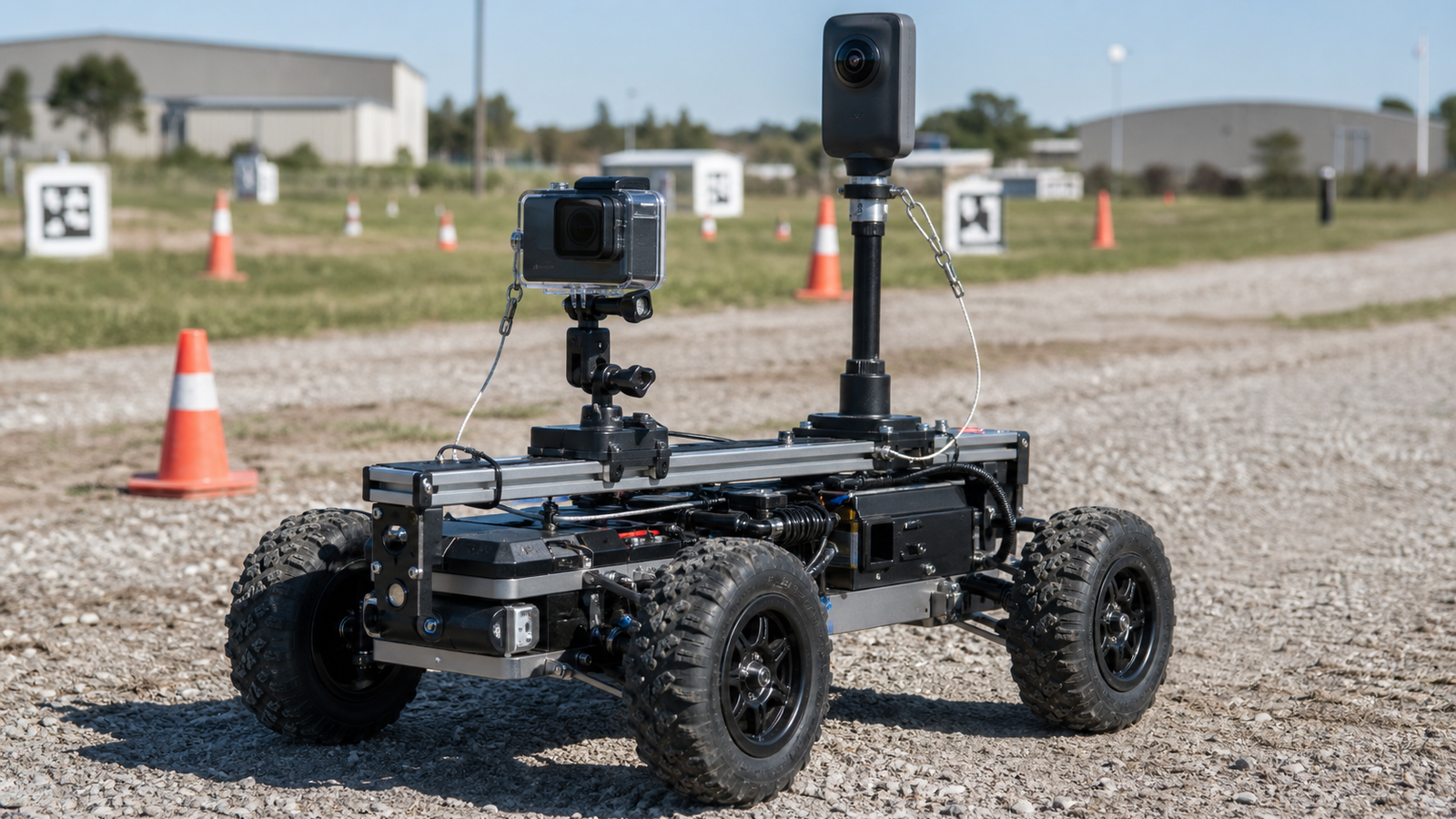
Field robotics teams often buy a camera after a frustrating test day: the robot drove well, the failure happened once, and nobody captured the angle that explained it. The choice is usually between a rugged action camera and a 360 camera.
The right answer depends on what the footage is supposed to prove.
Quick answer
Use an action camera when you need a locked view, rugged mounting, simpler files, and predictable battery behavior. Use a 360 camera when you need to reframe later, capture operator context, or review events happening outside a fixed field of view. For serious robot documentation, many teams eventually use both.
What action cameras do well
Action cameras are straightforward. Mount one on the robot, set the field of view, press record, and review the same perspective later. That makes them useful for drivetrain tests, collision checks, manipulator views, outdoor driving, and classroom events where a teacher or mentor needs a simple record.
The tradeoff is that a fixed view misses anything outside the frame. If the robot fails because a cable snagged behind it, a driver stepped into the lane, or a field element moved outside the camera angle, the footage may not answer the question.
Where 360 cameras help
A 360 camera records a sphere, then lets the editor reframe later. That is valuable for robot tests because the important event is often not where the team expected. A 360 camera near the field can capture the robot, operator, safety observer, and surrounding obstacles in one pass.
The cost is workflow complexity. 360 footage usually creates larger files, more editing steps, and more opportunities to lose image quality during reframing. Lens protection is also more delicate because the camera must see in nearly every direction.
Spec-readiness checklist
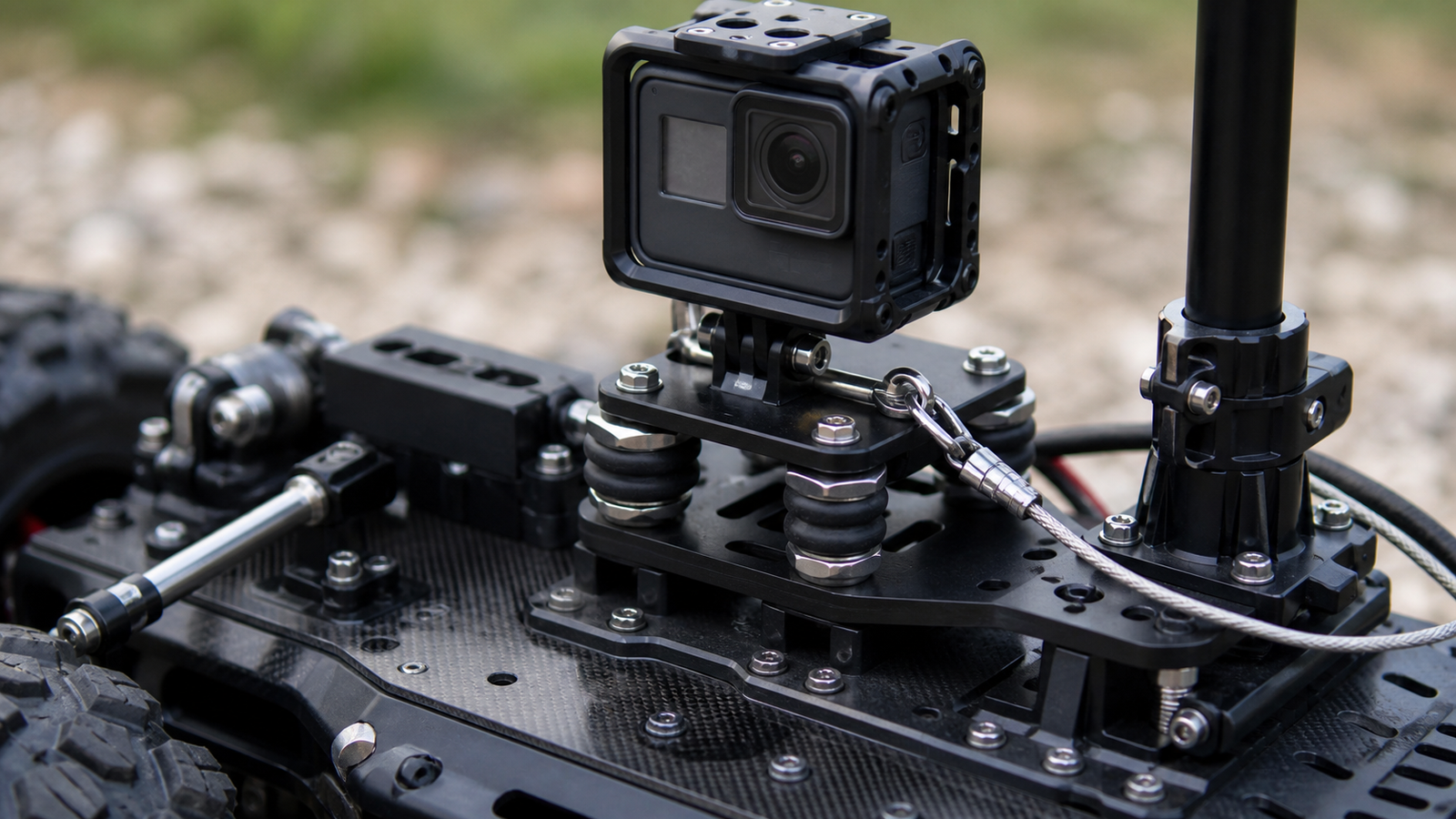
- Mounting: check cage options, quarter-inch adapters, vibration isolation, and safety tethers.
- Heat: long stationary recording in sunlight is harder than short action clips.
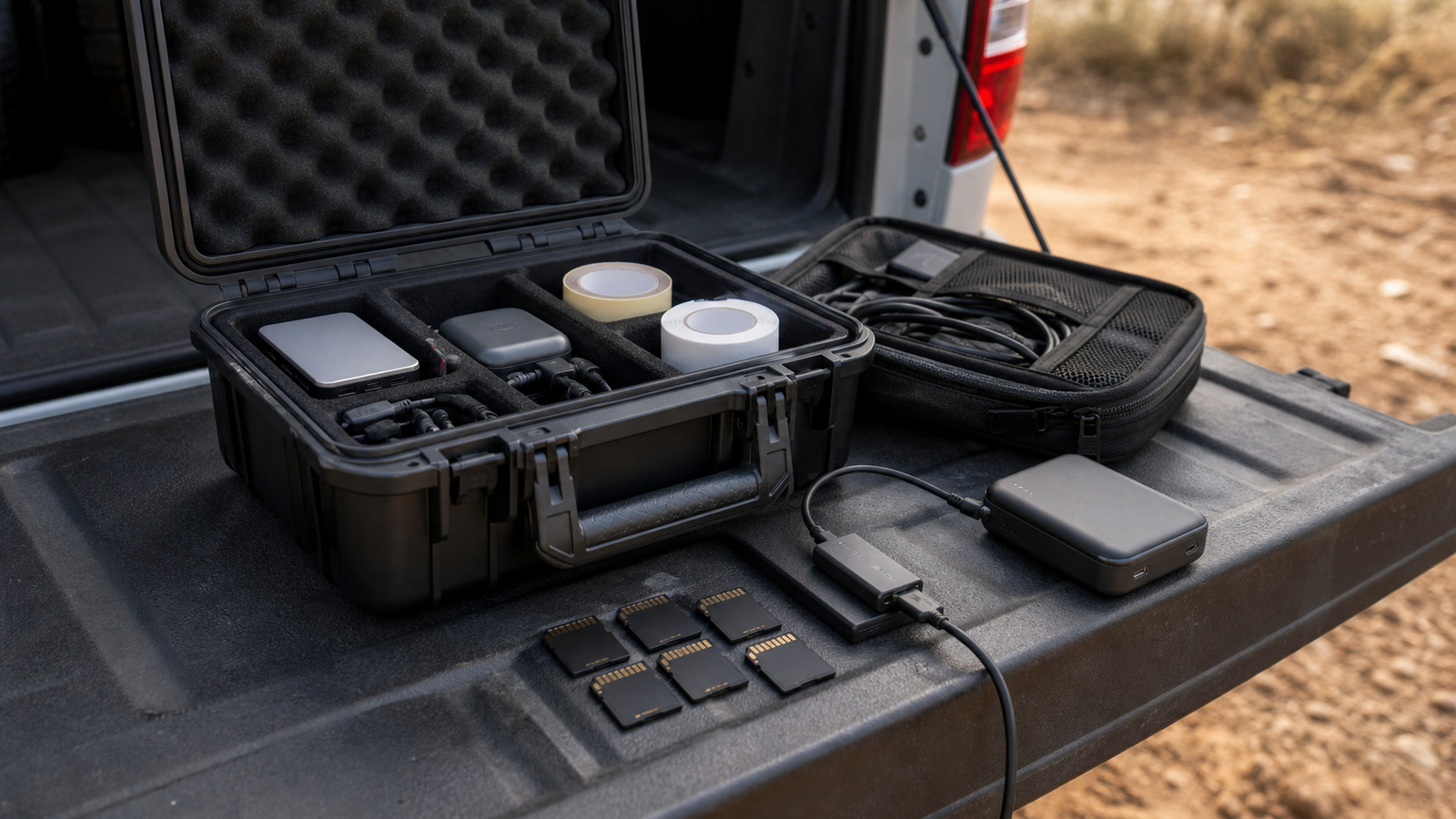
- Storage: high-bitrate and 360 footage need reliable cards; compare against TVG’s V30/V60/V90 field-media card guide.
- Battery: confirm runtime at the actual recording mode, not just a best-case spec.
- Audio: if voice notes matter, test wind noise and microphone placement.
- Evidence value: choose the camera that captures the failure mode, not the one with the most exciting launch video.
Decision matrix
Pick an action camera for robot-mounted views, harsh vibration, simpler editing, repeatable STEM demonstrations, and fast post-run review. Pick a 360 camera for field overview, driver-station review, event documentation, safety context, and tests where the failure point is unknown.
If the project is a competition robot, a rover, a drone-support vehicle, or an autonomous delivery prototype, the strongest setup may be one robot-mounted action camera plus one fixed or pole-mounted 360 camera watching the entire run.
TVG Take
Do not treat camera selection as a creator-gadget decision. Treat it as instrumentation. The camera should help the team diagnose behavior, prove what happened, and improve the next test. Resolution matters, but mounting, heat, storage, and review speed usually decide whether the footage is useful.



