Template A: News. A newly surfaced maker project around a 3D-printed split-flap display is a useful reminder that STEM hardware does not have to look futuristic to teach modern controls engineering. Hackaday highlighted the build this weekend, pointing to a design where the flaps themselves are printed and the mechanical indexing problem is part of the learning value rather than hidden inside a sealed product.
The project matters because split-flap displays compress several classroom-friendly engineering problems into one visible machine: tolerances, friction, motor control, repeatability, character indexing, failure recovery, and maintainable assembly. Those are the same categories that show up in robotics clubs and maker labs, but the output is easier for visitors to understand than a bare motor test jig.
What the project shows
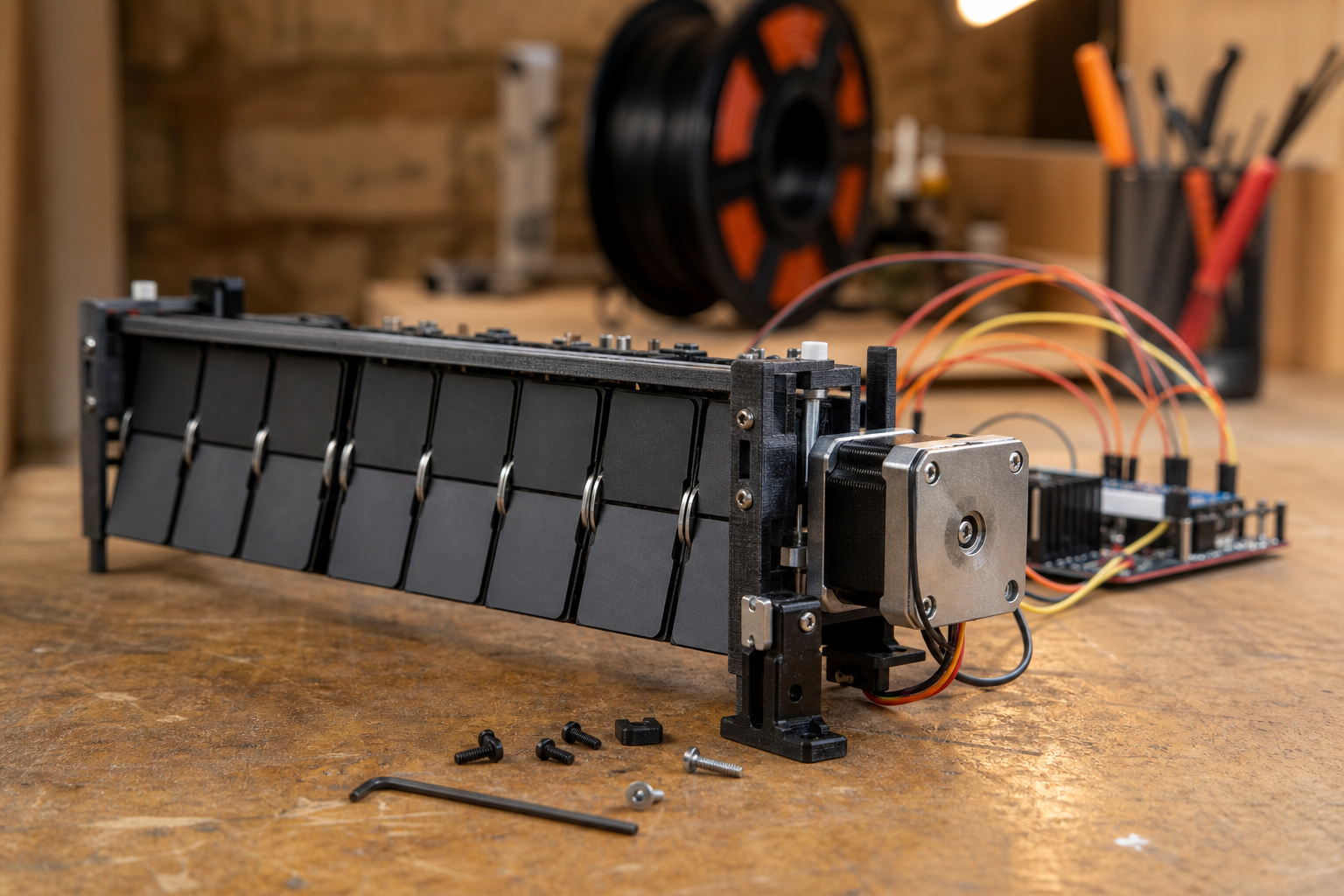
The current item is not a mass-market gadget launch. It is a maker build with a concrete learning angle. Hackaday notes that the flaps can be 3D printed with a two-color result even when the printer is not a multi-material machine. That turns the display face into a fabrication lesson: material choice, layer adhesion, contrast, and alignment all affect whether the module is readable after hundreds or thousands of flips.
Open-source split-flap work has been building for years. Scott Bez’s splitflap repository, for example, documents a broader DIY display system with an Arduino-based controller, stepper motors, hall-effect homing, status messages, and a Chainlink electronics system for larger arrays. A newer fully 3D-printed modular split-flap design points in a related direction, using ESP32 control and a web interface for multi-module displays.
That combination is the news peg for TVG readers: the visible mechanical interface is simple, but the control stack is not trivial. A module has to know where home is, recover after missed steps, avoid jamming, and stay readable after the plastic parts wear in. Those are the same reliability habits students need before they move into autonomous robots, camera sliders, CNC accessories, or small automation cells.
Why it matters for labs
Many STEM demonstrations hide the hard parts behind a screen. A split-flap module does the opposite. Students can hear when the motor accelerates too aggressively, see when a flap drags, and diagnose whether the issue is code, sensor placement, print quality, or assembly. The display gives instructors a physical way to talk about closed-loop behavior without starting with a full robot chassis.
It also scales. One module can be a calibration lesson. Four modules can be a serial protocol and power-budget lesson. A wall of modules becomes a wiring, maintainability, and firmware-update problem. That progression is useful for classrooms because the same project can support beginners and advanced students without needing a completely new kit for each level.
TVG Analysis
The strongest use case is not replacing LCDs. It is using a mechanical display as a teaching platform for reliability. The value comes from the parts that can fail in public: a sticky flap, a misread home sensor, a weak printed hinge, or a stepper driver that gets warm after repeated movement.
For schools, libraries, and maker spaces, the practical question is whether the design can be documented enough for repeatable builds. A beautiful one-off is inspiring, but a lab-ready project needs bill-of-material clarity, known print settings, replacement parts, and a safe way to recover modules when students make mistakes. That is where open repositories and build notes matter as much as the finished video.
TVG will keep watching this category because mechanical interfaces are becoming a useful counterweight to screen-only STEM projects. The next useful signal is whether these designs converge on stable electronics, test procedures, and classroom-friendly assembly guides rather than isolated showpieces.
What to watch next
For readers following this topic as an engineering problem, these related TVG Report pieces are the best next context:
- ESP32-P4 IP-KVM Project Shows a Smaller Path to Remote Lab Access
- Raspberry Pi 5 TOSLINK Project Turns USB Gadget Mode Into a Maker Audio Test
- FANUC’s Automate 2026 Physical AI Demos Put Robot Integration Under the Microscope
Sources
- Hackaday: Accurate Split-Flap Display Can be 3D Printed
- Scott Bez splitflap open-source repository
- jhoff Split-Flap-Display repository
Related TVG reading: Action Camera Mounting Guide for Robotics and Field Teams and Spec Review: Arducam’s Pico4ML Pro Targets On-Device AI Workflows.