
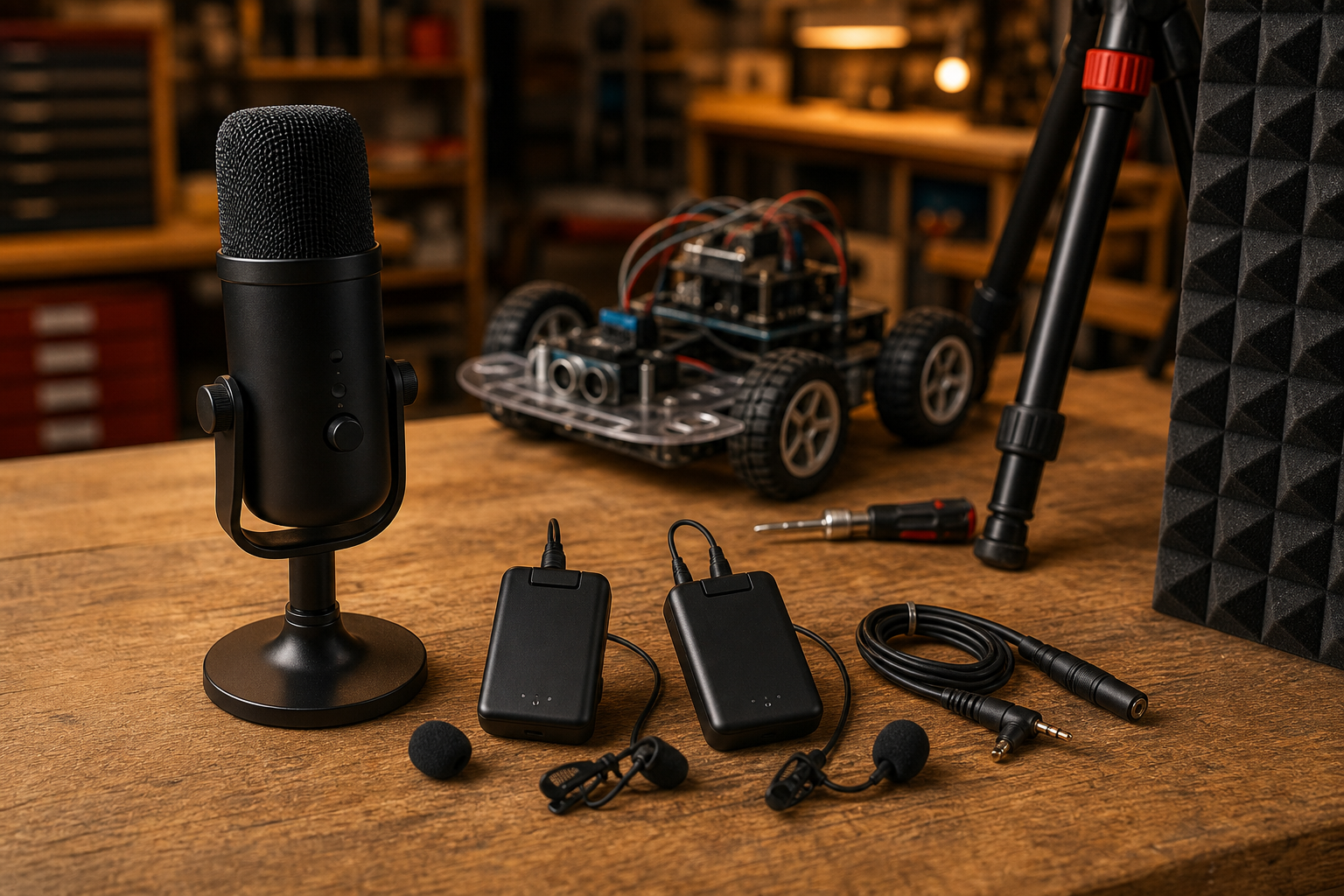
Template B: Analysis / Guide. TVG has not hands-on tested a specific microphone kit for this article. This is a buyer evaluation for maker labs, robotics teams, classrooms, and small studios deciding whether a USB microphone or a wireless lavalier kit is the better first audio upgrade for videos, livestreams, and technical demos.
The short answer is that a USB microphone is usually the safer bench choice, while a wireless lav is usually the better human-demonstration choice. The longer answer depends on room noise, cable safety, RF reliability, battery management, latency, repairability, and how often the setup has to move.
What problem are you solving?
Most technical videos fail first on audio. A robot can look impressive, but if the presenter sounds distant, clipped, or buried under motors and fans, the documentation loses value. For a maker lab, audio is not just polish. It affects training, sponsor recaps, remote judging, repair tutorials, and whether students can review what happened after a test run.
A USB microphone solves the simplest problem: one person or a small group near a workstation needs better sound into a computer. A wireless lav solves a different problem: a person moves around a robot field, classroom, booth, or shop floor and still needs consistent voice pickup. Confusing those jobs leads to bad purchases.
USB microphone: strengths and limits
USB microphones are attractive because they reduce the chain. The microphone, preamp, analog-to-digital conversion, and computer interface live in one device. Many support standard USB audio behavior, which can make setup simpler across common recording tools. The USB-IF audio class documentation explains the device-class side of that compatibility, though each microphone still needs practical testing with the target computer and app.
For bench tutorials, CAD walkthroughs, code explanations, soldering lessons, and robot teardown videos, a USB microphone on a small arm can be the best first upgrade. It has no bodypack to charge, no radio link to manage, and fewer small parts to lose. It also keeps the presenter from wearing hardware during quick recordings.
The limitations show up when the speaker moves. A USB mic on a table captures the room as much as the person once the presenter steps back. If motors, printers, fans, or students are nearby, the audio can get hollow and noisy. Cable routing is another risk in busy labs. A long USB cable across a demonstration area is a trip hazard and a reliability problem.
Wireless lav: strengths and limits
A wireless lavalier kit puts the microphone close to the speaker’s mouth. That is its main advantage. In a robot demo, pit area, gym, library, or field test, the presenter can turn, walk, crouch, and point without the voice level collapsing. For students explaining a mechanism while moving around it, that consistency matters.
The tradeoff is operational complexity. Wireless kits add transmitters, receivers, batteries, pairing steps, clothing noise, wind noise, RF interference, and small clips that disappear into bags. The FCC’s wireless microphone guidance is a reminder that spectrum rules and operating bands are not background trivia. Different kits use different bands and power levels, and crowded event environments can make a setup that worked in the lab behave differently on competition day.
Latency can also matter. For recorded video, a small delay can be fixed in editing. For live monitoring or hybrid meetings, delay and sync problems are more disruptive. Teams should record a clap test at the start of important sessions and keep notes on any required sync offset.
The maker-lab test plan
Before buying a class set or standardizing a club kit, run both options through the same test. Record a quiet bench explanation, a robot drive sequence, a 3D printer or CNC-adjacent environment, a classroom group discussion, and a presenter walking away from the camera. Listen on headphones, not laptop speakers.
Score for intelligibility before tone. A mic that sounds less “studio” but keeps words clear near a robot is the better engineering choice. Also score setup time. If a system takes ten minutes to pair and balance, students may skip it when the real test starts.
Repairability and lifecycle
Maker labs are hard on audio gear. Cables get pulled, clips snap, foam windscreens disappear, and firmware apps stop being maintained. USB microphones with standard mounts and removable cables are easier to keep alive. Wireless kits should be judged on replaceable lav mics, replaceable wind protection, clear battery status, storage case design, and whether they can record a safety track or backup audio.
For schools, total cost of ownership matters more than launch-week features. A cheaper kit that needs proprietary parts can be more expensive after one semester. A slightly less flashy setup with replaceable cables, common adapters, and documented operating steps may last longer.
Which should you buy first?
- Choose a USB microphone first if most videos happen at a desk, soldering bench, coding station, microscope, podcast table, or single-camera teaching setup.
- Choose a wireless lav first if presenters walk around robots, drones, field kits, trade-show booths, classrooms, or outdoor test areas.
- Use both when one person narrates at the bench and another demonstrates away from the camera. Keep each source on a separate track when the software allows it.
- Keep a fallback: many cameras and phones can record scratch audio that helps resync or rescue a failed wireless take.
TVG Take
For a first maker-lab purchase, TVG would prioritize reliability over “creator” branding. A USB microphone is the cleaner starting point for bench instruction. A wireless lav is the better tool when the human has to move with the machine. The right answer is the one that matches the recording environment, has replaceable wear parts, and can be set up by a tired student five minutes before a demo.
Sources
- USB-IF: USB Audio Device Class documentation
- FCC: Wireless microphones guidance
- OBS Studio: Audio sources
- Bluetooth SIG: Specifications database
Related TVG reading: Camera Sensor Size for Robotics and Creator Field Documentation and HDMI Capture Card Specs for Robotics and Creator Field Kits.




It’s a tricky balance, definitely. I’ve found the flexibility of a wireless lav is really useful when you’re moving around a build, but a good USB mic is still great for capturing clear audio for recordings.
Thanks for the thoughtful comment. That tradeoff is really the heart of it: a wireless lav can make moving around a build much easier, while a USB mic still wins when the setup is fixed and clean audio matters more than mobility. For a lot of maker-lab video, the best choice probably depends less on the spec sheet and more on how often the presenter steps away from the bench.