
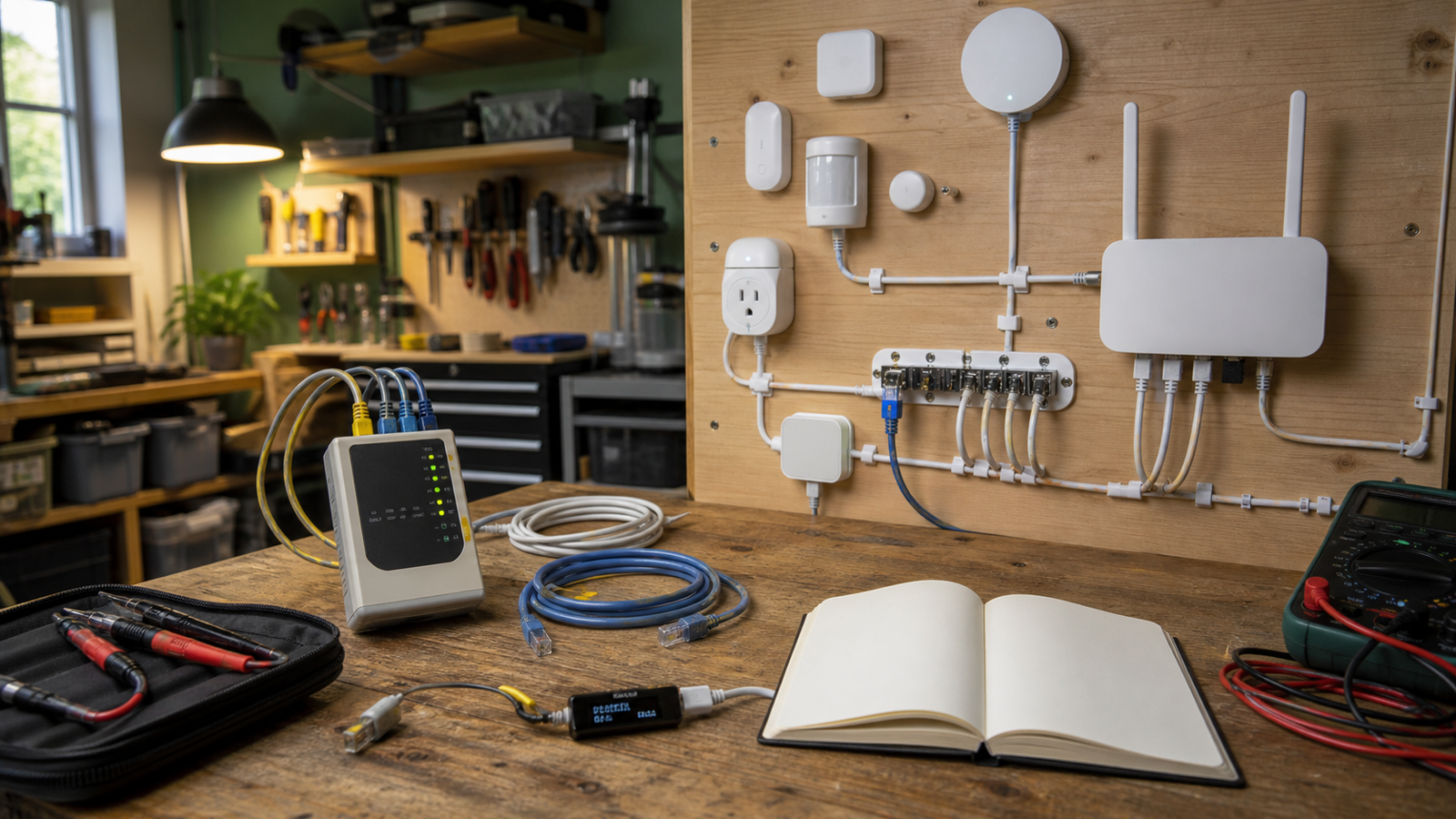
Smart-home gear has become a useful maker-lab category because it combines networking, embedded systems, mobile apps, sensors, radios, security models, and automation rules in one small project. It is also a category where a logo on the box can mislead buyers. Matter, Thread, Wi‑Fi, Zigbee, Bluetooth, and Wi‑Fi 7 all solve different parts of the problem.
This guide is for maker spaces, STEM classrooms, home labs, and technical hobbyists deciding what to standardize on for experiments and demonstrations. The goal is not to crown one protocol. The goal is to build a small automation stack that can be reset, explained, documented, and repaired when a demo fails ten minutes before students arrive.
If your lab is starting from zero, the simplest rule is this: buy fewer device families, test them in a controlled corner, and write down how pairing, resets, firmware updates, and local control behave before rolling them into a room. Smart-home reliability is mostly discovered during setup, recovery, and edge cases.
Start with the job, not the logo
Matter is an application-layer standard backed by the Connectivity Standards Alliance. The CSA describes Matter as a standard intended to improve interoperability across smart-home ecosystems. It can run over different networks, including Wi‑Fi, Ethernet, and Thread.
Thread is a low-power mesh networking technology built for connected devices. The Thread Group describes it as an IPv6-based wireless mesh network designed for low-power smart-home and building devices. Wi‑Fi remains the common choice for higher-bandwidth or always-powered devices. Wi‑Fi CERTIFIED 7 adds features such as wider channels, 4096-QAM, and multi-link operation for supported devices and access points.
Those facts lead to a practical split. Battery sensors and small controls often make sense on low-power networks. Cameras, hubs, displays, speakers, and always-powered appliances often use Wi‑Fi or Ethernet. Matter may help devices show up in multiple ecosystems, but it does not erase radio range, firmware quality, cloud dependency, or reset complexity.
Where Matter helps
Matter is valuable when a lab needs the same class of device to work across more than one major smart-home platform. That can be helpful in a classroom where students bring different phones, or in a maker space where a project should not depend on one account or app forever.
For teaching, Matter also gives instructors a cleaner way to discuss layers. A device may support Matter as the language used above the network, while Thread, Wi‑Fi, or Ethernet carries the packets. That separation is useful because many smart-home failures are blamed on the wrong layer. A device can be Matter-certified and still suffer from poor signal, bad firmware, or a confusing reset path.
The lab test should be simple: pair the device into the first ecosystem, share it to a second ecosystem if supported, power-cycle the room, update firmware, reset the device, and document every step. If the process cannot be repeated by a student or volunteer using written notes, the device may be a poor standard choice even if it works once.
Where Thread helps
Thread is appealing for small battery-powered sensors, buttons, and controls because it is designed for low-power mesh networking. In a lab, that can reduce the number of Wi‑Fi clients and give students a useful example of mesh behavior. The catch is that Thread devices need a border router to connect the Thread mesh to the rest of the network.
That border-router detail is often where projects get messy. A smart speaker, display, hub, or router may quietly act as the border router. That can be convenient at home, but a maker lab should avoid mystery dependencies. If a device only works because one specific speaker is plugged in, the lab documentation should say so.
Thread is also not magic range extension. Metal shelves, concrete walls, crowded 2.4 GHz environments, low batteries, and device placement still matter. A proper lab setup should include a small floor plan, signal notes, and a reset checklist.
Where Wi‑Fi and Wi‑Fi 7 fit
Wi‑Fi remains the default for devices that move more data or have easy access to power. Cameras, displays, voice assistants, smart speakers, and many plugs are easier to support over Wi‑Fi. For labs that already run many phones, laptops, tablets, 3D printers, and streaming devices, the downside is client count and airtime contention.
Wi‑Fi 7 is not required for a temperature sensor, but it can matter for the network around the smart-home devices. If a maker lab streams robot demos, runs networked cameras, backs up media, and tests automation at the same time, a newer access point with better capacity can reduce contention. The key is not the badge alone. Labs should check Ethernet uplink speed, placement, channel planning, client isolation options, guest network controls, and whether older 2.4 GHz devices remain stable.
For smart-home experiments, a dedicated SSID or VLAN can make resets and security easier. That keeps student devices, lab computers, and experimental sensors from becoming one tangled network. It also gives instructors a clean way to demonstrate segmentation and failure isolation.
Lab buying checklist
- Reset behavior: Can a student factory-reset the device without a hidden app-only path?
- Local operation: Which actions continue if the internet is down?
- Account dependency: Does every lab device require a personal cloud account?
- Border-router visibility: If Thread is used, is the border router documented and replaceable?
- Firmware update path: Can updates be scheduled, deferred, or verified?
- Radio environment: Has the lab checked 2.4 GHz congestion, shelf placement, and room layout?
- Data handling: Do cameras, microphones, or occupancy sensors create privacy concerns in classrooms?
- Recovery notes: Is there a printed runbook for pairing, naming, resetting, and replacing devices?
Suggested starter stack
A good maker-lab starter setup is deliberately boring: one Wi‑Fi access point with strong admin controls, one documented Thread border router, two or three Matter-compatible sensors or plugs, one non-camera automation demo, and a notebook that records every failure. Avoid building the first lesson around cameras or microphones unless the lab has a clear privacy policy.
From there, add complexity in layers. First verify basic pairing. Then test automation rules. Then test local behavior during internet loss. Then add student documentation. Finally, compare another ecosystem or controller. That progression teaches systems thinking rather than brand loyalty.
TVG Take
Matter is useful for interoperability, Thread is useful for low-power mesh devices, and Wi‑Fi 7 is useful around the edges when the lab network is busy. None of them removes the need for disciplined testing. For maker labs, the best smart-home gear is the gear that can be reset, explained, and recovered by the people actually using the room.
If a product hides pairing, reset, or cloud behavior behind a glossy app, treat that as a teaching risk. The lab standard should favor visible state, clear documentation, replaceable parts, and a small number of repeatable device families.
Sources
- Connectivity Standards Alliance: Matter
- Thread Group: What is Thread?
- Wi‑Fi Alliance: Wi‑Fi CERTIFIED 7



