
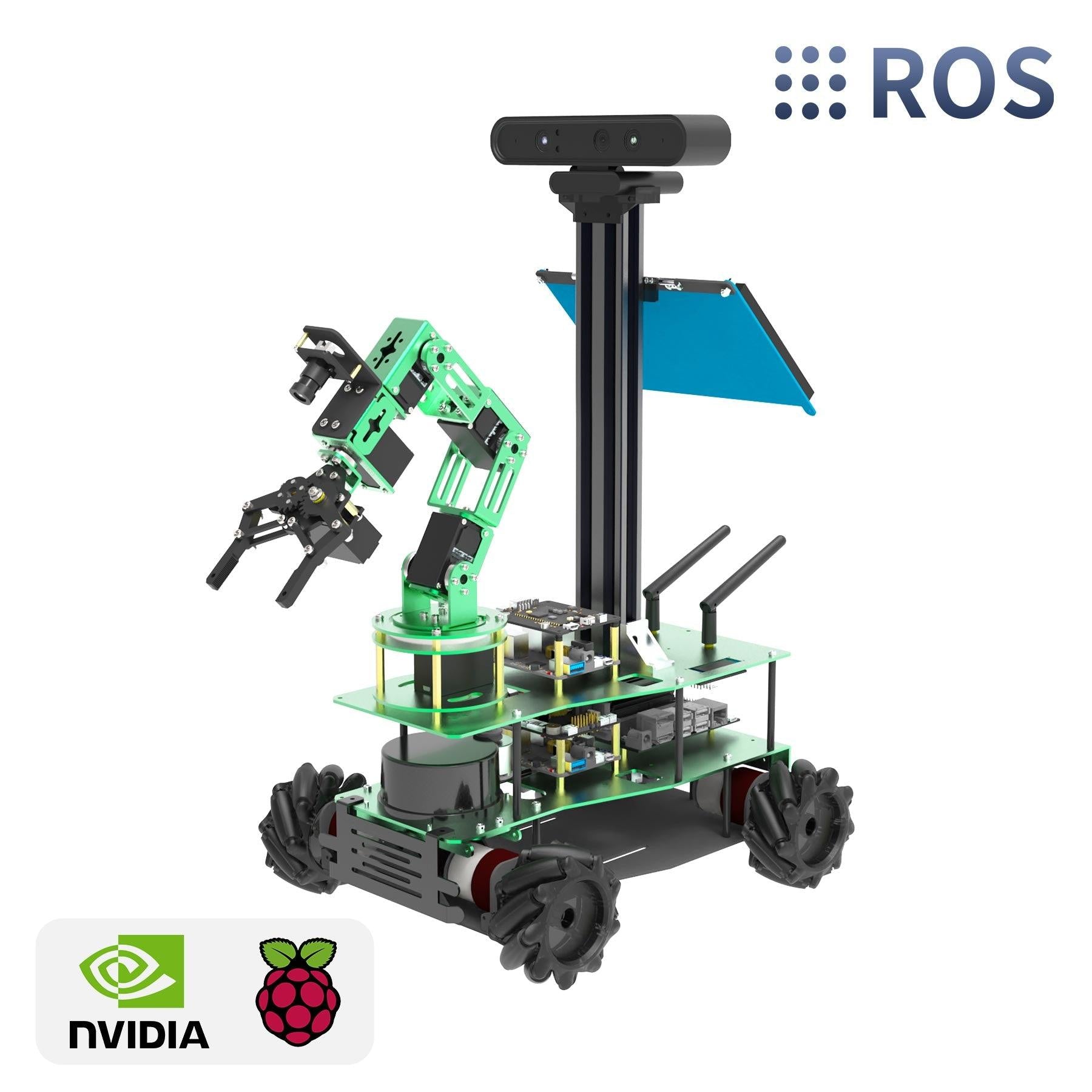
Yahboom’s ROSMASTER X3 Plus packages mecanum mobility, ROS and ROS2 workflows, lidar, depth-camera perception and a 6DOF arm into one mobile-manipulation platform. That breadth can support advanced STEM labs, but it also makes documentation, calibration and recovery paths part of the product rather than optional support material.
A mobile-manipulation integration bench
The official ROSMASTER X3 Plus product page describes the platform as an advanced ROS educational robot with mecanum wheels, autonomous 3D navigation, object manipulation through MoveIt, app mapping and navigation, automatic driving, human-feature recognition, multi-machine synchronous control, and free Chinese/English video tutorials and code. Yahboom lists compatibility with NVIDIA Jetson Nano 4GB, Jetson Orin NX Super, Jetson Orin Nano Super, and Raspberry Pi 5 controller options, with high-performance hardware including lidar, a depth camera, a 6DOF robotic arm, 520 motors, a voice-recognition interactive module, and a 7-inch HD display.
That places the X3 Plus above entry-level line-following or obstacle-avoidance robot cars. It is closer to a compact robotics integration bench: perception, navigation, manipulation, teleoperation, and software deployment are all part of the pitch.
The lab profile it assumes
The most credible buyers are robotics clubs, university labs, advanced high-school STEM programs, makerspaces, and small R&D teams that want a single mobile-manipulation platform for ROS lessons. It is probably not the best first robot for a classroom that has never taught Linux, Python, networking, sensor calibration, or power troubleshooting. The more modules a kit includes, the more important documentation quality and spare-parts availability become.
Mecanum motion, perception, and manipulation
The X3 Plus design signals are promising on paper. Mecanum wheels make it possible to teach omnidirectional motion, but they also expose calibration problems quickly: uneven floor friction, motor mismatch, PID tuning, frame squareness, and wheel orientation mistakes can all create confusing drift. A 6DOF arm adds manipulation lessons, while a depth camera and lidar support perception and mapping exercises. Yahboom’s ROSMASTER X3 study/documentation page is also a useful signal because it lists lesson areas including motor control, mecanum kinematic analysis, PID movement, robot calibration, URDF modeling, depth-camera use, lidar SLAM, visual tracking, RTAB-Map 3D mapping/navigation, ORB-SLAM2, ROS2 remote-control material, and hardware expansion topics.
The closely related ROSMASTER X3 product page frames the non-Plus X3 around ROS2, mecanum wheels, Jetson Orin/Raspberry Pi 5 compatibility, lidar, a depth camera, voice control, 520 motors, Python programming, autonomous navigation, object avoidance, self-driving experiments, app mapping/navigation, handle remote control, and ROS PC control. That overlap matters because buyers will want to understand which lessons, software images, and support materials transfer across the X3 and X3 Plus family.
Integration support is the main constraint
The biggest risk is integration complexity. A platform that combines ROS, AI perception, navigation, voice interaction, manipulation and multiple controller options has many independent failure points. Versioned software images, wiring diagrams, replacement parts and recovery steps for storage, networking, dependencies and sensor calibration are therefore central to its classroom value.
Another unknown is lesson pacing. Advanced robotics kits sometimes assume that a learner understands Linux terminals, Python environments, ROS packages, camera calibration, and serial-device troubleshooting before the first lesson begins. For college labs that may be fine. For high schools or community makerspaces, the kit needs scaffolding.
When the complexity is justified
Consider the ROSMASTER X3 Plus if your lab specifically wants a ROS mobile-manipulation platform and has enough technical support to treat setup and debugging as part of the learning experience. It may be a strong candidate for programs that want one robot to support mapping, navigation, perception, mecanum motion, app control, and arm experiments across multiple modules.
Skip or delay it if your program needs a low-friction first robotics kit, if students are not ready for Linux/ROS troubleshooting, or if your evaluation process cannot verify software compatibility before purchase. In that case, a simpler ESP32, Arduino, or Raspberry Pi robot car may be a better first step.
The support model is the decision
ROSMASTER X3 Plus sits at the point where educational robotics becomes systems engineering. Its feature list is useful only when a lab can support repeatable setup, mecanum calibration, power management, current documentation and spare parts. Programs ready to teach those failure modes can use one platform for navigation, perception and manipulation; beginners will learn faster on a narrower robot.

That’s a really comprehensive list of things to consider when evaluating a robot like the ROSMASTER X3 Plus – repeatability is definitely key for any educational use.