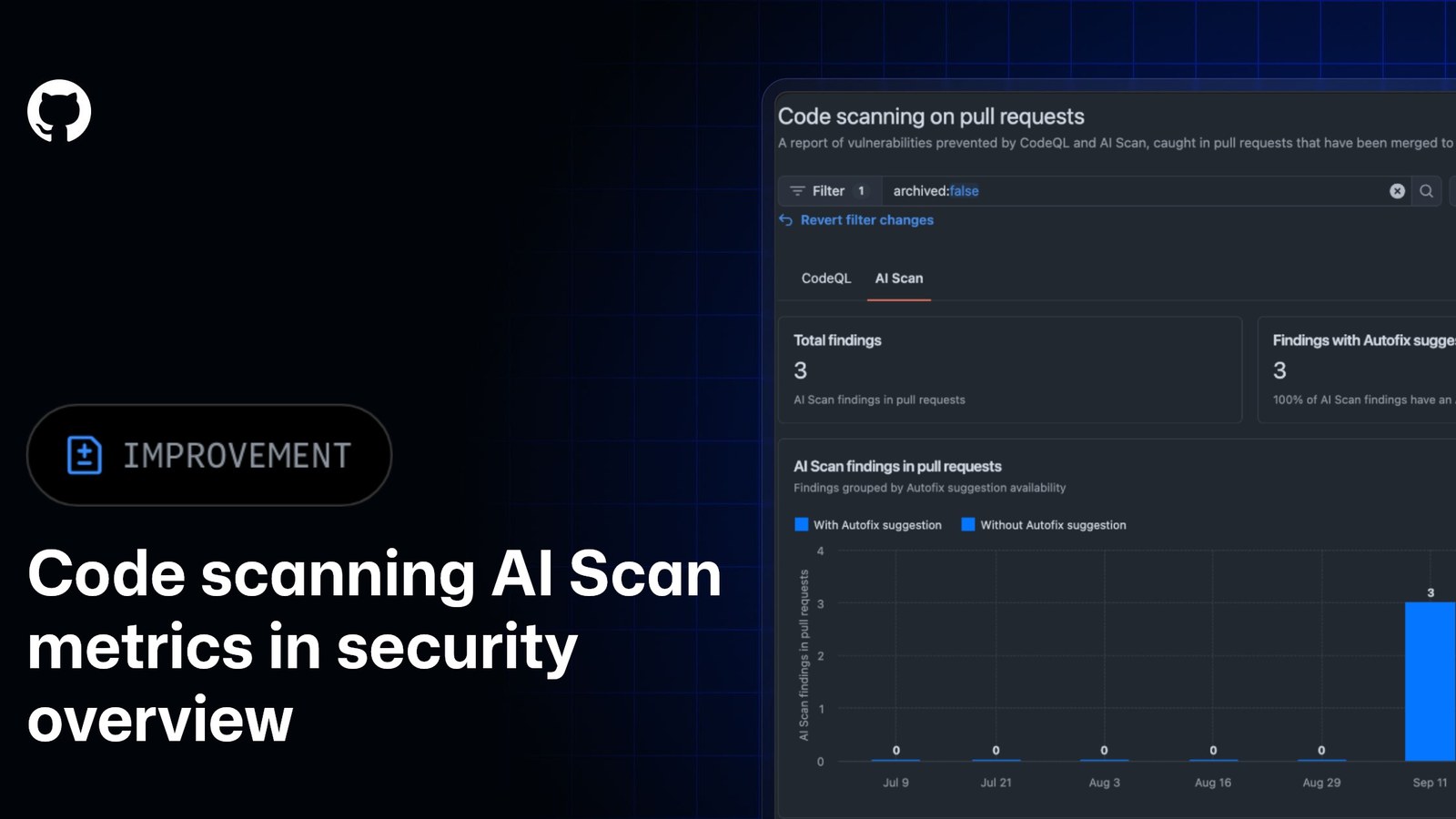
GitHub has added organization- and enterprise-level metrics for AI Scan findings to security overview. The October 13 update shows generated and resolved findings, remediation rate, repositories producing findings, trends over a selected period and how often developers apply Autofix suggestions.
The change turns a pull-request feature into something security teams can monitor across a fleet. It does not turn AI Scan into a merge gate or a backlog scanner, and the numbers need to be read with those limits in mind.
The dashboard separates volume from developer response
The renamed Code scanning on pull requests report has separate CodeQL and AI Scan tabs. GitHub documents total AI Scan findings, the count and percentage with an Autofix suggestion, finding trends, outcomes for findings with and without Autofix, and remediation rate. Repository-level views show where findings originated.
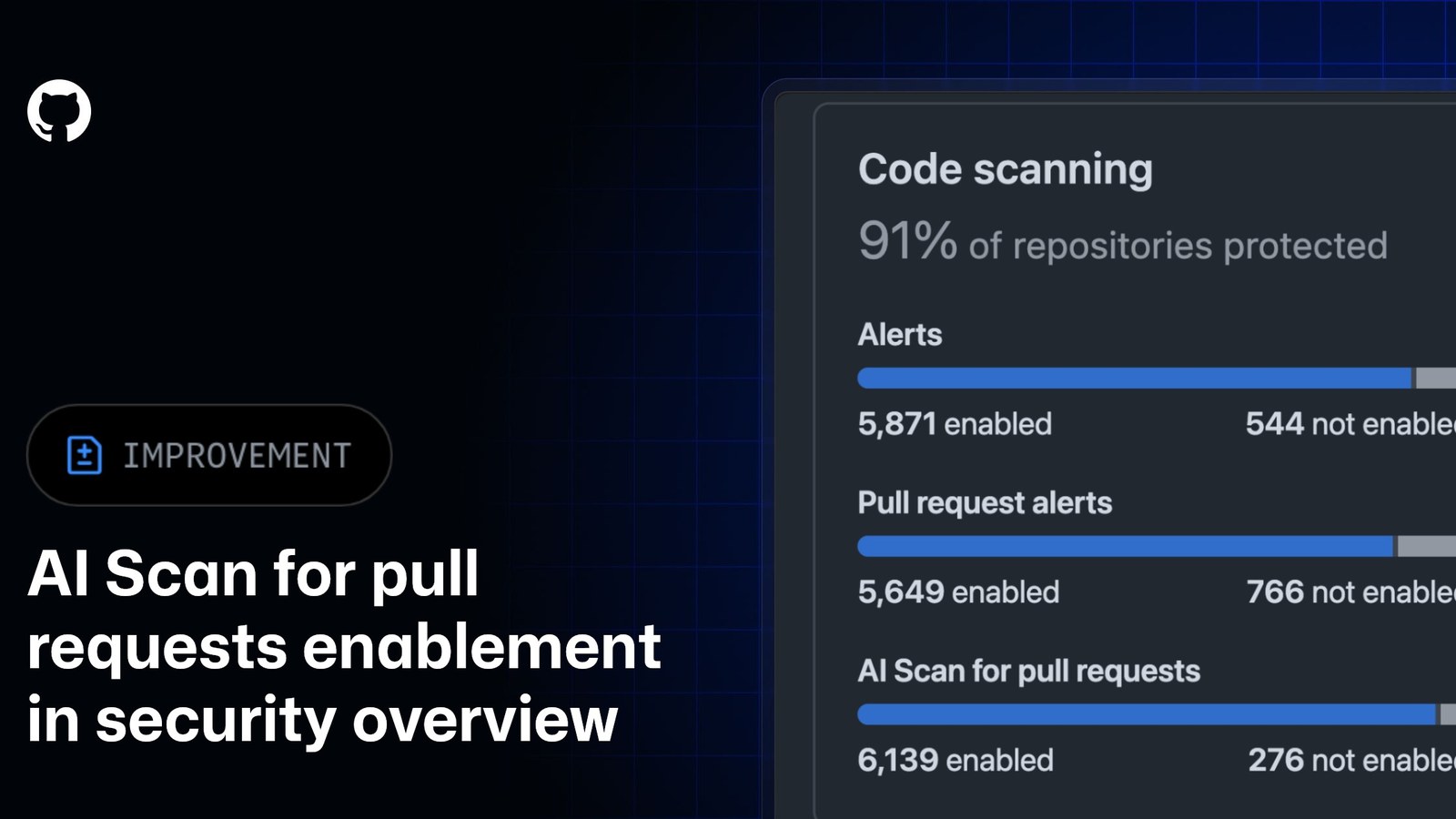
Those measures answer different questions. Finding count shows activity, not precision. Remediation rate shows recorded outcomes, not whether every accepted change fixed the underlying defect. Autofix acceptance says developers used a suggestion; it does not by itself compare AI Scan with CodeQL or a human review.
The denominator matters before teams compare repositories
GitHub says AI Scan runs when code scanning is enabled, the effective AI Scan setting is enabled and an eligible pull request contains qualifying changes in a supported language or framework that CodeQL does not cover. A low finding count can therefore mean little eligible change, incomplete enablement or fewer flagged issues. GitHub’s October 6 coverage view can filter repositories with code-scanning-ai-scan-pr-scan:enabled and :not-enabled, giving administrators a way to check adoption before interpreting outcomes.
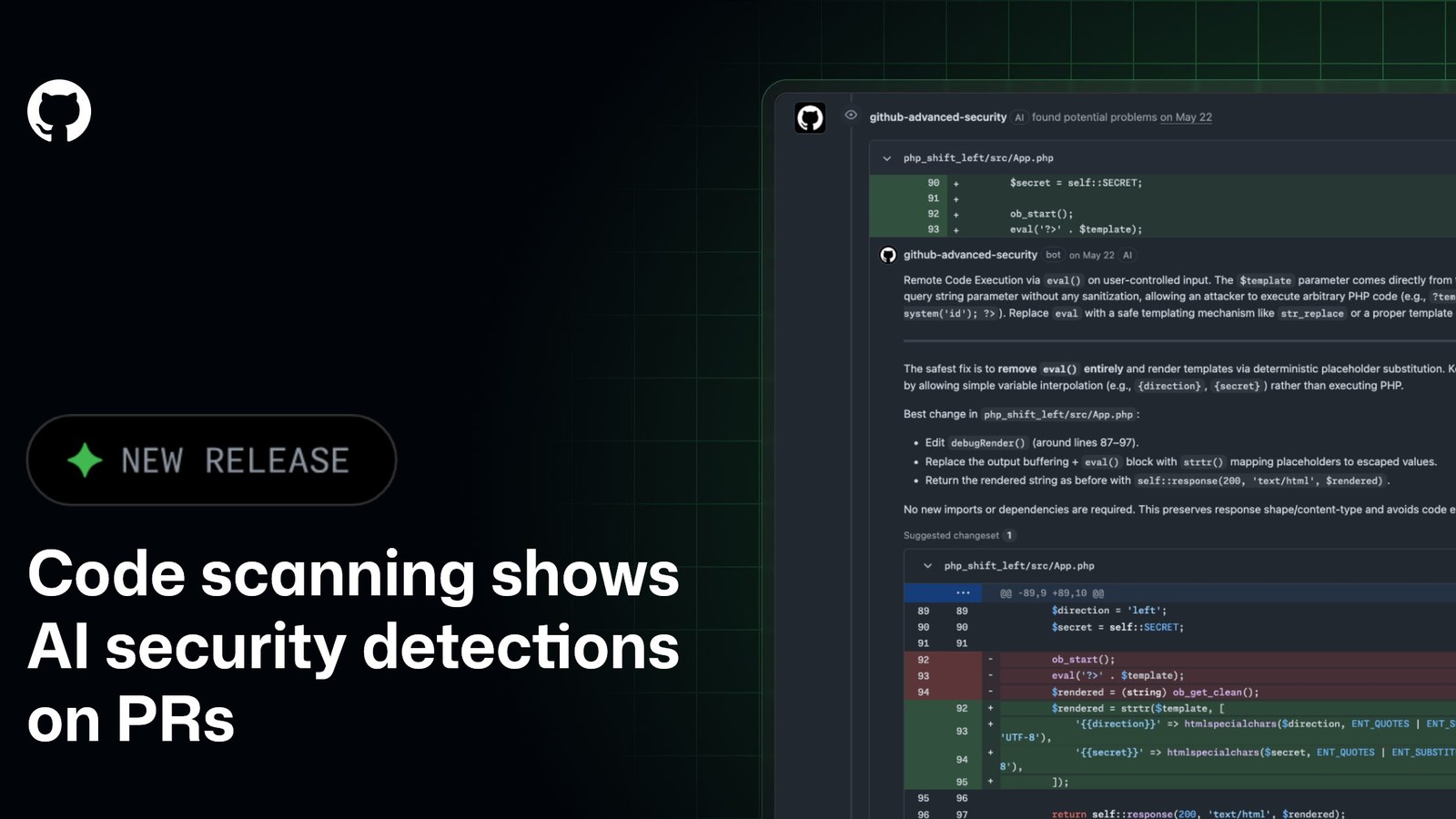
AI Scan triggers when a pull request is created and after each new commit. Current documentation says it operates independently of CodeQL analysis state and does not require CodeQL default setup. Its findings appear on the pull request rather than as backlog alerts in the repository security view.
Public-preview limits stay in force
The metrics are in public preview on GitHub.com, including GitHub Enterprise Cloud, for customers with GitHub Code Security or GitHub Advanced Security. GitHub Enterprise Server is not supported in this release. The underlying AI Scan preview also requires a GitHub Copilot license and consumes AI credits.
Findings are advisory and do not block merges. The engine works from pull-request code, can use repository code search for context and does not require a build system. GitHub also says it uses specialized prompts rather than repository instruction files such as /.github/copilot-instructions.md or /CLAUDE.md.
The new view is most useful as an operations layer: confirm coverage, segment eligible repositories, watch unresolved outcomes and inspect changes in remediation behavior. It is not a published benchmark for false-positive rate, vulnerability recall or avoided incidents. Those quality questions remain outside the dashboard data GitHub has described.